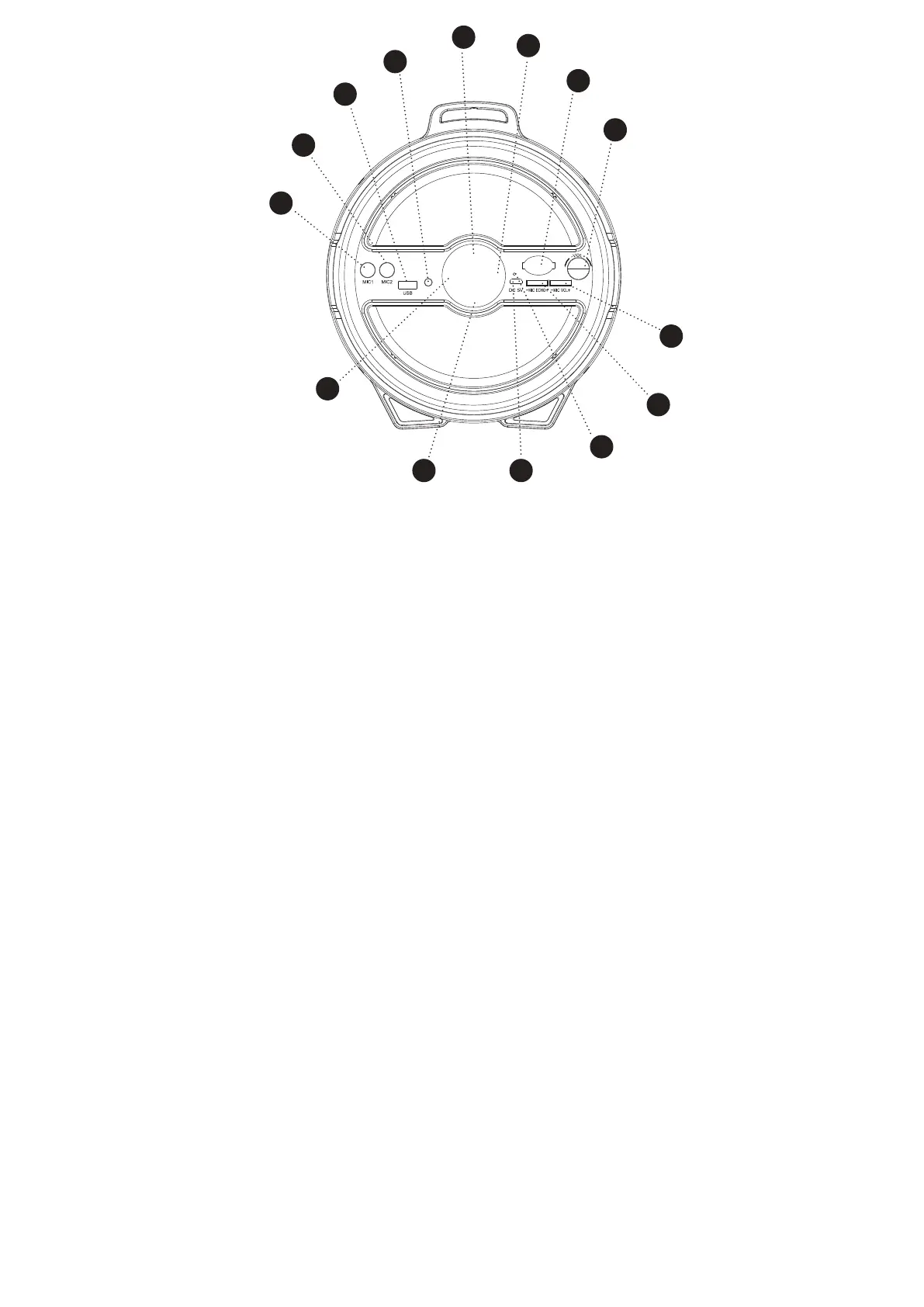
Front View2.2
A MICROPHONE SOCKET 1
B MICROPHONE SOCKET 2
C USB PORT
To play music from a USB disk.
D LINE IN SOCKET
Connect external audio sources with a 3.5mm audio cable.
E MODE
Press to switch between Bluetooth,USB and LINE IN mode.
F NEXT TRACK AND FAST FORWARD
Short press for the next track.
Long press to fast forward.
G OFF/ON
Turn on/off the Extra Bass LED Tube Speaker.
H VOLUME CONTROL
Turn to increase and decrease the volume.
I PREVIOUS TRACK
Short press for the next track.
Long press to fast rewind.
J PLAY/PAUSE AND LIGHT ON/OFF
Short press to play/ pause the music.
Long press to turn the multicolour light on/off.
K MICRO MAINS INPUT SOCKET
Connect the mains adapter to this socket.
L INDICATOR LED LIGHT
Red LED = Battery Charging
LED Off = Battery Fully Charged
Blue LED Fast Flashing = Bluetooth Pairing Mode
Blue LED Slow Flashing = Bluetooth Mode
M MIC ECHO GEAR
Turn to increase and decrease the microphone echo.
N MIC VOLUME GEAR
Turn to increase and decrease the microphone volume.
A
F
G
H
I
J K
L
M
N
B
C
D
E
LINE IN



 To Next Page