Quick Setup3
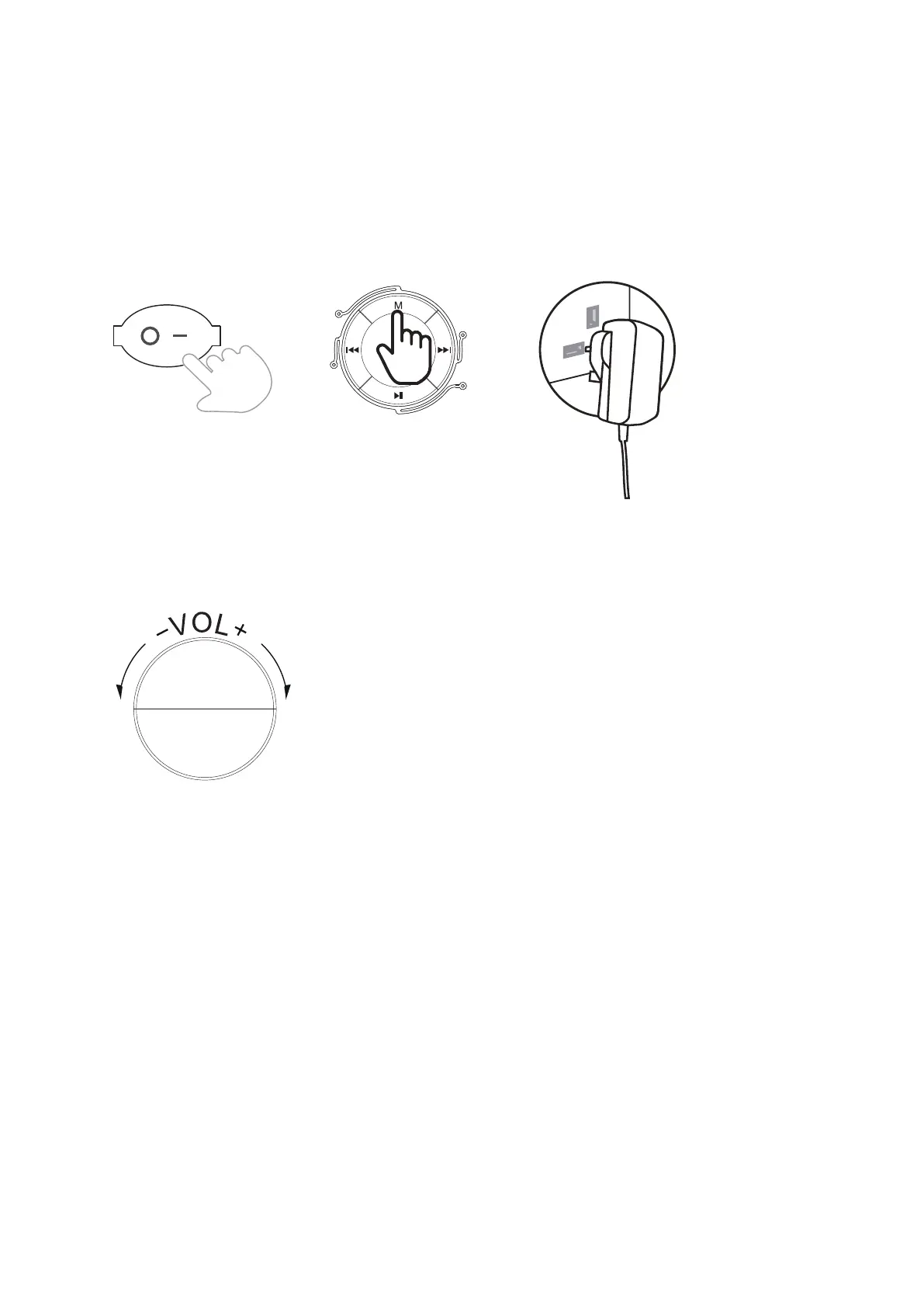
Power On/Off and Function Selection
1. Slide the power switch to the ON position. The speaker will automatically start in
Bluetooth mode.
2. To change the mode between Bluetooth, Line In, or USB press the MODE button.
3. When the battery requires charging you will hear "Battery Low".
4. Using the power adapter supplied connect your speaker to re-charge the speaker.
3.1
Adjusting the Extra Bass LED Tube Speaker Volume
Turn the volume control on the front panel of the Extra Bass Led Tube Speaker to adjust the
volume to a comfortable level.
3.2
Adjusting the Microphone Volume and Echo
Turn the volume and echo controls on the front panel of the Extra Bass Led Tube Speaker
to adjust the volume and echo to a comfortable level.
3.3
Operation4
4.1 Selecting Bluetooth
1. Turn ON the Extra bass LED tube speaker, you will hear ” Bluetooth Mode” ,
the blue light will flash quickly.
2. Use the controls on your Bluetooth device to select ( GOODMANS TUBE ) in your
Bluetooth settings to pair. If your device requests a password, enter “0000” .
For instructions on pairing and connecting Bluetooth devices,refer to your device's
user manual.



 To Next Page