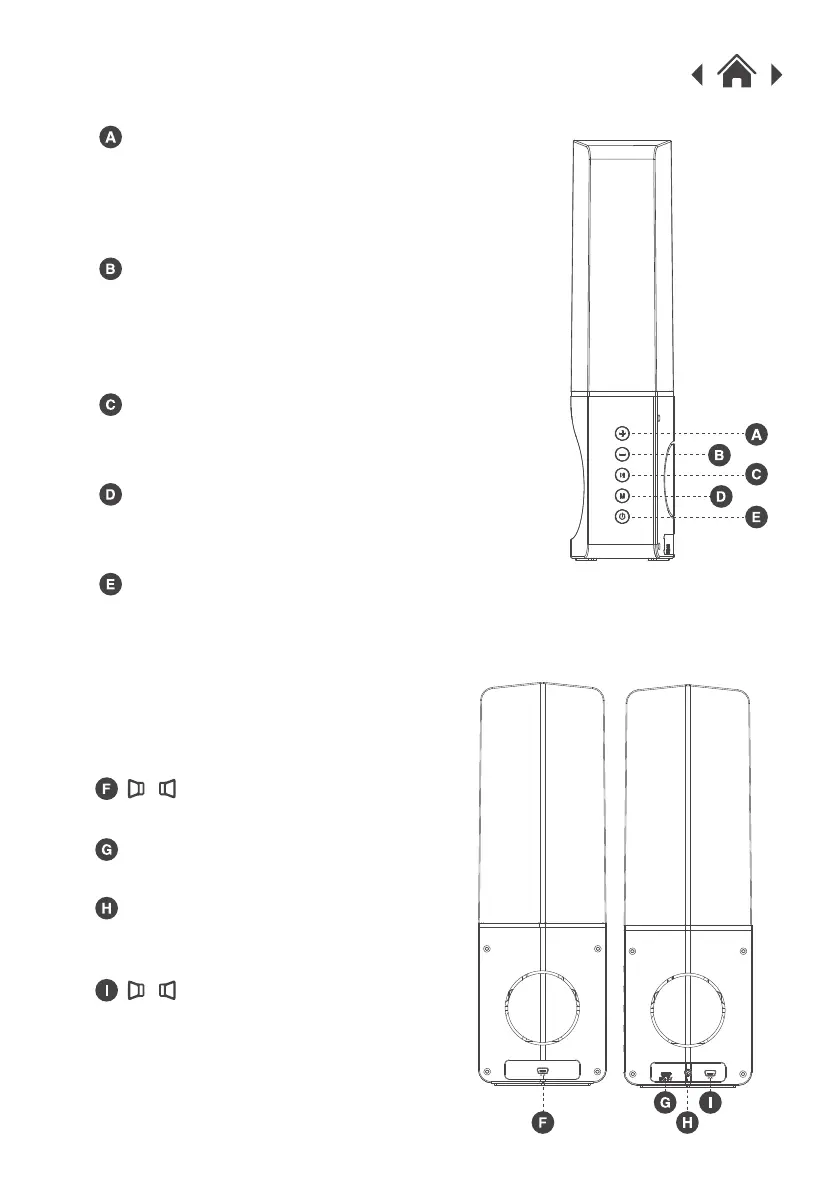
Increase Volume / Next Track
Decrease Volume / Previous Track
Play / Pause
2.2 Side View
Mode
Power ON / OFF Button
Press the button to switch to the
next track.
Hold the button to increase the
volume.
Press the button to switch to the
previous track.
Hold the button to decrease the
volume.
Press the button to play or pause
the music.
Press the button to select Bluetooth /
LINE IN function.
Press and hold the button for three
seconds to switch the power ON or OFF.
2.3 Back View
Micro USB Charging Socket
Used to charge the battery.
LINE IN Input
Used to connect the Water Speaker
to devices without Bluetooth.
Main box stereo connection.
Pair box stereo connection.



 To Next Page