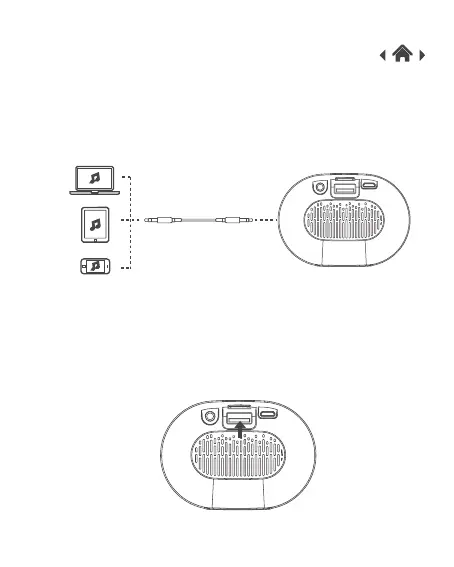
1. If your device doesn’t have Bluetooth, you can use the Line-in
connection.
2. Press and hold the power button to turn your speaker on and
connect the line in cable to the Portable Bluetooth Speaker and
connect the other end to your music device.
3. Select your music on your device and Play.
3.4 Using the Line-in Connection
1. Press and hold the power button to turn your speaker on.
2. Insert a USB into the USB port. It will automatically play the music.
3.5 Using the USB Function



 To Next Page