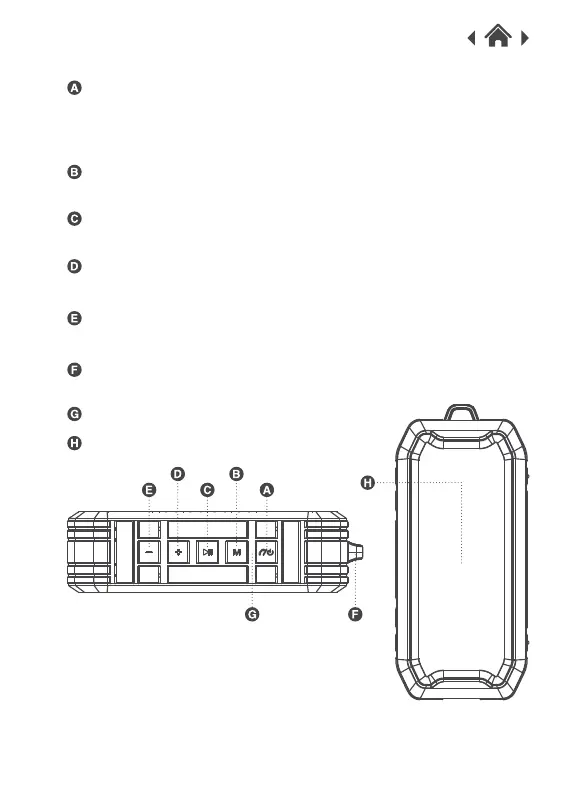
2.2 Top View
Power ON/OFF button
Press and hold the button for 3 seconds to switch the power ON or OFF.
When receiving a call, hold the button to refuse a call.
Press the button once to answer / end a call.
Press the button twice to redial the last call.
Press the button once to play / pause your music.
Play / Pause Button
Increase volume / Next track
Press the button to switch to the next track.
Hold the button to increase the volume.
Press once to switch Bluetooth / Line-in mode.
Mode Button
Decrease volume/ Previous track
Press the button to switch to the previous track.
Hold the button to decrease the volume.
Indicator light
Speaker
Hanging bracket.
Hanging hole



 To Next Page