Need help?
Do you have a question about the Goodmans ASPECT and is the answer not in the manual?
Lists items included with the Aspect Soundbar.
Details the buttons and LED indicator on the side of the device.
Identifies the input and output ports on the back of the soundbar.
Explains the meaning of different LED colors for status and source modes.
Describes the functions of each button on the remote control.
Guides on connecting the soundbar to a television using various audio inputs.
Explains how to select the audio input source for the soundbar.
Provides instructions on disabling the TV's internal speakers.
Details how to change the soundbar's orientation for different listening modes.
Guides on activating Bluetooth mode on the soundbar.
Instructions for pairing a Bluetooth device with the Aspect soundbar.
Explains how to connect devices via the Aux input.
Guides on selecting and using the Aux input source.
 General
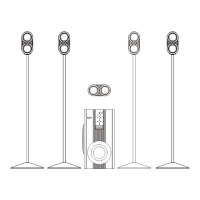
| Type | Home Cinema Speaker System |
|---|---|
| Subwoofer | Yes |
| Frequency Response | 50Hz - 20kHz |
| Impedance | 4 Ohms |
| Connections | 3.5mm Line-In |

 To Next Page