Rear View
Side View
2.3
2.3
A
A
B
C
D
F
F
G
G
H
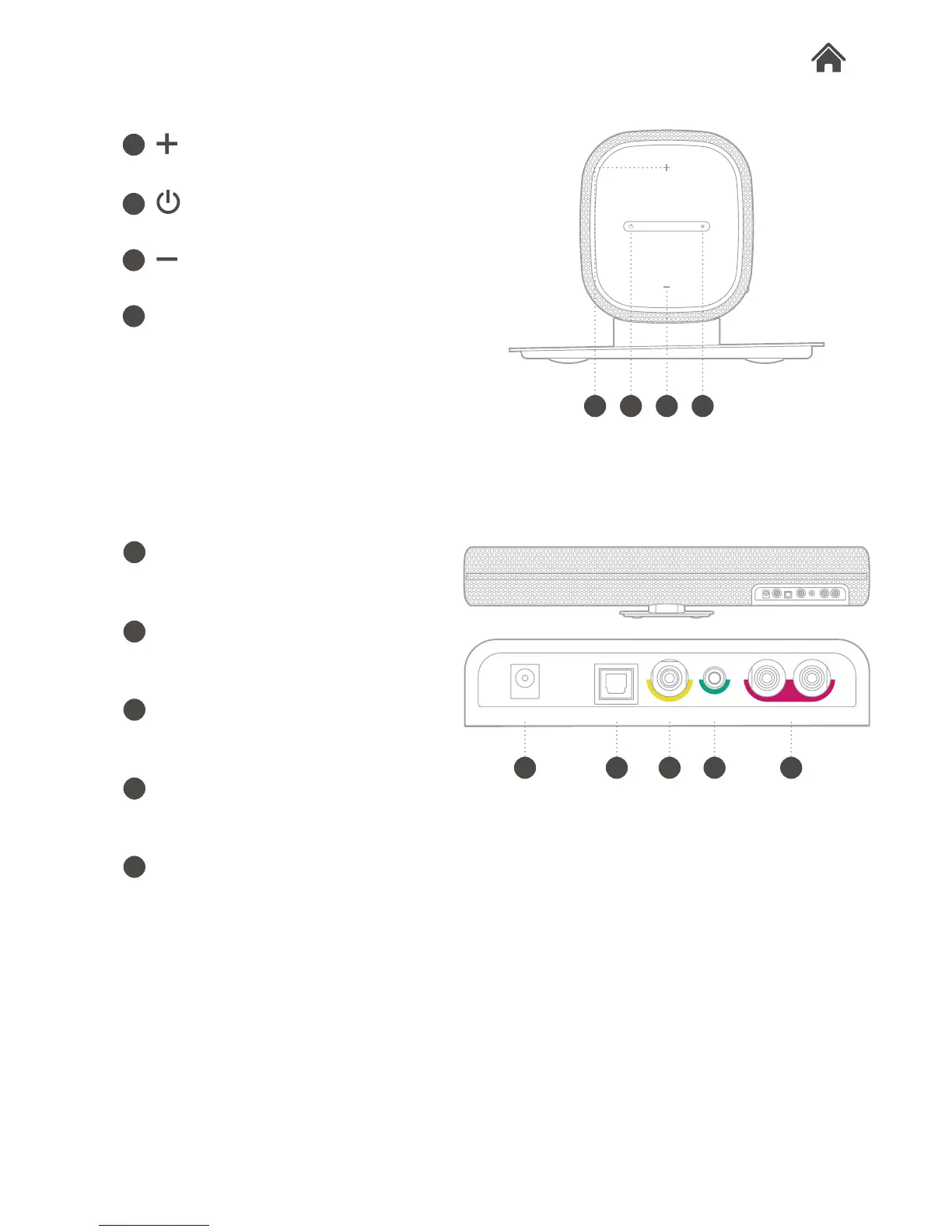
DC power input
Used to connect Aspect to the mains
power supply.
Optical digital input
Connect to television’s opitical digital
output.
Coaxial digital input
Connect to television’s coaxial digital
output.
Aux stereo input
Connect external audio sources with
a 3.5mm audio cable.
RCA stereo input (Line input)
Connect to your television’s analogue
stereo output.
button
Press to increase the volume.
button
Press to turn Aspect on/off.
button
Press to decrease the volume.
Source button/LED indicator
Press to change the input source.
The indicator shows the status or
source type by different colours.
I
B C D
E
E
H I
OpticalDC IN Woofer Coaxial Aux in L RCA R


 To Next Page