5.1
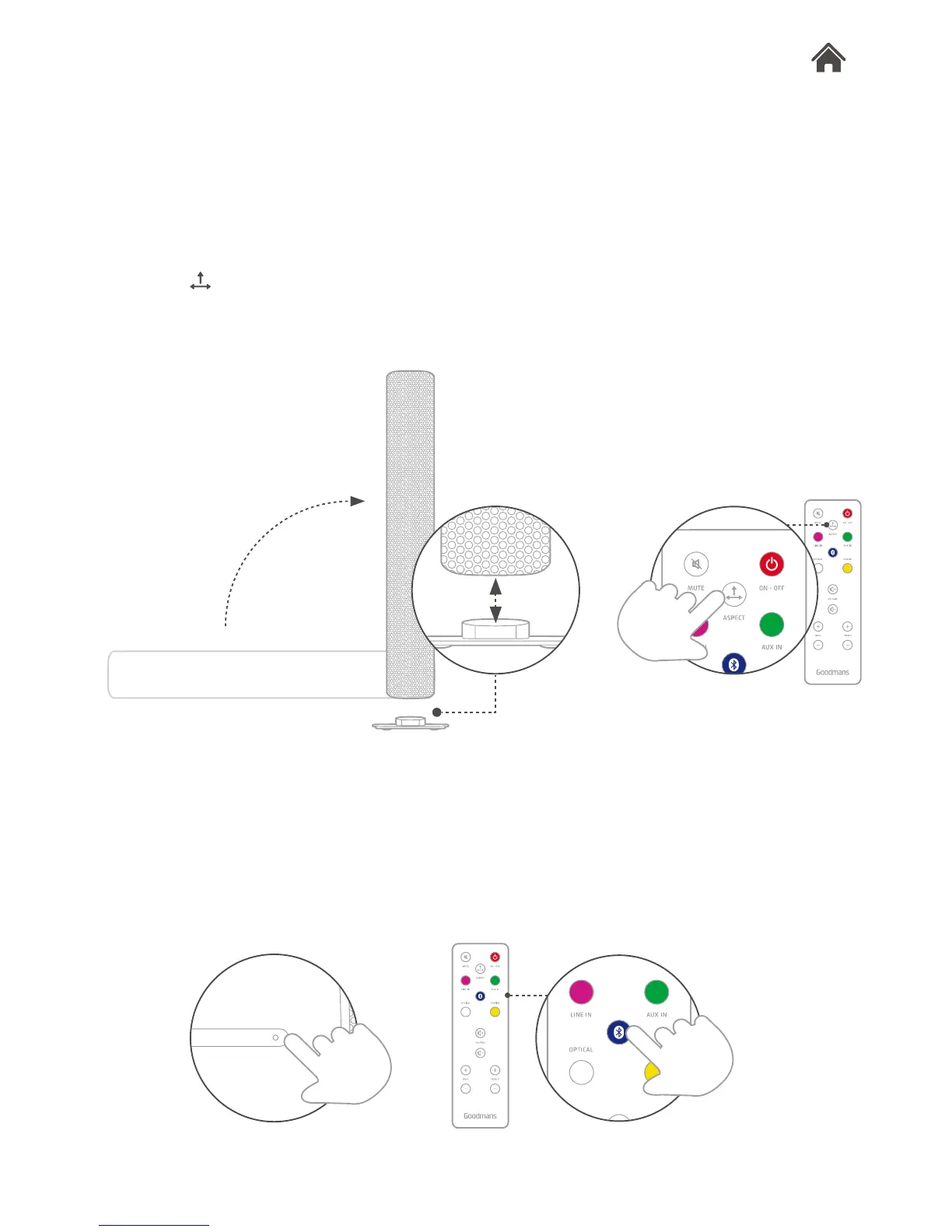
Switch between horizontal and vertical modes
You can listen to Aspect vertically, as well as horizontally.
1. Remove the end panel and store it in the base of the stand.
2. Rotate and stand Aspect on its base.
3. Press on the remote to switch the sound between
horizontal and vertical modes. The LED will ash blue 3 times
when in vertical mode and ash red 3 times when in horizontal
mode.
HORIZONTAL/VERTICAL SOUND MODES
5.2
Set the source type to bluetooth
Use the remote control, or press the source button on the right
hand of Aspect, to set bluetooth mode. The LED indicator will
show blue.
BLUETOOTH CONNECTIVITY
Features5


 To Next Page