Need help?
Do you have a question about the Goodmans GCR1880DAB and is the answer not in the manual?
Emphasizes careful use of electrical equipment and reading safety sections.
Steps to connect power, turn the unit on via the standby button, and turn it off.
Manually setting the time and date or enabling auto-update from DAB.
Restoring the radio to its default settings, erasing all user configurations.
Initial steps to set up the alarm function, starting with 'Alarm 1 Setup'.
Setting the specific time for the alarm to sound.
How to use the snooze function when the alarm is sounding.
Addresses issues like unadjusted volume or incorrect power connection.
Guidance on protecting hearing by maintaining safe listening volumes.
Important safety precautions for operating the digital alarm clock radio.
Safety instructions for connecting the power adapter to the mains supply.
 General
| Type | Clock Radio |
|---|---|
| Brand | Goodmans |
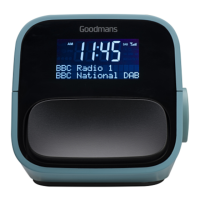
| Model | GCR1880DAB |
| Tuner | DAB/DAB+/FM |
| Alarm | Dual alarm |
| Snooze Function | Yes |
| Sleep Timer | Yes |
| Power Source | Mains powered |
| Speaker | Built-in |
| Presets | 20 |
| Display | LCD |
| Backup Battery | Yes |


 To Next Page