EasyManua.ls Logo

Goodmans GMR1886DAB - User Manual

Goodmans GMR1886DAB
24 pages
Print Icon
To Next Page IconTo Next Page
Loading...
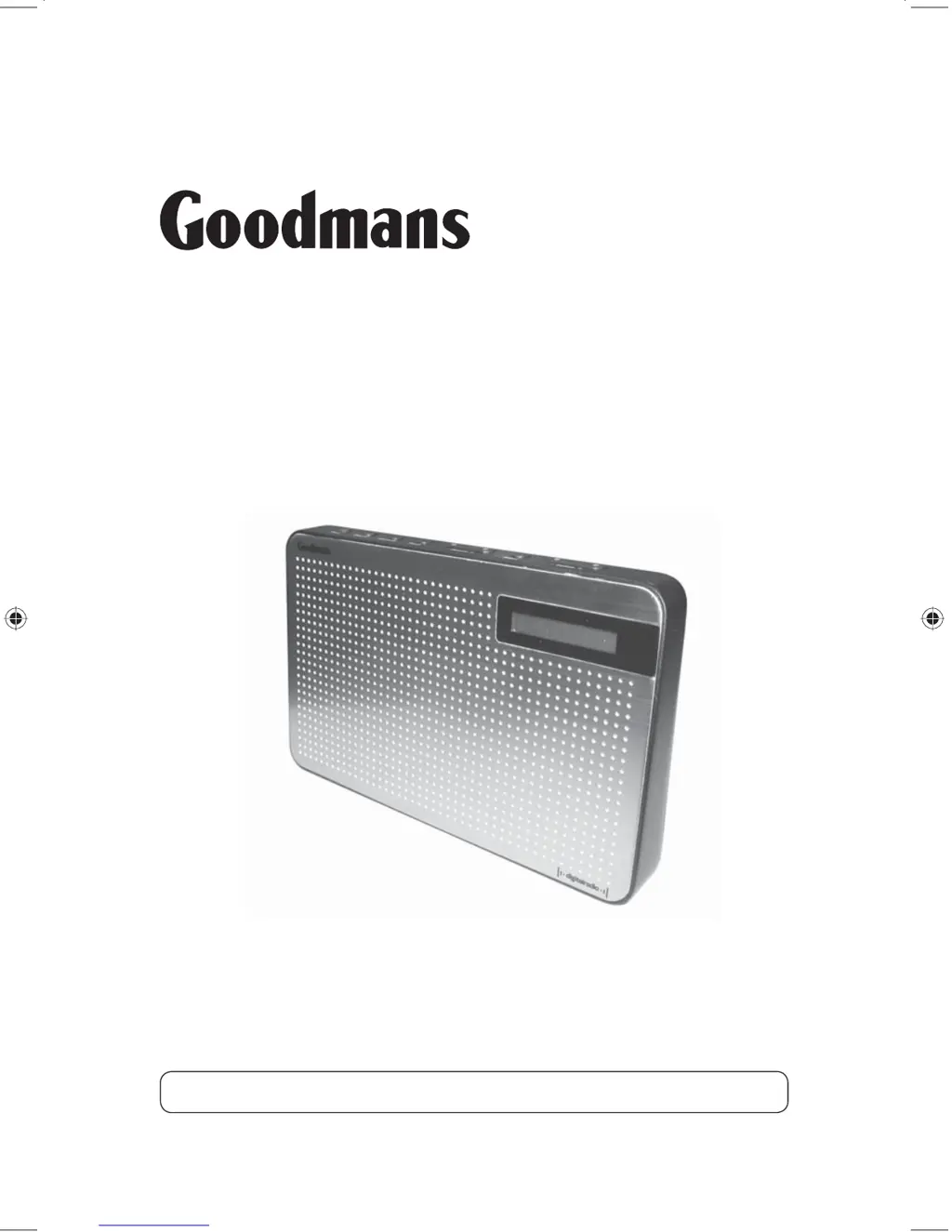
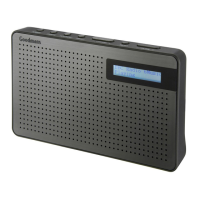
GMR1886DAB
DAB Digital Radio
User Guide
IMPORTANT: Please read all instructions carefully before use and keep for future reference

Other manuals for Goodmans GMR1886DAB

Questions and Answers

  • M
    Michael HolmesAug 18, 2025
    How to improve poor reception on Goodmans GMR1886DAB Radio?
    • L
      lisaphillipsAug 18, 2025
      If you experience poor reception on your Goodmans Radio, remember that radio services can have weak signal areas leading to this issue. You can manually tune your radio and adjust the aerial while monitoring the signal strength to find the best signal. If the reception remains poor, consider moving the radio to a different location in the room.
  • C
    Colleen Johnson MDAug 20, 2025
    Why is there no sound from my Goodmans radio?
    • D
      David CarpenterAug 20, 2025
      If there is no sound from your Goodmans radio, first check that the volume isn't set too low. Also, ensure that the radio has successfully located DAB or FM stations.
  • J
    johnsongregoryAug 23, 2025
    What to do if my Goodmans Radio has no sound?
    • T
      Theodore StarkAug 23, 2025
      First, ensure the volume isn't set to the minimum. Then, verify that the radio has successfully located DAB/FM stations.
  • J
    Jonathan HaleAug 26, 2025
    Why does my Goodmans Radio display ‘NO SERVICES AVAILABLE’ in DAB mode?
    • M
      Maurice WilliamsAug 26, 2025
      This message appears when DAB coverage is unavailable in your current location. Try adjusting the aerial's position or moving the radio to a different location to improve reception.
  • C
    cherylmayerAug 28, 2025
    What to do if my Goodmans GMR1886DAB Radio has poor reception?
    • A
      Anthony HarrisAug 28, 2025
      In areas with a weak signal, manually tune your radio, following the instructions. Adjust the aerial while monitoring the signal strength to get the best signal. If the reception is still poor, try moving the radio to another part of the room.
  • J
    jordancarterAug 30, 2025
    Why does my Goodmans GMR1886DAB display ‘SERVICE OFF AIR’?
    • S
      Susan GarrettAug 30, 2025
      This happens when a broadcaster changes the service label or removes it while you're tuned to that station. The radio will attempt to re-tune automatically. Alternatively, you can initiate a scan by pressing the AUTO button.
  • P
    peter21Sep 2, 2025
    Why I cannot hear the station I have selected on my Goodmans GMR1886DAB Radio?
    • M
      Mark RowlandSep 2, 2025
      The station you are listening to is displayed on line 2. Line 3 shows the selected option, but you have to press the SELECT button to tune to the selected station.
  • J
    Jose PrestonSep 4, 2025
    Why do I hear distortion on some stations on my Goodmans GMR1886DAB?
    • T
      taylorashleySep 4, 2025
      Distortion often occurs due to a weak signal. Try repositioning the aerial to maximize signal strength.
  • C
    Connie LopezSep 7, 2025
    Why can't I access secondary services on my Goodmans GMR1886DAB?
    • J
      Joshua IbarraSep 7, 2025
      Secondary services are not widely available in the UK currently, but their availability will increase as more DAB stations begin broadcasting them.
  • W
    wwrightSep 9, 2025
    Why are some buttons on my Goodmans DAB Digital Radio not working?
    • R
      Rhonda CampbellSep 10, 2025
      If some buttons on your Goodmans DAB Digital Radio aren't working, it might be due to electrostatic discharge. To resolve this, switch off the radio, disconnect the mains plug, and then reconnect it after a few seconds.

Summary

Introduction and Safety

Safety First Steps

Essential safety advice before using the DAB digital radio.

Product Overview

Getting Started

Operating the DAB Radio

First Use and Station Scanning

Steps for initial power-on, automatic station search, and tuning.

Menu and System Settings

Details accessing system menus, sleep timer, backlight, language, and factory reset.

Operating the FM Radio

Troubleshooting Guide

Important Warnings

Hearing Protection

Guidance on setting safe listening volumes to prevent hearing damage.

General Safety Precautions

Key safety instructions for operation, connections, and environment.

Electrical Information

Goodmans GMR1886DAB Specifications

General IconGeneral
Radio typePortable
Tuner typeDigital
FM band range87.5 - 108 MHz
PLL synthesizer-
DAB III band range174 - 240 MHz
Supported radio bandsDAB, DAB+, FM
Power sourceAC/Battery
AC input frequency50 - 60 Hz
Input voltage100-240 V
Electronic Program Guide (EPG)Yes
Compatible battery sizesAA
Number of batteries supported4
Display typeLCD
Backlight colorBlue
RMS rated power3 W
Headphone outputs1
Headphone connectivity3.5 mm
Cables includedAC
Built-in speaker(s)No
Product colorPurple
Weight and Dimensions IconWeight and Dimensions
Width- mm

Related product manuals