EasyManua.ls Logo

Goodmans GSR1889DABBT - User Manual

Goodmans GSR1889DABBT
24 pages
Print Icon
To Next Page IconTo Next Page
Loading...
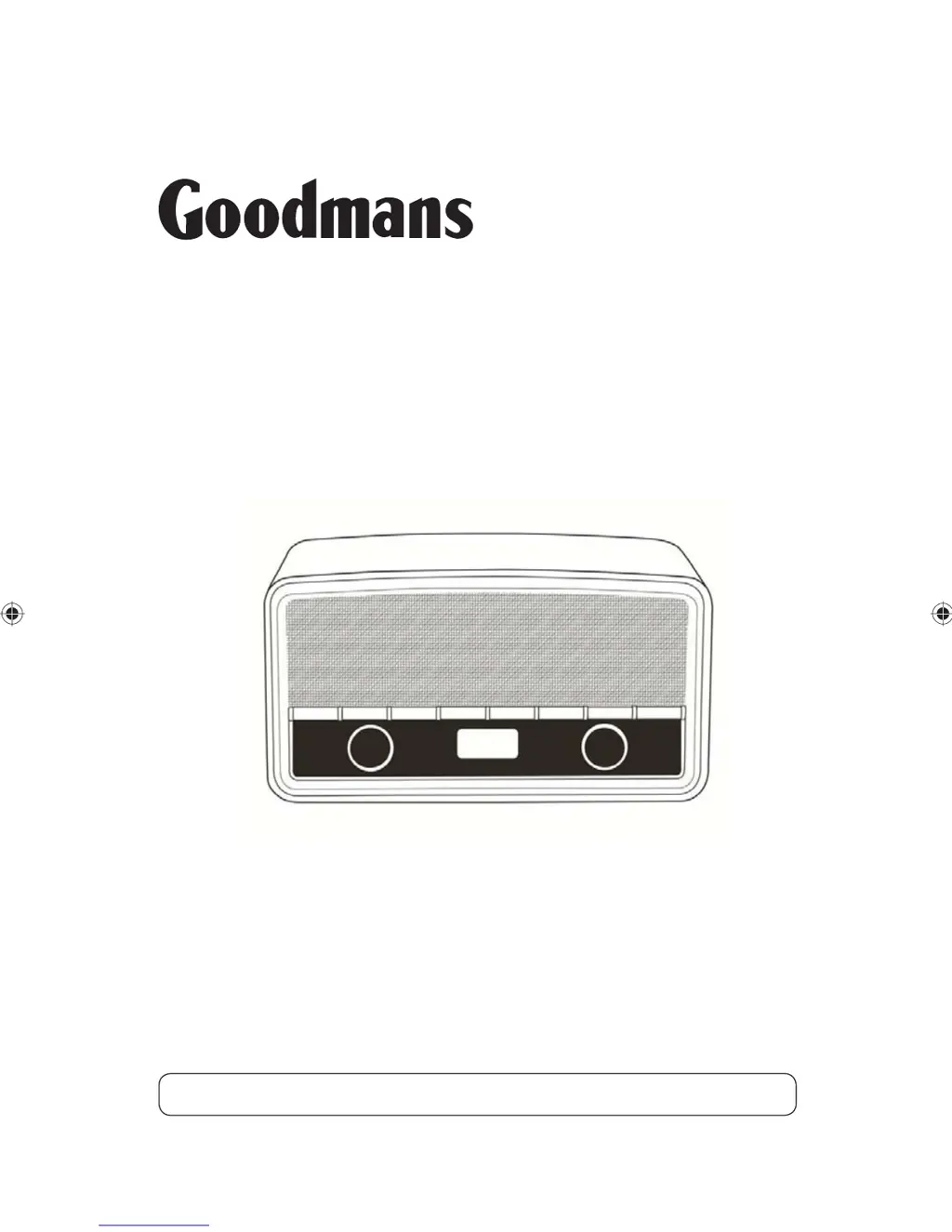
GSR1889DABBT
DAB Digital Radio
User Guide
IMPORTANT: Please read all instructions carefully before use and keep for future reference

Questions and Answers

  • N
    Nicholas RobertsJul 31, 2025
    How to fix buttons that are not working on Goodmans DAB Digital Radio?
    • C
      Christopher MercadoJul 31, 2025
      If some buttons on your Goodmans DAB Digital Radio aren't working, it might be due to electrostatic discharge. Turn the radio off, disconnect it from the mains, and then reconnect it after a few seconds.
  • R
    Richard WilliamsAug 5, 2025
    What to do if there is no sound from my Goodmans Radio?
    • M
      Mr. Scott EvansAug 5, 2025
      First, check that the volume isn't set too low. Also, ensure your Goodmans Radio has successfully located DAB/FM stations.
  • H
    Heidi HodgeAug 10, 2025
    Why is the reception so poor on my Goodmans GSR1889DABBT Radio?
    • J
      Jessica DouglasAug 10, 2025
      Poor reception can be caused by areas of weak signal. Follow the manual tuning instructions and adjust the aerial while monitoring the signal strength to get the best signal. If the reception remains poor, try moving the Goodmans Radio to a different location in the room.
  • D
    Diane MartinAug 15, 2025
    What to do if my Goodmans Radio displays ‘NO SERVICES AVAILABLE’ in DAB mode?
    • S
      shollowayAug 15, 2025
      If your Goodmans Radio display shows ‘NO SERVICES AVAILABLE’ in DAB mode, first ensure that DAB coverage is available in your area. If coverage exists, try adjusting the position of the aerial or the location of the radio itself.
  • C
    Charles MolinaAug 20, 2025
    Why can't I find 'HERITAGE' on my Bluetooth device for my Goodmans GSR1889DABBT Radio?
    • S
      simpsonedwardAug 20, 2025
      If you cannot find ‘HERITAGE’ on your Bluetooth device when trying to connect to your Goodmans Radio, make sure that the Bluetooth function is activated on your device. You may also need to re-pair the radio with your Bluetooth device.
  • B
    Brenda MendezAug 26, 2025
    Why I cannot access secondary services on my Goodmans GSR1889DABBT Radio?
    • P
      Peter SaundersAug 26, 2025
      Secondary services availability will increase as more DAB stations start broadcasting. If a secondary service station is available on your Goodmans Radio, the secondary indicator ‘>>’ will be displayed next to the station name.

Summary

Your DAB Digital Radio

Getting Started

Using the DAB Radio

Initial Operations

Covers first-time startup, scanning, switching on/off, changing stations, and volume adjustment.

Alarm Setup and Configuration

Detailed steps for setting up alarms, including source, time, duration, and active days.

Bluetooth Pairing and Usage

Guide for pairing the radio with Bluetooth devices, including activation and connection steps.

Troubleshooting

Common Problems and Solutions

Addresses issues like no sound, no DAB services, poor reception, button malfunctions, and Bluetooth connection problems.

Technical Specification

Warnings

General Safety and Hearing Protection

Covers WEEE compliance, safe sound levels to protect hearing, and general electrical safety precautions.

Usage and Environmental Precautions

Provides guidelines on placement, ventilation, humidity, cleaning, and cable safety.

Electrical Information

Goodmans GSR1889DABBT Specifications

General IconGeneral
DAB+Yes
FMYes
BluetoothYes
Presets20
DisplayLCD
Power SourceMains / Battery
Headphone Socket3.5mm
Speaker Output2W
TypeDAB+/FM Radio
Battery Type4 x AA

Related product manuals