HELPLINE PHONE NUMBER 0870 873 0080 HELPLINE PHONE NUMBER 0870 873 0080
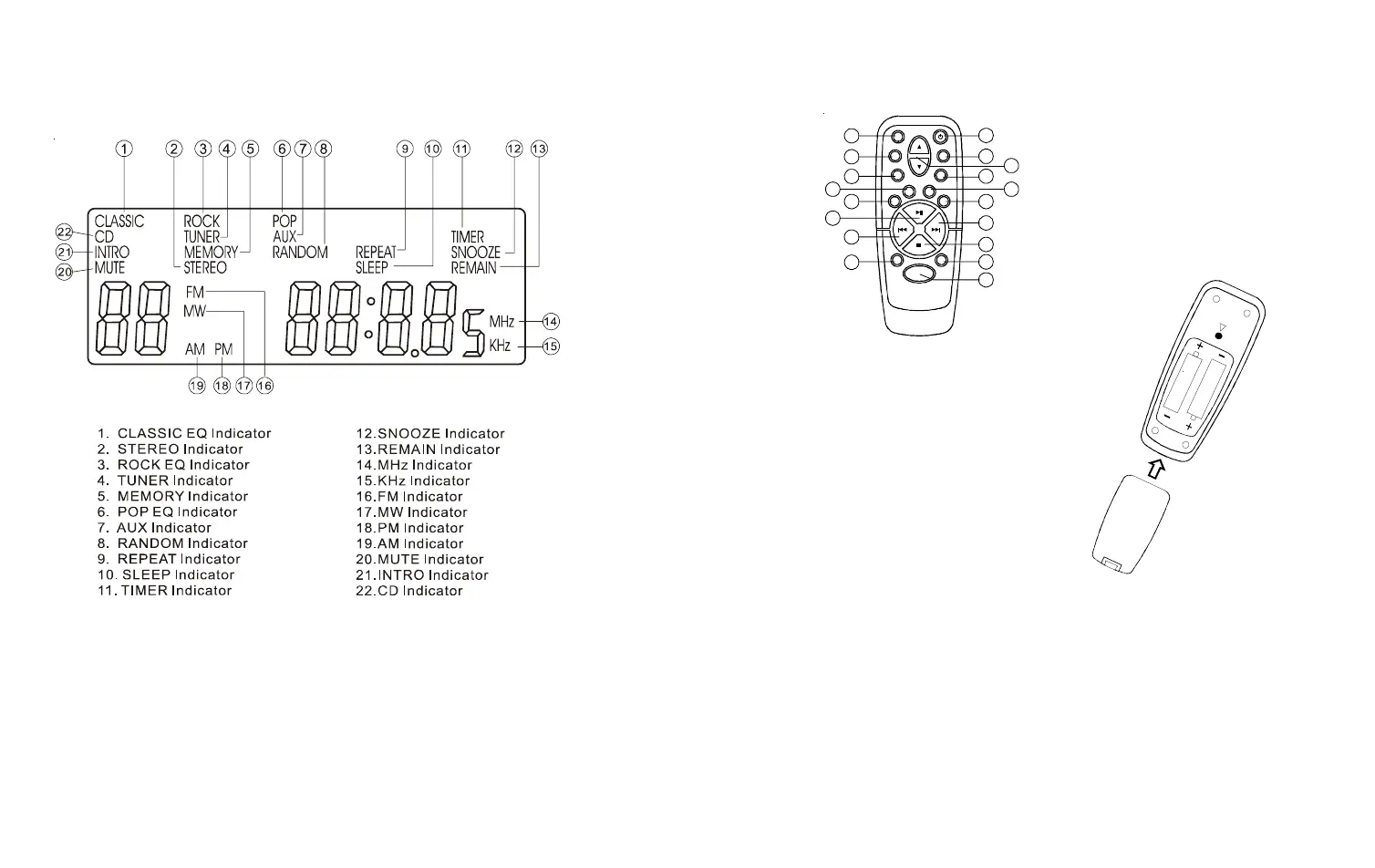
1. POWER Key
2. PRESET EQUALIZER Key (EQ)
3. VOLUME Key
4. SNOOZE Key
5. INTRO Key
6. REPEAT Key
7. FF Key
8. STOP / BAND Key
9. MEMORY-UP Key
10. FUNCTION Key
11. DISPLAY Key
12. REW Key
13. PLAY/PAUSE Key
14. PROG/MEM Key
15. RAND Key
16. TIMER Key
17. SLEEP Key
18. MUTE Key
CONNECTION
• Do not switch the power to the unit
on until all connections are made.
• Do not place the FM aerial lead (B)
on a metal desk or near a TV or
personal computer.
• Unravel and position the FM aerial
lead away from the power and speaker
cords as these could generate noise.
Do not position the FM aerial lead so
that it touches the rear of the unit.
REPLACING THE BATTERY
If the remote control has erratic or no
operation.Replace the batteries (type
AAA. obtainable from most shops).
Remove the battery cover from the back
of the remote.Remove the batteries and
insert new once ensuring correct polar-
ity. Replace the battery cover into the
remote.
DISPLAY
REMOTE CONTROL
7
8
1
2
4
6
5
7
8
10
INSERT
2 AAA Batteries
(Not Supplied)
REMOTE


 To Next Page