HELPLINE PHONE NUMBER 0870 873 0080 HELPLINE PHONE NUMBER 0870 873 0080
SLEEP
1. Press SLEEP, on the Remote 'SLEEP' appears in the display.
2. Press and hold the SLEEP Button to adjust the sleep time in the order of
90>80>70....10 minutes.
3. To cancel the SLEEP mode, press SLEEP again.
Note: The minimum sleep time is 10 minutes.
to store the start time.
WAKE TO CD
Turn on the unit.
1. Insert a disc into the CD tray.
2. Press TIMER.
3. Repeat steps 5-11 under wake
to tuner for Timer ON setting.
Note: The TIMER will operate again
in 24 hours.
When waking to CD playback will
always start from track 1.
Note: When using the TIMER func-
tion the unit will turn off 60 minutes
after the unit has switched on.
For example: If the tuner is set to
turn on at 8 a.m. it will turn off again
at 9 a.m. Please note this period is
fixed and cannot be adjusted.
After the timer turns the unit on,
press the snooze button to turn the
unit off for a further 5 more minutes.
After this time the unit will turn on
again.
TIMER OPERATION
Before setting the timer, make sure
the clock is correctly set. See page
10.
TIMER ON SETTING
Turn on the unit and Press CD,
TUNER to select the desired sound
source.
WAKE TO TUNER
1. If you select TUNER, press
REPEAT/M-UP to select a
preset station.
2. The display will show the
selected preset station and
frequency.
3. Press TIMER to confirm your
selection.
4. 'TIMER' segment will appear
on the display.
5. Press DISPLAY to change the
display to clock mode.
6. Press TIMER, start time and
TIMER segment will flash on
the display about 5 seconds.
7. Press and hold MEMORY/CLK
ADJ, the digit of hour segment
will flash on the display about
10 seconds.
8. Press SEARCH/CLK
to set the hour.
9. Press MEMORY/CLK ADJ
again, digit of minutes segment
will flash on the display about
10 seconds.
10. Press SEARCH/CLK to
set the minutes.
11. Press MEMORY/CLK ADJ again
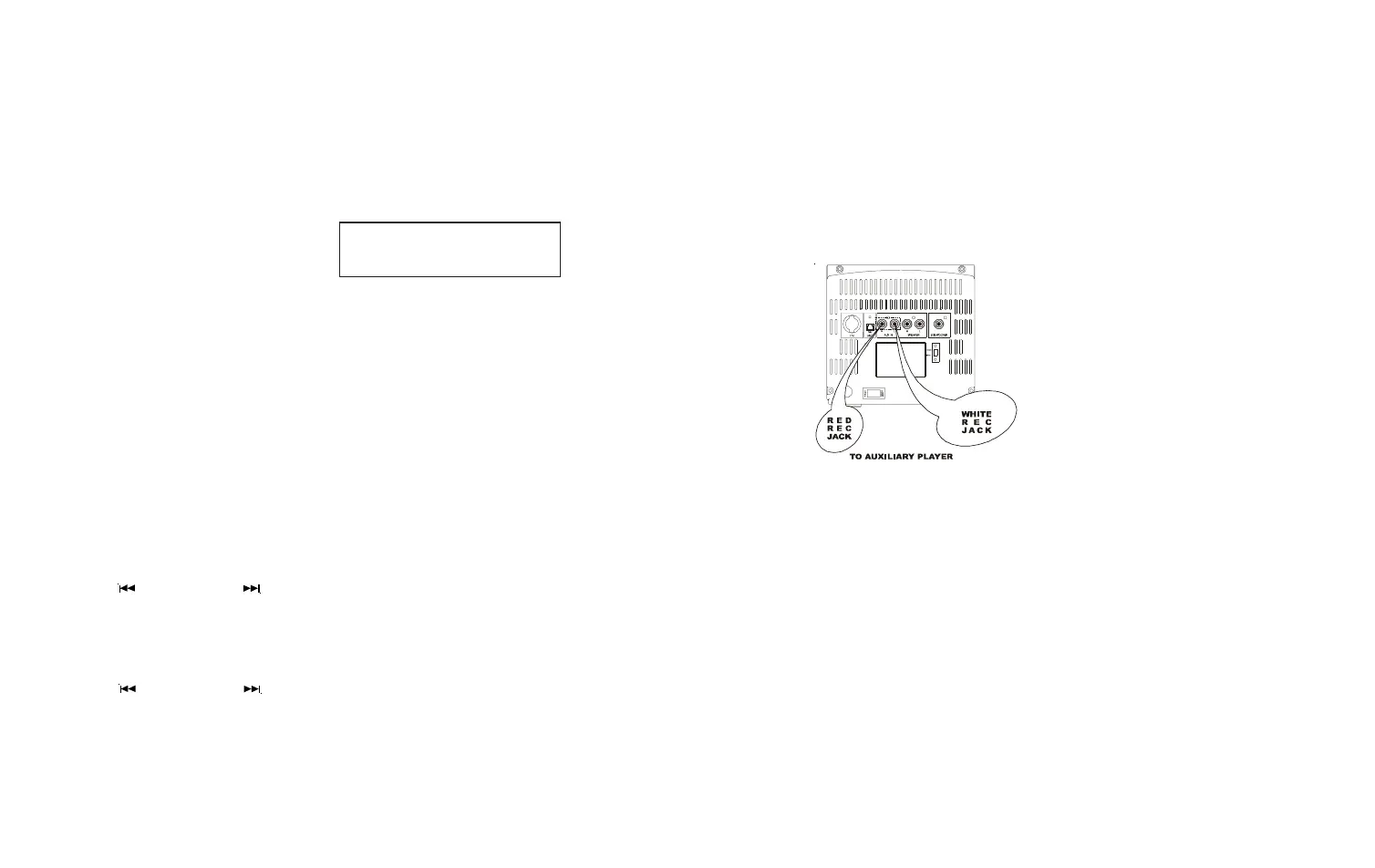
CONNECTING AN EXTERNAL AUDIO SOURCE
AUX input: connect external stereo audio source (e.g. TV or VCR audio output)
using RCA plugs.
15 16
To cancel the Timer press the
Timer Button on the Remote


 To Next Page