Maps 226
NOUG-2.1-update1-105 Nexus One User’s Guide
Starring a location
You can star a location on a map, to make it easy to spot when you’re signed into
Google Maps on your phone or on the web. You can also open a list of the locations
you’ve starred, so you can quickly view them on a map.
To star or unstar an location
You can star any location or labeled feature on a map.
1 Touch & hold a location or labeled feature on a map.
2 Touch the balloon that opens.
3 Touch the gray star at the top of the screen to star the location. (Or touch a gold
star to unstar that location.)
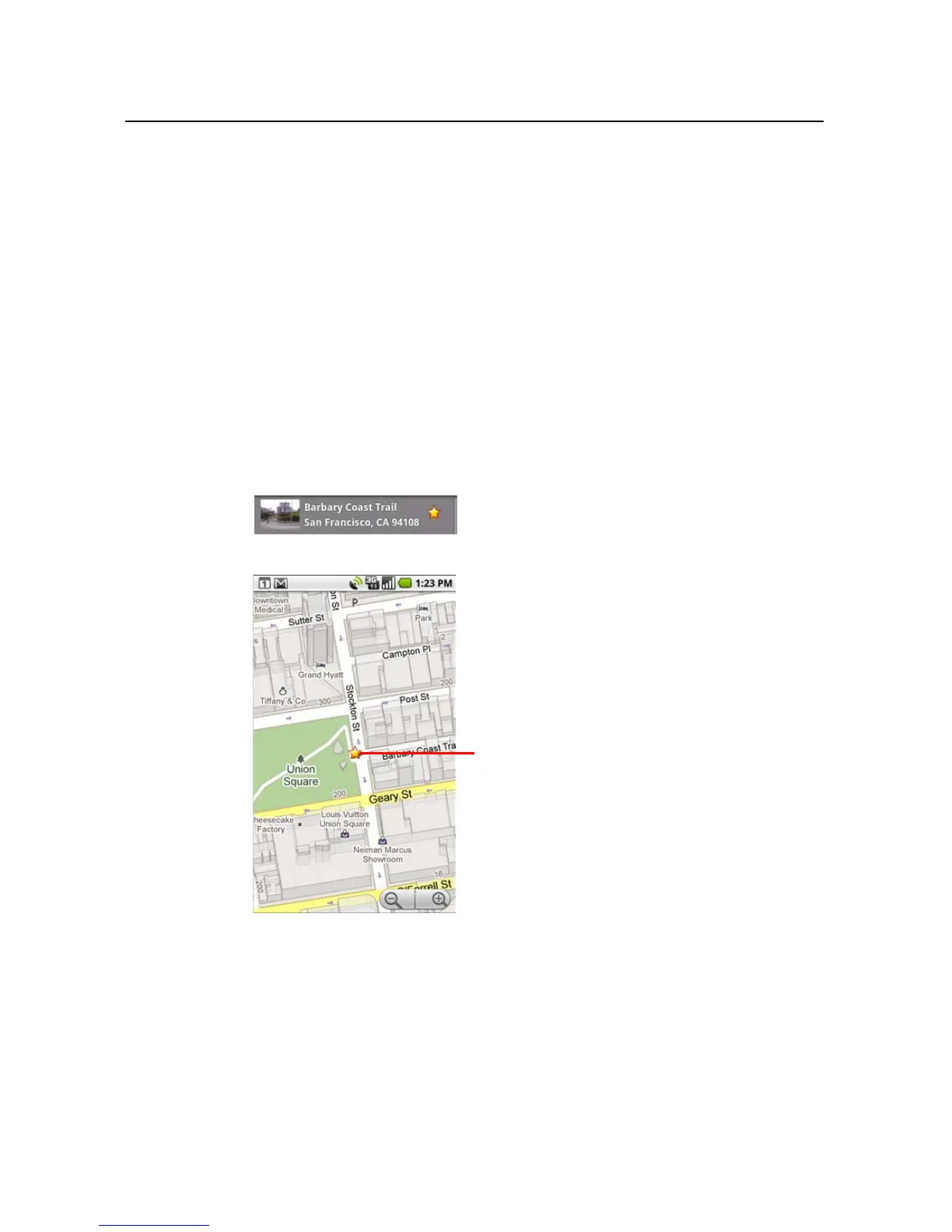
The star turns gold and a gold star is added to the map at that location.
Touch a star for more information about
that location.



 To Next Page