Camera 245
NOUG-2.1-update1-105 Nexus One User’s Guide
Reviewing your pictures
You can review the pictures you’ve taken in Camera.
To review your pictures
1 If necessary, drag the control to the Photograph position.
2 Touch the thumbnail image at the top right of the Camera screen.
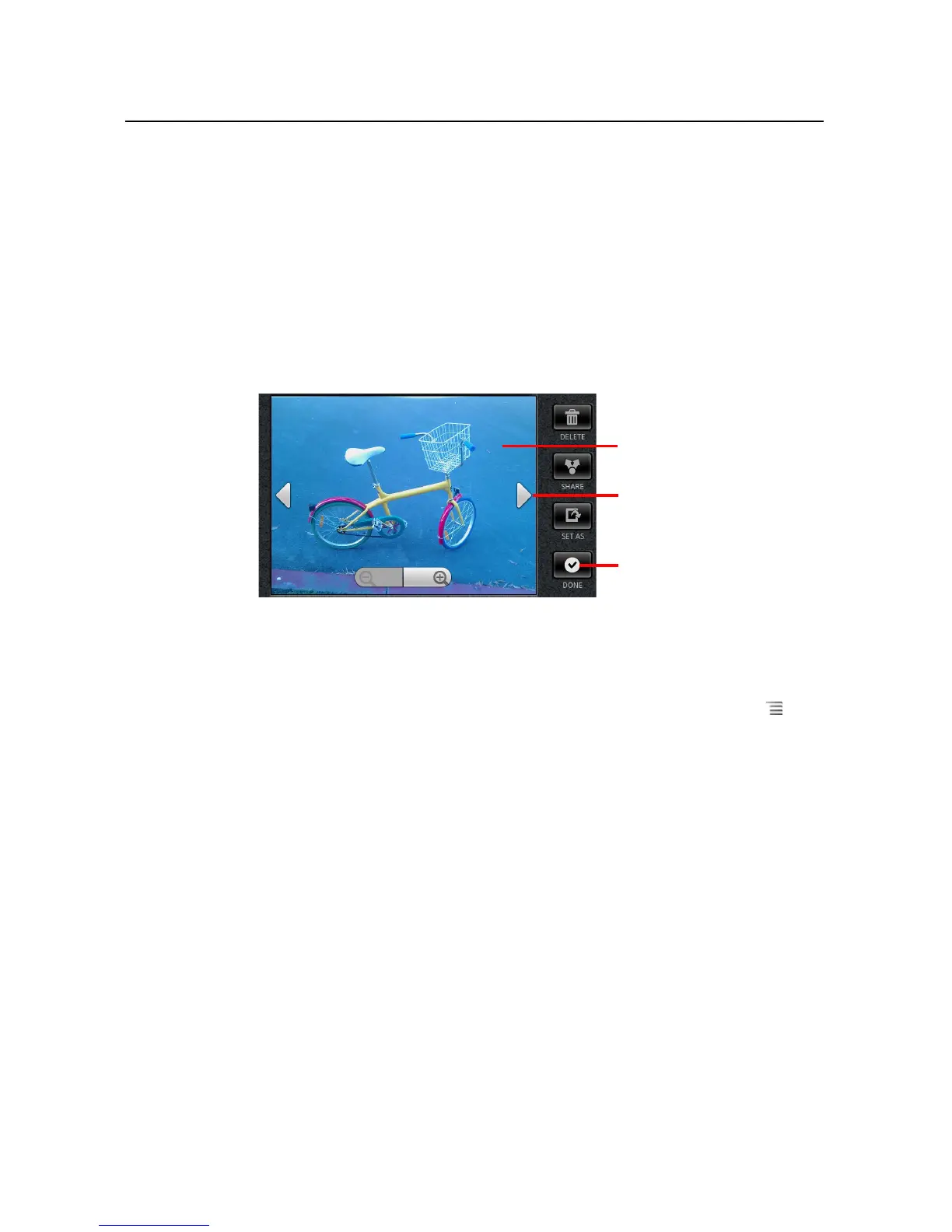
The picture review screen opens, displaying your most recent picture.
3 Touch the picture to see the Navigation and Zoom controls.
4 Touch a navigation arrow to view the next or previous picture.
5 Touch Done to resume taking pictures.
You can use the other buttons on the Picture Review screen and press Menu to
access several other features for editing, sharing, viewing, and using pictures in other
ways. See “Working with pictures” on page 256.
Touch the image to see the
Navigation and Zoom
controls.
Touch a left or right arrow to
view another picture
Touch to return to the screen
for taking pictures.



 To Next Page