54 55
Trail Length (Star Trails, Light Painting, Vehicle Light Trails)
Set the length of the light trails when recording with the night eects
presets.
The Settings shortcut takes you directly to setting menu where you'll
have access to all of the settings and features for the selected preset.
PRO TIP: You can also change your camera settings using
the GoPro Quik app.
Capturing Time Lapse Live Streaming + Webcam Mode
SETTING UP A LIVE STREAM
1. Connect to the GoPro Quik app. For details, see Connecting to the
GoPro Quik App (starting page 76).
2. In the app, tap
to control your camera.
3. Tap
and follow the instructions to set up your live stream.
For complete step-by-step instructions,
visit gopro.com/live-stream-setup.
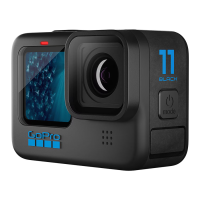
USING YOUR GOPRO AS A WEBCAM
Both your GoPro and computer must be set up for webcam mode before
you go live. Your camera is in webcam mode by default. Connect your
camera to your computer using the included USB-C cable, and then
follow the step-by-step setup instructions at gopro.com/webcam.



 To Next Page