62 63
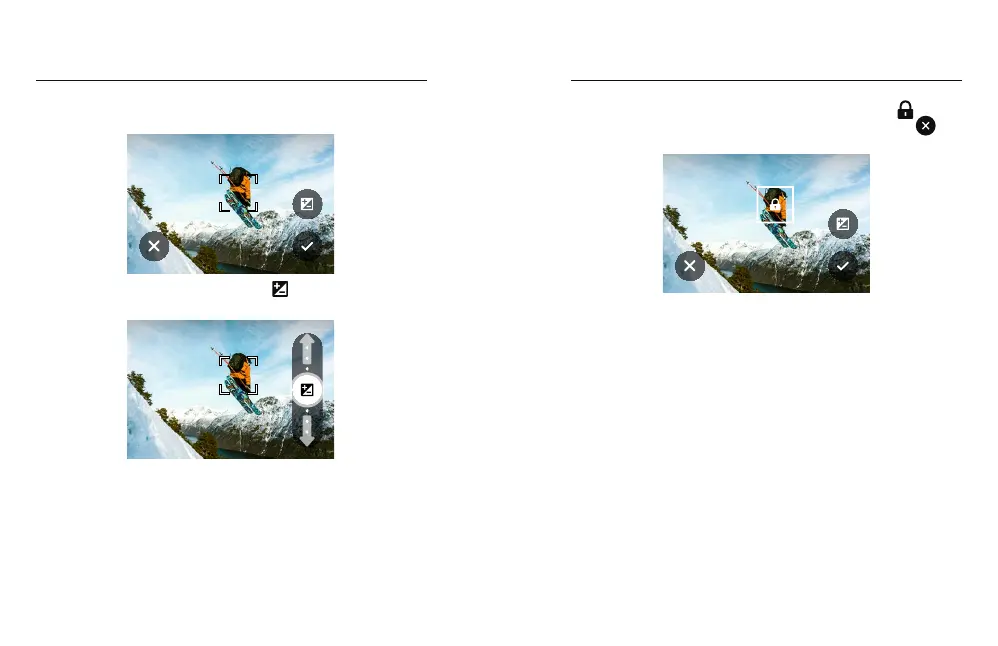
2. You can change the exposure by dragging the brackets to any
other area of the screen.
AUTO EXPOSURE
3. Brightness can be fine tuned by tapping . This lets you adjust
the Exposure Value Compensation (EV Comp).
AUTO EXPOSURE
Slide up to brighten the image. Slide down to darken it. You can
adjust up to 2 stops in either direction.
Exposure Control Exposure Control
4. Check the screen to see if the exposure looks good. Tap
inside the brackets to lock in the exposure. You can also tap
to cancel any changes.
LOCKED EXPOSURE



 To Next Page