12
OPERATING INSTRUCTIONS
NOTE: This manual does not include remote controller operations, see the
<<Remote Controller Instruction>> packed with the unit for details.
Operating temperature
(-15
0
C ÷ 50
0
C: For
models with low temperature
cooling system)
CAUTION:
1. If air conditioner is used outside of the above conditions, certain safety
protection features may come into operation and cause the unit to function
abnormally.
2. Room relative humidity less than 80%. If the air conditioner operates in
excess of this figure, the surface of the air conditioner may attract
condensation. Please sets the vertical air flow louver to its maximum angle
(vertically to the floor), and set HIGH fan mode.
3. Optimum performance will be achieved within this operating temperature.
Manual operation
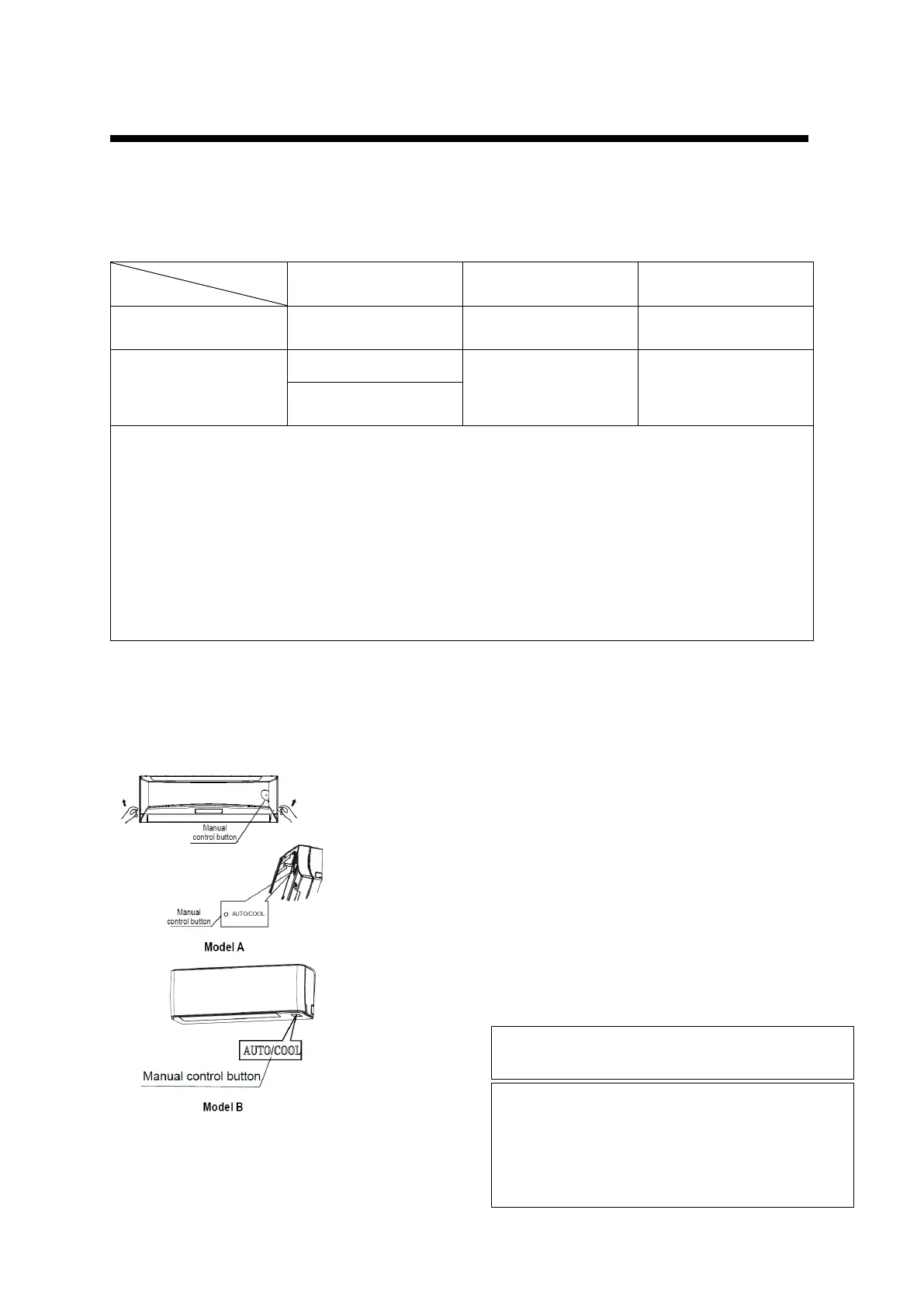
Manual operation can be used temporarily in case the remote controller is disable or
maintenance necessary.
1. Manual control button is on
bottom of the unit as shown in
the picture.
2. On press on the manual control
button will lead to forced AUTO
mode (the default setting
temperature is 24°C).
3. If press manual operating button
twice in 5 seconds, the unit will
operate under forced COOLING
mode.
Note:
To restore the remote controller operation use
remote controller directly.
Unit must be off before triggering manual
operation. If not keep pressing manual operating
button until is off.
Warning:
This button is used for testing purposes only



 To Next Page