EasyManua.ls Logo

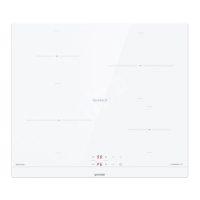
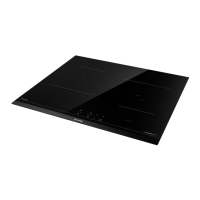
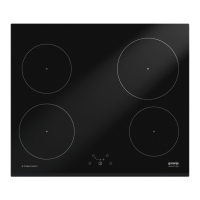
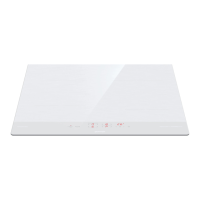
Gorenje IT643SYW7 - User Manual

Gorenje IT643SYW7
38 pages
Print Icon
To Next Page IconTo Next Page
Loading...
INSTRUCTIONS FOR USE
Induction hob

Questions and Answers

  • S
    schroedersarahAug 6, 2025
    What to do if my Gorenje IT643SYW7 Hob is beeping continuously?
    • R
      robert88Aug 6, 2025
      If your Gorenje Hob is beeping continuously and displaying an error, it might be due to water spillage over the sensor surface or an object placed on the sensors. Try wiping the sensor surface to resolve this issue.
  • M
    Melissa Powers MDAug 10, 2025
    Why does my Gorenje Hob make a buzzing sound?
    • T
      Toni OwensAug 10, 2025
      A transformer-like buzz in your Gorenje Hob usually occurs when cooking at a high power level. This noise is normal and will disappear or weaken when you reduce the power level.
  • M
    Mario BallAug 15, 2025
    Why is my Gorenje IT643SYW7 Hob fan still running after I turn it off?
    • J
      Jeffery LeeAug 15, 2025
      The fan in your Gorenje Hob may continue to operate even after it has been switched off. This is because the correct operation of induction electronic components requires temperature control, and the fan helps to cool down the hob if the temperature remains too high.
  • D
    darrell56Aug 25, 2025
    Why is my cookware vibrating on my Gorenje IT643SYW7?
    • C
      Cody HuangAug 25, 2025
      The vibration and crackling of cookware on your Gorenje Hob is usually because the cookware (pots or pans) are made of different materials. It results from vibrations along the adjacent surfaces of different material layers.
  • B
    Brandi RichardsonAug 28, 2025
    What does F2 mean on my Gorenje IT643SYW7 display?
    • E
      elizabethdyerAug 28, 2025
      If you see 'F2' on your Gorenje Hob display, it means that the cooking zone has overheated. Wait for the cooking zone to cool down.
  • C
    Charles MaldonadoSep 1, 2025
    What does F mean on Gorenje IT643SYW7 Hob display?
    • M
      Mark ColeSep 1, 2025
      If 'F' appears on the display of your Gorenje Hob, it indicates an error during operation.
  • J
    Joseph AtkinsonSep 10, 2025
    Why is my Gorenje IT643SYW7 making noise?
    • B
      Brandon ThomasSep 12, 2025
      The noise from your Gorenje hob is normal. Induction technology is based on the properties of some metals under electromagnetic effect. This noise is not a result of any malfunction.

Summary

Gorenje Induction Hob Manual

Safety Precautions

Essential safety instructions and warnings for appliance operation and handling.

Hob Operation and Functions

Induction Technology Explained

Principles of induction heating, pan recognition, and cookware suitability.

Detailed Operating Procedures

Control Panel and Basic Operation

Guide to the control unit, switching the hob on/off, and selecting zones.

Maintenance and Problem Solving

Cleaning and Maintaining the Hob

Proper procedures for cleaning the glass ceramic surface and routine maintenance.

Troubleshooting Guide

Identifying and resolving common issues, error codes, and operational problems.

Installation and Fitting

Built-in Installation Procedures

Steps and requirements for installing the hob into kitchen worktops and cabinets.

Electrical Connection

Gorenje IT643SYW7 Specifications

General IconGeneral
TypeInduction
Number of Cooking Zones4
Width60 cm
Control TypeTouch Control
Power Levels9
ColourWhite
Total Power7400 W
Boost FunctionYes
Residual Heat IndicatorYes
Child Safety LockYes
TimerYes
Power Slide ControlYes
Safety FeaturesAutomatic switch-off, overheating protection

Related product manuals