28 GMC-I Messtechnik GmbH
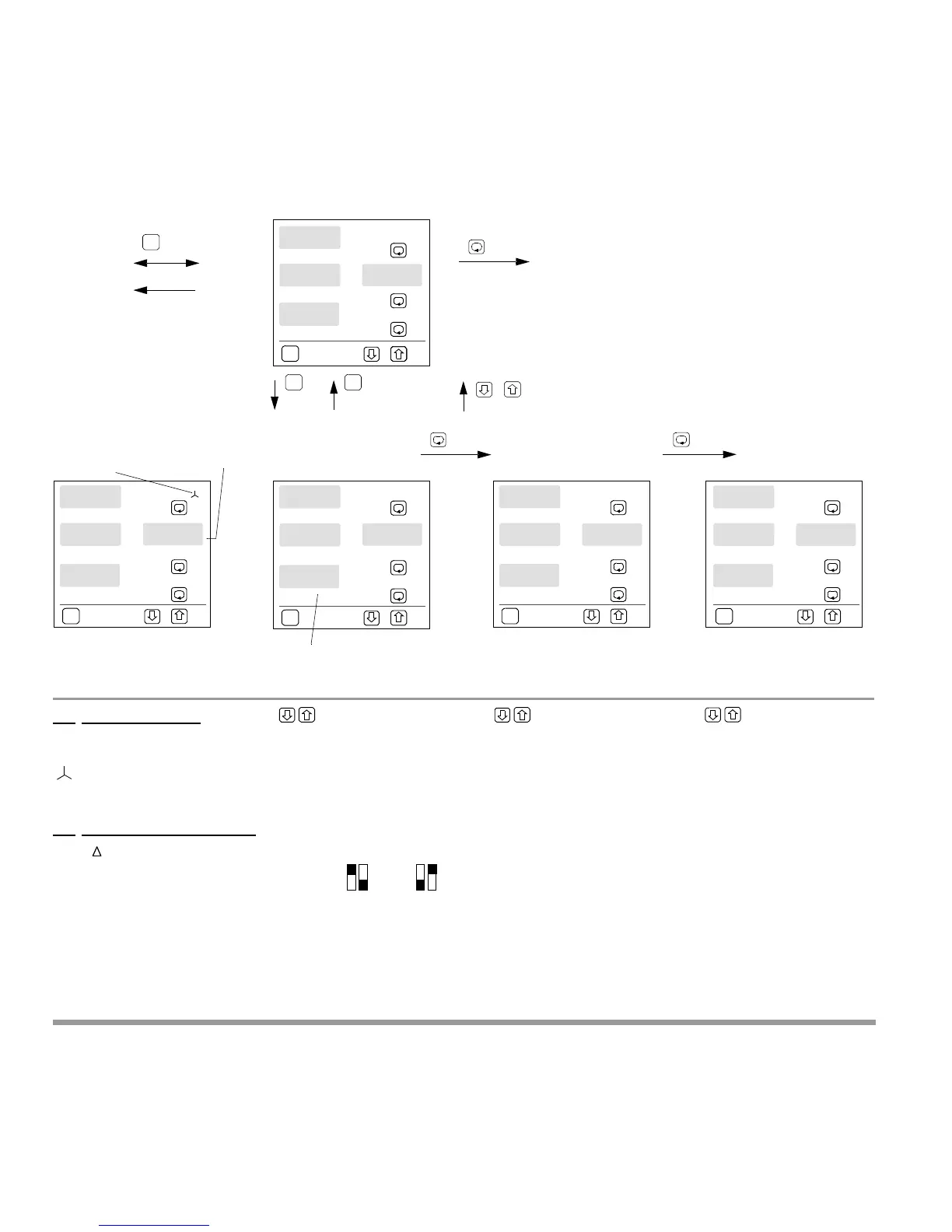
4.5 Configuring the Analog Outputs (not with Profibus-DP)
for intervalic
power
1)
p r o g
a n a o u t
P
an a1
s o u r
c
P
kW
an a1
r a n g l o
2
e
P
kW
an a1
o u t
4-20
P
Pulse Menu ...
Source
Source for
analog output 1
Analog Output 1
Voltage or current output,
depends on DIP switch setting
Analog Output 1
Zero point: 2 kW
: Value Settings
4 - 20 = 2 - 10 V or 4 - 20 mA
Output Quantities
Display Volt mA
0 - 20 0 - 10 0 - 20
4 - 20 2 - 10 4 - 20
2020 10 20
1010 5 10
DIP A1:
(Out1)
The appropriate DIP switches
must be set correctly!
: Value Settings
0 ... 9999
for P:
–999 ... 9999
T3
T3
an a1
r a n g h i
324
e
P
kW
Continue with
analog output 2
T1:
Source Selection
L1, L2, L3 Individual phases
L12,L23, L13
Phase-to-phase voltage
Collective Values
L123
Neutral conductor current
T2: Meas. Quantity Selection
V , V, A, A
AVG
, W,
VAr, VA, , Hz, Wi,
VAri,VAi, external
Analog Output 1
Final value: 324 kW
: Value Settings
0 ... 9999
for P:
–999 ... 9999
P
brief
T3
P
brief
storage to memory
no storage to memory
storage to memory
P
long
Menu
Display
Time
2minutes
Ei
+
The same windows and values apply to analog output 2.
Analog outputs 3 and 4
may also be optionally included.
1)
The source is relative to the latest completed interval value (P
int,
Q
int,
S
int
) for intervalic power





 To Next Page