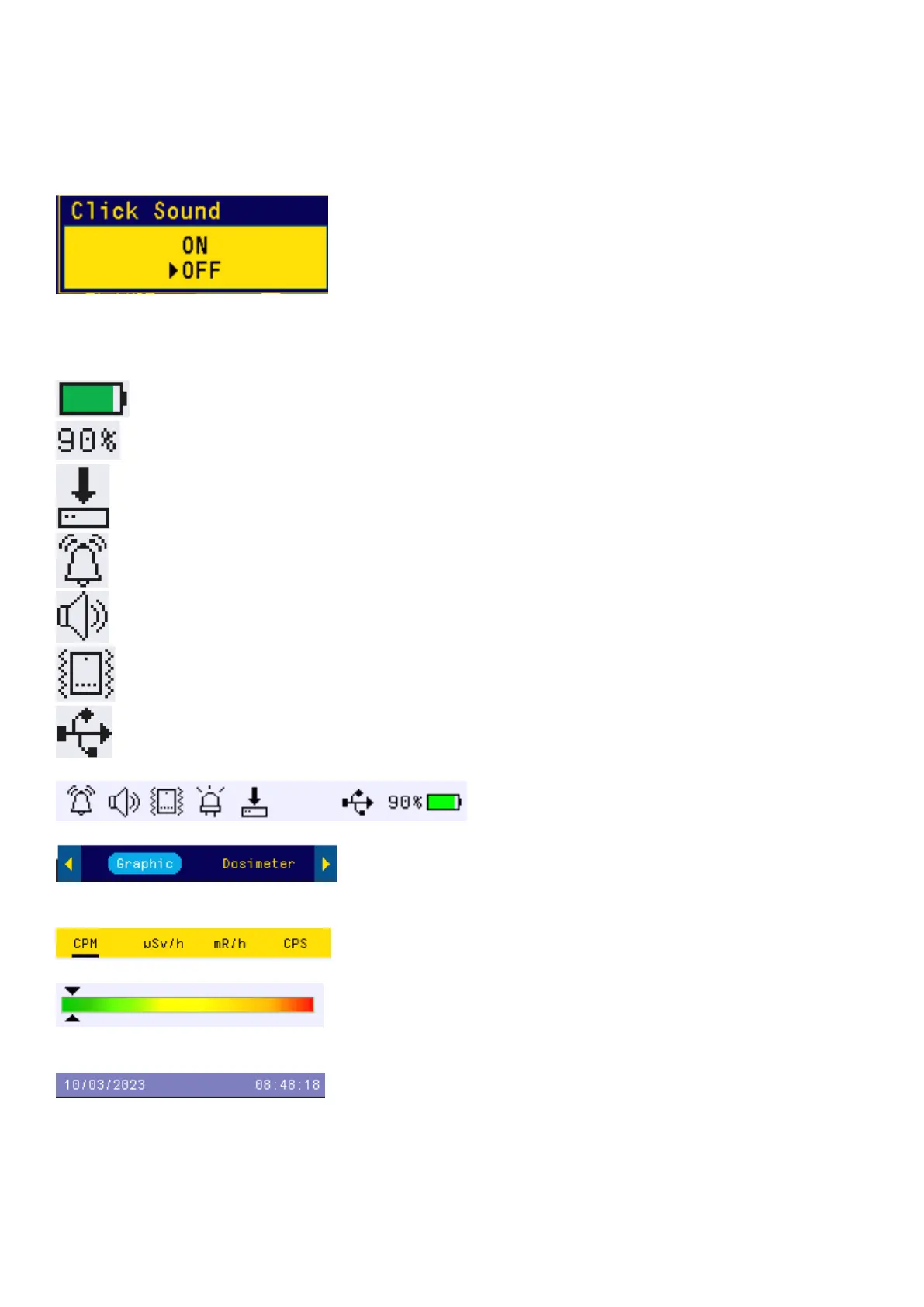
Popup Windows
The Popup Windows will show the current status/value of selected features. The current status/value can
be changed only when it is displayed in the Popup Window and the currently displayed status/value will be
stored when the Popup Window has timed out after 3 seconds if no key has been pressed.
Graphic User Interface (GUI)
Graphic Icons:
Battery Status.
Battery Level
Data saving enabled / (History data)
Alarm enabled
Speaker Enabled
Vibration Enabled
USB Connected
Special function icon indicators.
Current display mode hilighted position.
Next display mode in a normal background.
Current reading unit indicator area.
Color safety alarm level indicator. Green is more
safe than red color.
Current date and time



 To Next Page