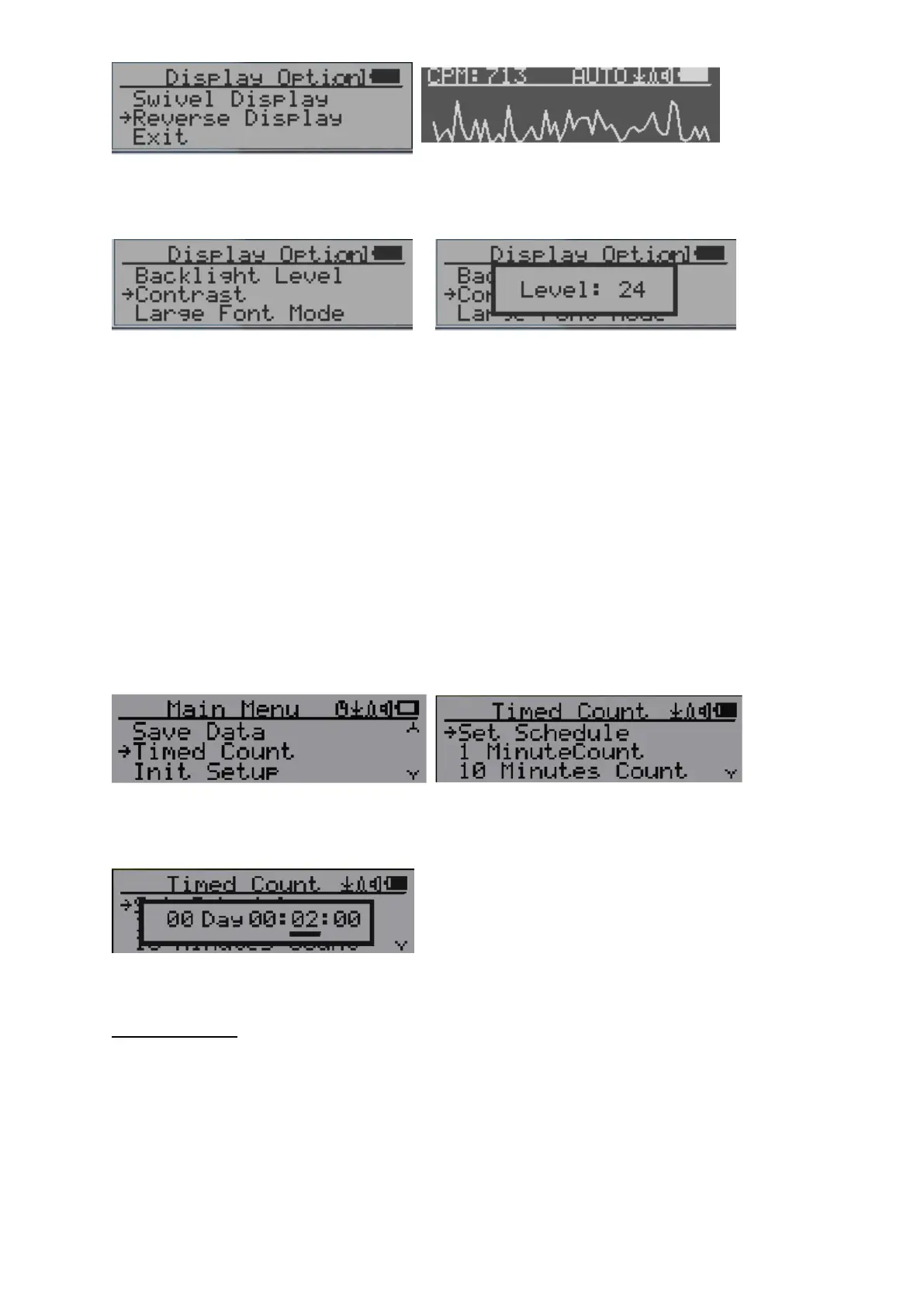
Contrast Adjustment
Use Key2 and Key3 to adjust the contrast level. The contrast level will be saved and it will be
used when the unit is ON.
Timed Count
The Timed Count can be started with a schedule OR without a schedule.
When it’s started with a schedule, the Timed Count will be started after a scheduled time
period passed. This is useful if a testing target is not ready immediately.
When it’s started without a schedule, the Timed Count will be started immediately once the
timed count period is set.
The Timed Count can be set from the menu:
Set a schedule
This example shows the schedule is set to 2 minutes.
Navigation keys:
Key1: Back/Exit
Key2: Increase the cursor position value
Key3: Decrease the position value.
Key4: Move the cursor to input data type between Day, Hour, Minute and Second.
Set Timed Count Duration



 To Next Page