EasyManua.ls Logo

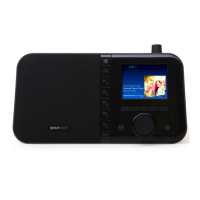
Grace Digital GDI-WHA8001 - User Manual

Default Icon
56 pages
Print Icon
To Next Page IconTo Next Page
Loading...
User Guide
MODEL GDI-WHA8001...GDI-WHA8010
Mondo Elite

Table of Contents

Questions and Answers

Summary

Safety and Care Information

General Precautions

Provides essential safety precautions, warnings against extreme temperatures, moisture, chemicals, direct sunlight, disassembly, dropping, and handling damaged screens.

Warnings

Electrical Safety and Usage Warnings

Warns about electric shock, plug insertion, wet hands, heat sources, polarized plugs, power cord protection, California chemicals, unplugging during storms, and power usage.

Mondo Elite Controls

Remote Control

Installation

Connecting to Wireless Network

Guides users through connecting the Mondo Elite to a wireless network using the Network Wizard for easy connection or manual entry if needed.

Manually Connecting to a Wireless Network

Manual Network Setup

Provides detailed steps for manually connecting to a wireless network, requiring SSID, password, encryption type, and IP address details.

Chromecast built-in

Prerequisites for Streaming

Outlines prerequisites for streaming, including network connection and up-to-date apps, for using Chromecast built-in.

Streaming from Apps

Provides step-by-step instructions on how to cast audio from Chromecast-enabled apps to the Mondo Elite.

Creating Multi-Room Audio Groups

Explains how to create speaker groups using the Google Home app for synchronized multi-room audio playback.

Chromecast built-in

Voice Control with Google Home

Guides on initiating and controlling audio playback on the Mondo Elite using voice commands via the Google Home app.

Common Voice Commands

Lists common voice commands for controlling music playback, volume, and other functions using Google Assistant.

Audio Sources

Bluetooth Connectivity

Explains how to pair and connect the Mondo Elite as a Bluetooth speaker and transmit audio to Bluetooth headphones.

Audio Sources

Playing Music from USB Drives

Instructs on inserting and playing music from USB thumb drives and hard drives via the Media Player.

Audio Sources

Amazon Music Service

Enabling Amazon Music via Web Portal

Provides steps to enable the Amazon Music service on the Mondo Elite via the radio's web portal, requiring an Amazon account.

Amazon Music Service

Managing Amazon Music with iOS App

Explains how to enable or disable Amazon Music service using the Grace Digital iOS app, similar to the Android app.

Managing Amazon Music with Android App

Guides on managing the Amazon Music service using the Grace Digital Android app, including setup and linking.

Amazon Music Service

Multi-Room Mode

Chromecast Multi-Room Audio

Directs users to the Chromecast section for playing audio on multiple Mondo Elite radios using Chromecast built-in.

Grace Controller App for Multi-Room

Explains using Grace Controller apps to create groups and stream audio simultaneously to multiple Mondo Elite radios.

Radio Settings

Setting Up Alarms

Explains how to add, modify, and configure alarm settings like time, repeat frequency, alarm channel, and volume.

Radio Settings

Using the Snooze Timer

Explains how to use the snooze function for alarms, including setting default and custom snooze times.

Using the Sleep Timer

Details how to set and use the sleep timer to automatically turn off the radio after a specified period.

Radio Settings

Advanced Features

Factory Reset Procedure

Explains how to restore the Mondo Elite to its original factory settings, erasing all configurations.

Firmware Update Procedure

Guides on how to manually check for and install software updates for the Mondo Elite.

Troubleshooting

On-Screen Error Messages

Lists common on-screen messages like 'Initializing Network', 'Buffering', 'Updating', 'Not Connected', and their corresponding troubleshooting steps.

Common Operational Issues

Addresses issues like missing Sirius/XM channels or network scan failures, providing solutions.

Listening to SiriusXM

Listening to On Demand

Searching for On Demand Shows

Guides on searching for and selecting On Demand shows and episodes by various methods.

Listening to On Demand

Listening to Recent Shows;Channels

Listening to Favorites

Advanced Features

Content Playback Controls

Details the playback controls available for live and on-demand content, including rewinding and fast-forwarding.

Advanced Features

SiriusXM Account Setup

Guides on entering SiriusXM streaming username and password to connect the service to the Mondo Elite.

Environmental Information

California Chemical Warning

A warning regarding chemicals in the product, as required by California law.

FCC Statement

FCC Part 15 Compliance

States compliance with FCC Part 15 rules regarding harmful interference and operation.

Class B Digital Device Compliance

Notes that the equipment complies with Class B digital device limits to ensure reasonable protection against interference.

Important Legal Information

Limited Manufacturers Warranty

Outlines the terms of the limited manufacturer's warranty, coverage, and exclusions.

Grace Digital GDI-WHA8001 Specifications

General IconGeneral
BrandGrace Digital
ModelGDI-WHA8001
CategoryAlarm Clock
LanguageEnglish

Related product manuals