Shutdown and Cleanup
311764D 13
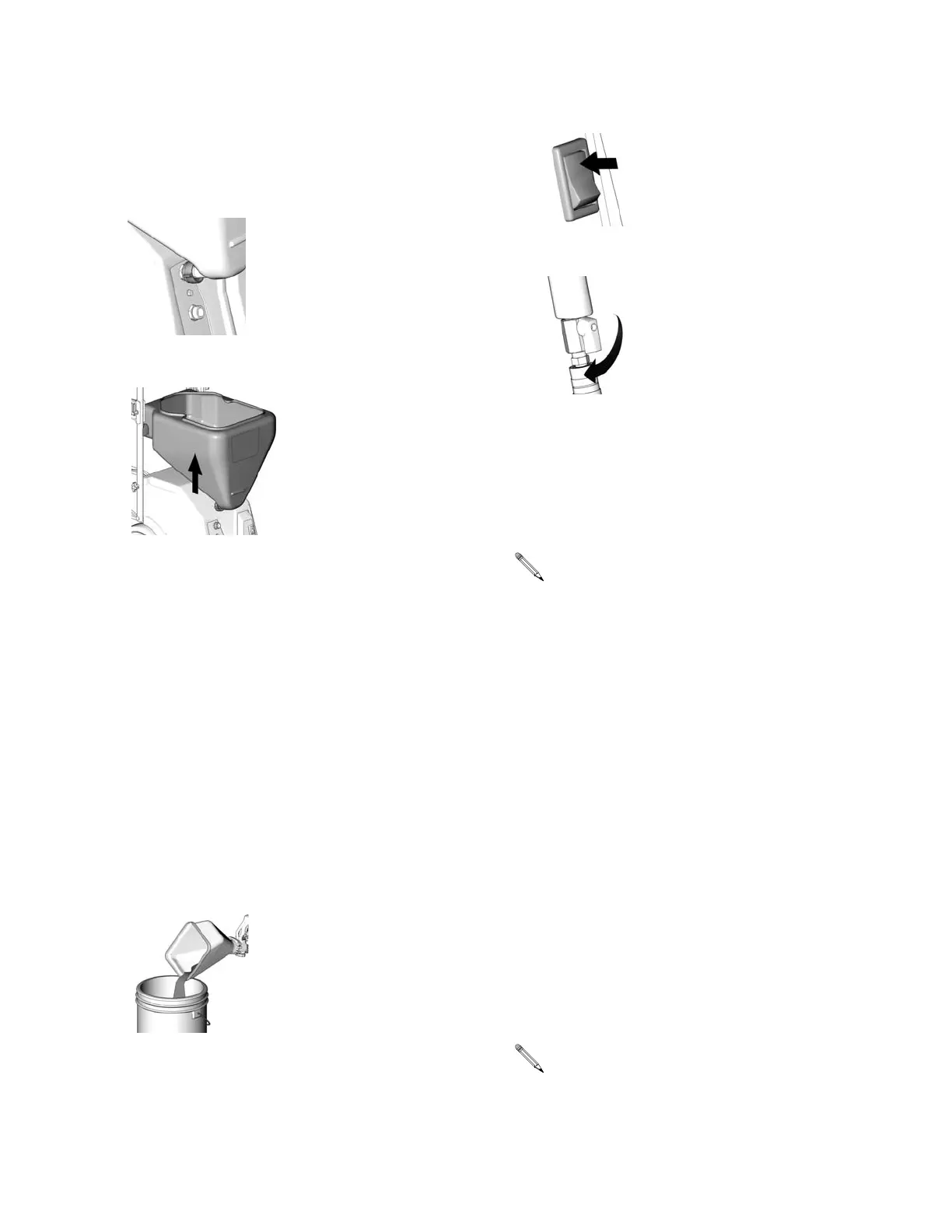
Removing Material Hopper From Sprayer
The material hopper can be removed for cleaning. To
remove material hopper:
1. Loosen bottom fitting.
2. Lift and twist material hopper to remove from unit.
3. Plug opening on bottom of material hopper with your
hand.
4. Take hopper to cleaning area.
To Reassemble:
1. Place material hopper on sprayer, aligning fitting to
sprayer.
2. Hand tighten fitting.
Touch-up Hopper Attachment
When you have finished spraying
1. Shut off compressor. Disconnect air line from gun.
2. Drain material into a bucket until most of the texture
material is out of hopper.
3. Fill hopper with clean water. Remove nozzle from
gun and allow water to flow through and out of gun.
4. Flush until gun is clean
5. Turn power switch ON.
6. Open gun air valve.
7. Trigger gun to blow air through tip, clearing out any
remaining material.
8. Remove hopper from gun and finish cleaning all
components. A soft brush may be used to help
loosen any dried on material from surface.
To improve working condition for future use, after clean-
ing, apply a few drops of light oil to:
• Air hose quick disconnect
• Material hose connections
• Flow adjustment on gun
Transporting the Sprayer
The handle and hopper can be removed from the
sprayer for storage or transporting.
To remove hopper from sprayer, follow the procedure
described on page 13.
To remove the handle:
1. Loosen two (2) wing-nut screws on either side of
handle.
2. Spread handle apart and remove.
ti8702a
ti8707a
ti8699a
Be sure to keep air passages in needle clean and
free of material.
The handle is only to be used to push or pull the
sprayer.
ti8711a
ti8528a




 To Next Page