GM8136/GM8136S EVB User Guide
www.grain-media.com
20
3.1 Setting GM8136/GM8136S EVB
Setup procedure:
Step 1: Use the Ethernet cable to connect the GM8136/GM8136S EVB Ethernet port to PC
Step 2: Use the RS-232 cable to connect the GM8136/GM8136S EVB UART port to PC. The RS-232 baud
rate is 115200.
Step 3: Power on the GM8136/GM8136S EVB
Step 4: In the PC console, you can see the booting log.
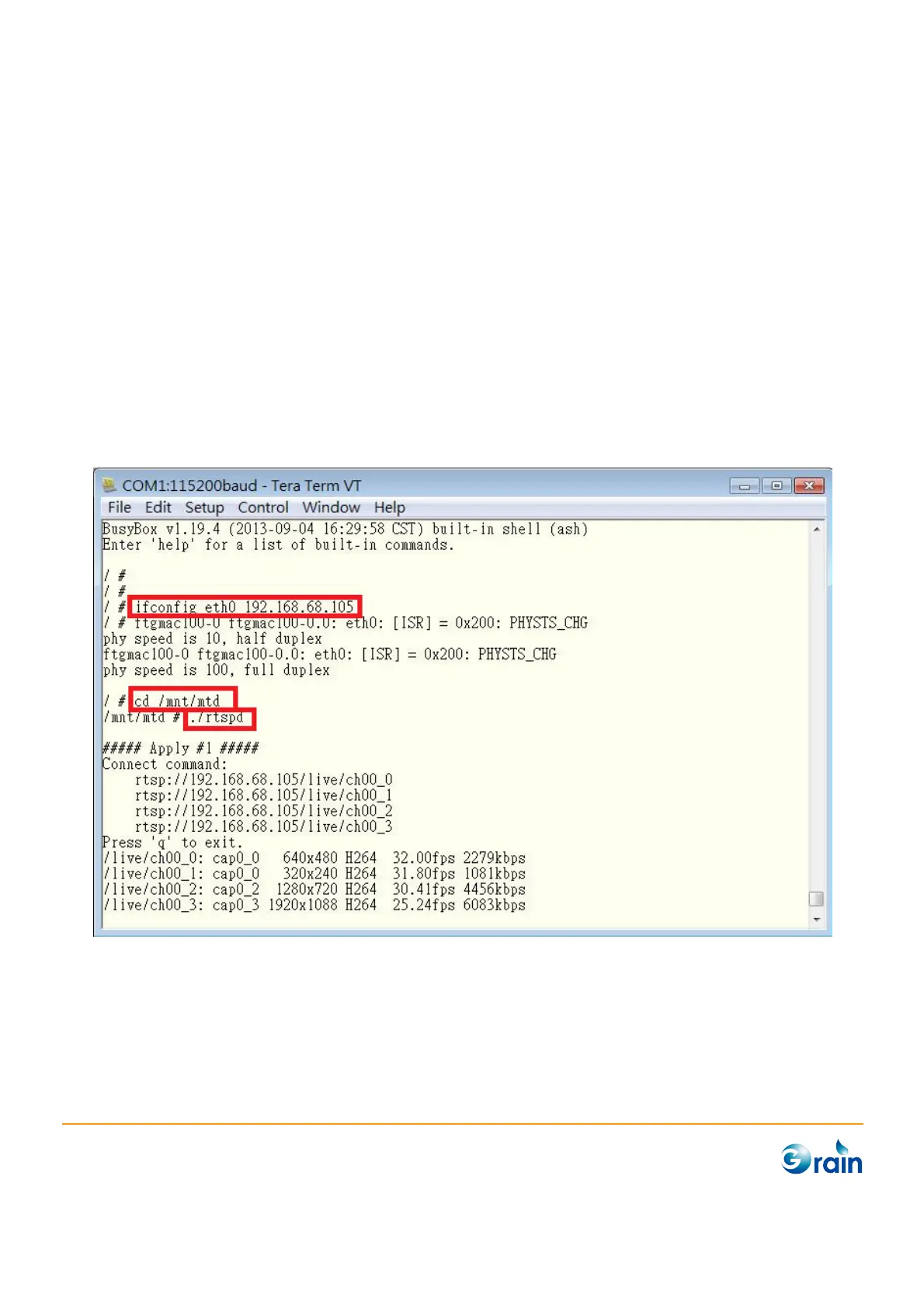
After completing the booting, please enter the following commands.
# ifconfig eth0 xxx.xxx.xxx.xxx (for example: 192.168.68.105)
# cd /mnt/mtd
# ./rtspd



 To Next Page