GM8136/GM8136S EVB User Guide
www.grain-media.com
26
4.1 Setting of GM8136/GM8136S EVB
Setup procedure:
Step 1: Set switch SW2 pin1 to logic low (Short JP6 jumper). GM8136/GM8136S will enter the firmware
update mode.
If the content of the SPI Flash is empty, users can skip this step.
Step 2: Use the USB cable for connecting the GM8136/GM8136S EVB USB port to PC.
Step 3: Power-on the GM8136/GM8136S EVB.
4.2 Setting of PC Tool
The firmware update tool “fusblink8136.exe” can be found in the SDK.
Setup procedure:
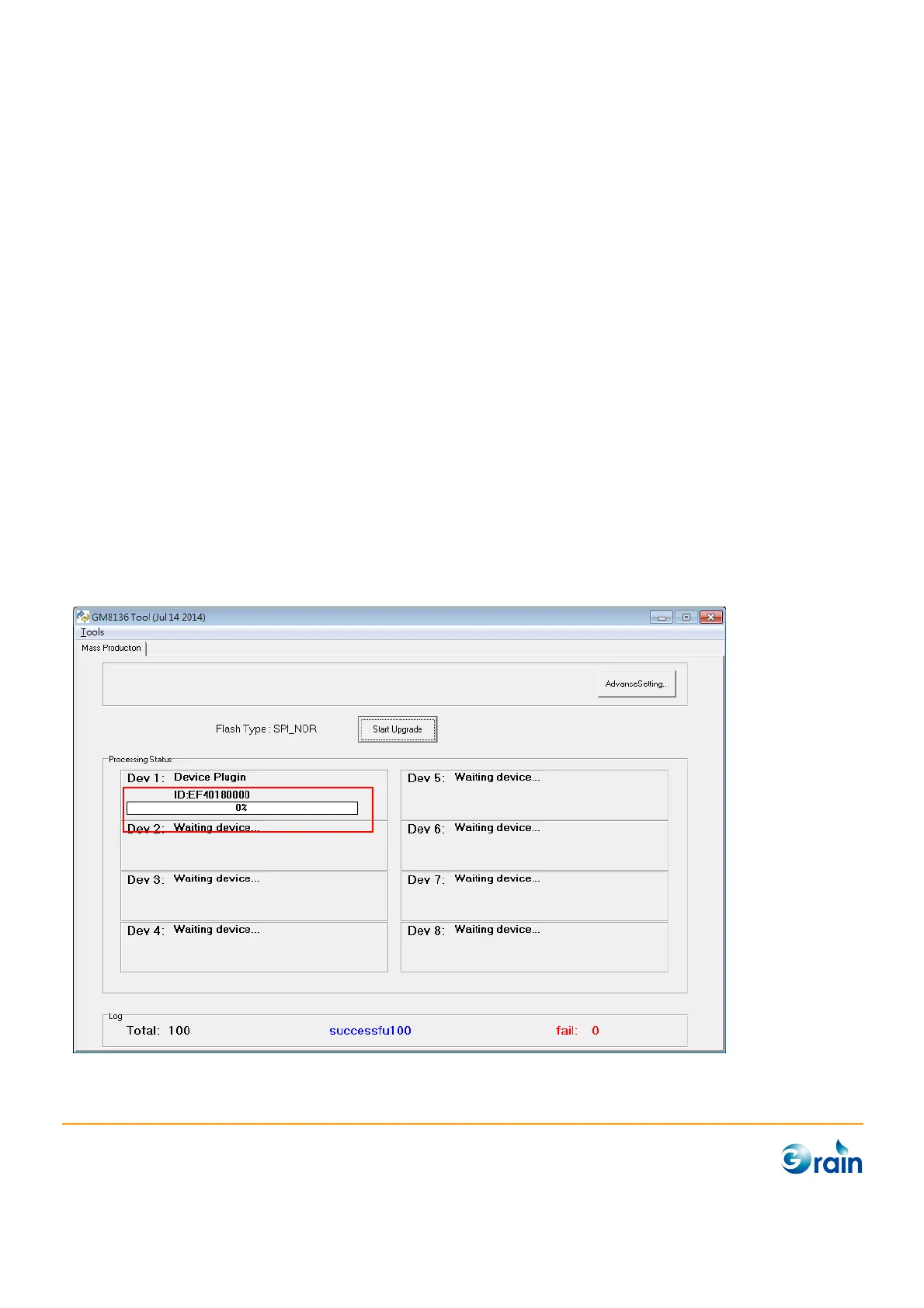
Step 1: After the PC tool utility (fusblink8136.exe) is executed, PC will show the following window.
The Flash ID may be shown in the window if the SPI flash is detected.



 To Next Page