15. CONFIGURING THE SCALE
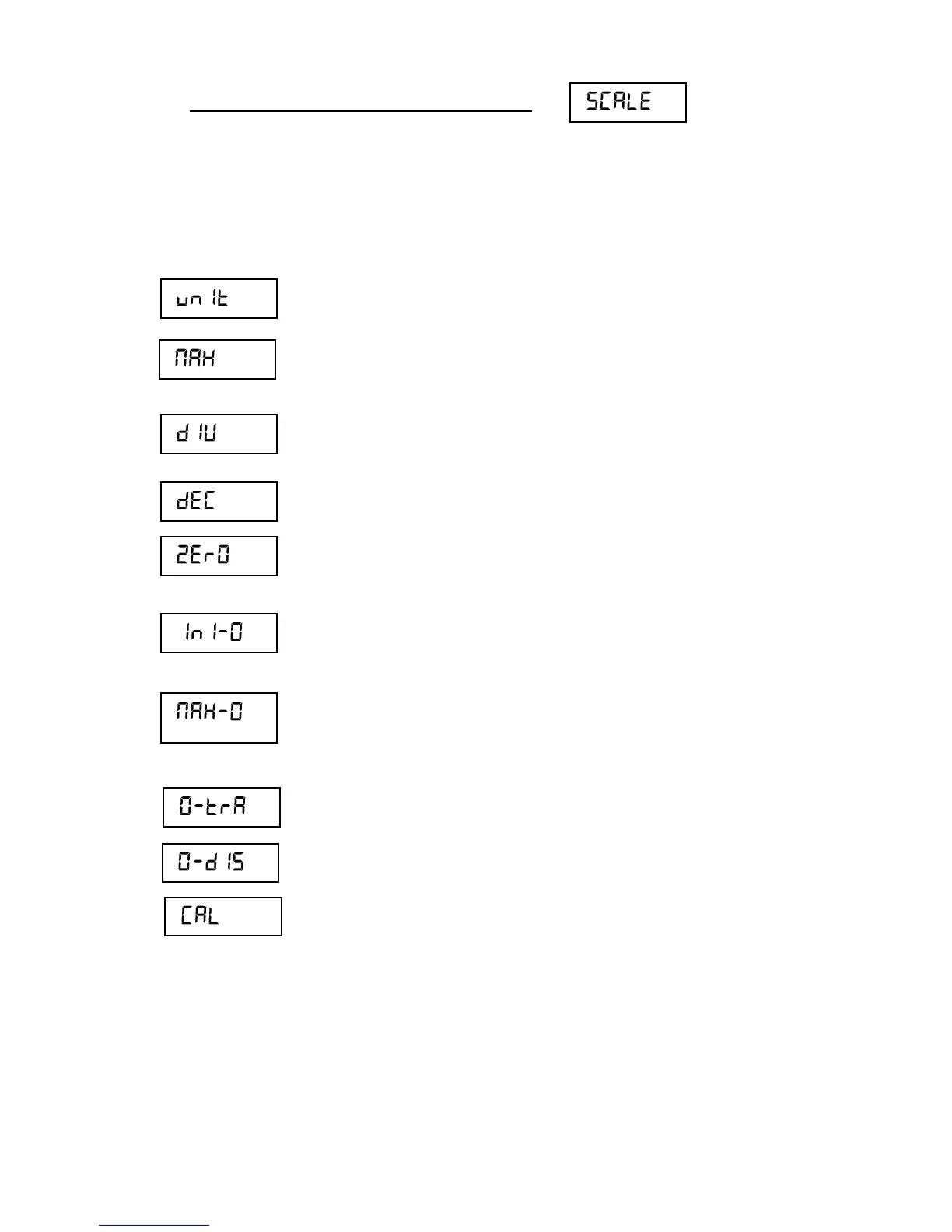
This menu features the options for parameterizing and setting the measurement
scale of the instrument.
Measurement unit: g, kg, oz, lb.
Maximum capacity of the scale. Enter the value, including
the decimal digits.
Division: The smallest increment that the instrument can
measure. Possible values are 1, 2, 5, 10, 20 or 50.
Position of decimal point.
Configuration menu for the instrument’s options
associated with “zero”.
Initial zero setting at start Yes / No.
Allows you to select the limit of the zero-setting device.
Possible options are MAX (zero is allowed for any weight
on the scale) or OIML (follows established rules by the
OIML R76 / EN 45501 technical regulation).
Zero tracking device activated or deactivated.
Show zero indicator in the display Yes/No.
Settings menu for the instrument.



 To Next Page