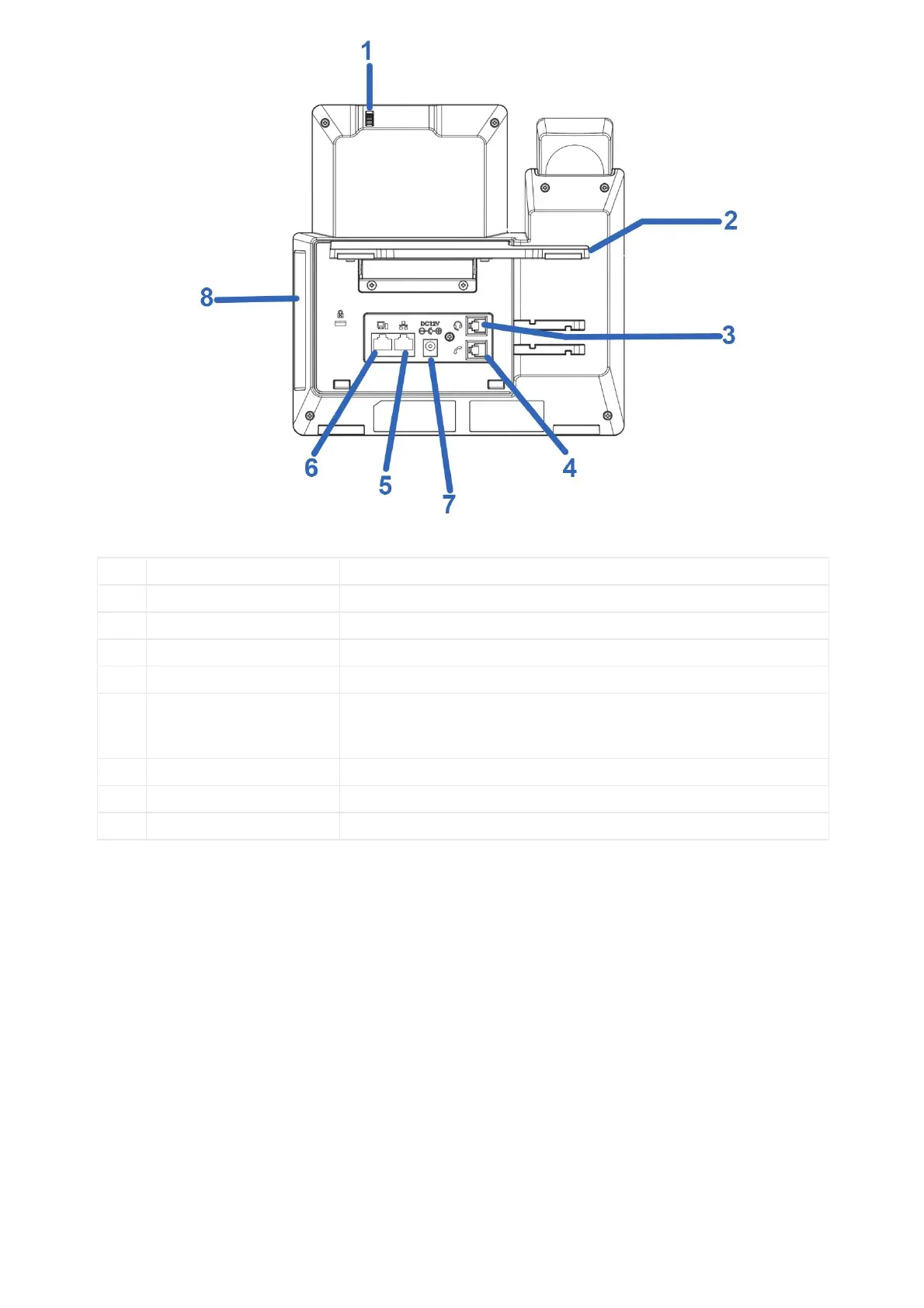
Figure 8: GXV3470
1
Camera Adjusting Wheel Scroll up/down to adjust the camera angle.
Adjust the phone stand angle to place the phone on the desk.
3
Headset Port RJ9 headset connector port (supporting EHS with Plantronics headset).
RJ9 handset connector port.
5
LAN Port
10/100/1000Mbps RJ-45 port connecting to Ethernet.
PoE/PoE+ is supported.
6
PC Port 10/100/1000Mbps RJ-45 port connecting to PC.
12V DC Power connector port.
USB 3.0 Port, USB 2.0 Port, HDMI Port, 3.5mm Headset Port
Table 12: GXV3470 Back View
• Side View


 To Next Page
 Loading...





