EasyManua.ls Logo

Grasslin Digi 322 - User Manual

Grasslin Digi 322
8 pages
Print Icon
To Next Page IconTo Next Page
Loading...
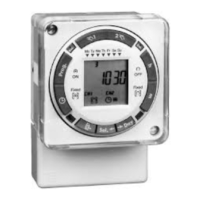
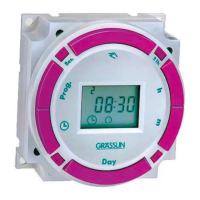
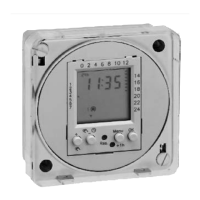
Digi 322
365-Day One, Two and Four Circuit
Electronic Time Switch by Grasslin
TECHNICAL DATA
Input Voltage: Separate models available for
24V, 120V or 240VAC, 50-60 Hz input
Relay Switch Rating: 16A @ 24/250 VAC
Output Relay: SPDT dry contacts for each channel
Power Consumption 5 VA
Battery Backup: 150 hours minimum,
rechargeable battery is built in
Temperature Range: 14°F – 131°F (–10°C to 55°C)
Display: AM/PM LCD 7/8" x 1-5/8"
Dimensions: H 3-1/4" x W 4-1/8" x D 2-7/8"
Weight: 18 oz.
Mounting:
Surface & DIN rail (NEMA 1 indoor &
NEMA 3R outdoor enclosures available)
Shortest Switching Time: One second
Block Programming: Weekdays
The Digi 322 controls are one, two and four
channel electronic time switches with 365-
day, 7-day and 24-hour programming. The
channels are freely programmable with a total
of 322 schedules. The load status, time of day,
and date are displayed on a large LCD read-
out.
Functional Description
The Digi 322 time control can be programmed as
24-hour, 7-day, or a 365-day schedule of individ-
ual holidays or holiday/vacation periods. This
control incorporates a calendar through the year
2090 and also includes automatic leap year
adjustment. The annual daylight savings/stan-
dard time changes can be programmed to occur
automatically each year through 2090.
Holidays that occur on the same date each year
(July 4) need only be programmed once—they
will be stored and will be executed each year
until 2090. Holidays that occur on a different date
each year (Labor Day) should be entered with
the 1X key (one-time). They will be automatically
neutralized after their occurrence, therefore, they
need not be deleted when programming the con-
trol next year. These features minimize the annual
programming considerably.
Please read these operating instructions carefully
so that you will be able to take full advantage of
the functions offered by the Digi 322 time control.
TO THE INSTALLER:
1. Read operating instructions carefully.
2. Check the input voltage ratings marked on the
unit to make sure this product is suitable for
your power supply and application.
3. Disconnect power supply prior to installation to
prevent electrical shock.
4. Damage to the relay-contacts caused by short
circuiting will void warranty.
5. Wire in accordance with National and Local
electrical code requirements.
Operating Instructions
http://waterheatertimer.org/Intermatic-timers-and-manuals.html#Talento-400
http://waterheatertimer.org/Grasslin-manuals/
Question and Answer IconNeed help?

Do you have a question about the Grasslin Digi 322 and is the answer not in the manual?

Summary

Operating Instructions

Technical Data

Detailed specifications including input voltage, relay rating, power consumption, and dimensions.

Functional Description

Explains the Digi 322's programming capabilities, holiday features, and automatic time changes.

Installer Instructions

Key instructions for installers, covering voltage checks, wiring compliance, and safety precautions.

Installation and Wiring

Mounting the Digi 322

Guidance on surface mounting the unit using screws and at eye level.

Physical Dimensions

Diagram showing the physical dimensions of the Digi 322 time switch.

Wiring Procedures

Instructions for connecting wires to the unit's terminals, emphasizing correct voltage.

Terminal Connection Diagrams

Diagrams illustrating terminal connections for different Digi 322 models.

Installation Checklist

Checklist for installation, covering power circuits, voltage spikes, and load types.

User Interface and Programming Fundamentals

Keypad Description

Details the function of each button on the Digi 322 keypad.

LCD Display Elements

Describes various data elements displayed on the LCD screen.

Program Block Formation

Explains how program blocks simplify programming and storage.

Program Execution Logic

How the microprocessor determines and executes programs based on priority.

Program Priority System

Explains automatic and manual priority assignment for programs.

Program Storage Capacity

States the Digi 322 can store up to 322 programs.

Setting Time and Date

Step-by-step guide on setting the current date and time.

Advanced Programming Features

Daylight Saving Time Setup

Details how to program USA and European Daylight Saving Time changeover dates.

7-Day Schedule Programming

Instructions for programming standard 7-day schedules, including example steps.

Individual Holiday Programming

Guide for programming fixed-date and one-time holidays with examples.

Multiday Holiday Period Programming

Instructions for programming multi-day holiday periods, like vacations, with examples.

Special Program Functions and Operation

Momentary Contact Programming

Explains programming short duration pulses for loads like bells.

Program Priority Adjustment

How to assign higher priority to override standard programs.

Manual Override Functions

Describes temporary and fixed manual overrides for channels.

Program Review

How to review stored programs using the 'R' key.

Cancelling Programs

Methods for cancelling or deleting individual program steps or all programs.

Editing Programs

Process for correcting or editing existing program steps.

Battery Backup Operation

Explains the function of the internal battery for maintaining settings during power loss.

Post-Power Failure Operation

Note on how the Digi 322 resumes operation after a power failure.

Grasslin Digi 322 Specifications

General IconGeneral
TypeDigital Timer
Operating Voltage230V AC
Switching Capacity16A / 250V AC
Shortest Switching Time1 minute
Mounting TypeDIN Rail
DisplayLCD
Protection ClassIP20
Number of Channels1
WeightApprox. 150g
Program TypeWeekly program

Related product manuals