
 Need help?
Do you have a question about the Grasslin GM40E and is the answer not in the manual?
Specifies requirements for manual override and battery backup for over 7 days.
Apply power, reset the unit, and prepare the display for programming.
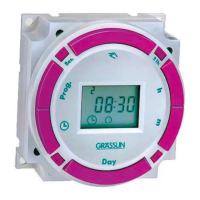
Hold the Clock key and use h+/m+/Day keys to set time and day.
Press h+ and m+ keys simultaneously to adjust the hour for DST.
Set specific ON/OFF times and days for automated operation.
Select multiple days or day ranges for efficient programming.
Scroll through and edit existing programs using Timer and adjustment keys.
Remove specific programs by selecting them and using h+/m+ keys.
Manually turn the unit ON or OFF bypassing programmed schedules.
 General
| Voltage | 230V AC |
|---|---|
| Max Load | 16A |
| Display | LCD |
| Number of Channels | 1 |
| Operating Temperature | -10°C to +50°C |
| Protection Class | IP20 |
| Mounting Type | DIN Rail |
| Power Consumption | 1.5 W |
| Switching Capacity | 16A / 250V AC |
| Time Setting Range | 1 minute to 7 days |
| Mounting | DIN Rail |






 To Next Page