85Program description - Suppress models
Suppress models
Suppression of model memory locations
This option is available as standard on the
mc-20 HoTT transmitter only.
Use the selection keys on the left or
right four-way button to select the »Sup-
press models« option in the multi-function menu:
Model select
Copy / Erase
Suppress menus
Suppress models
Base setup model
Model type
Model select
Copy / Erase
Suppress menus
Suppress models
Base setup model
Helicopter type
Open this menu option with a tap on the center SET
key of the four-way button pad.
Model memories which are rarely needed or to which
access is to be blocked for other reasons can be hid-
den from the model selection list. This also clarifies
the overview layout for model selection.
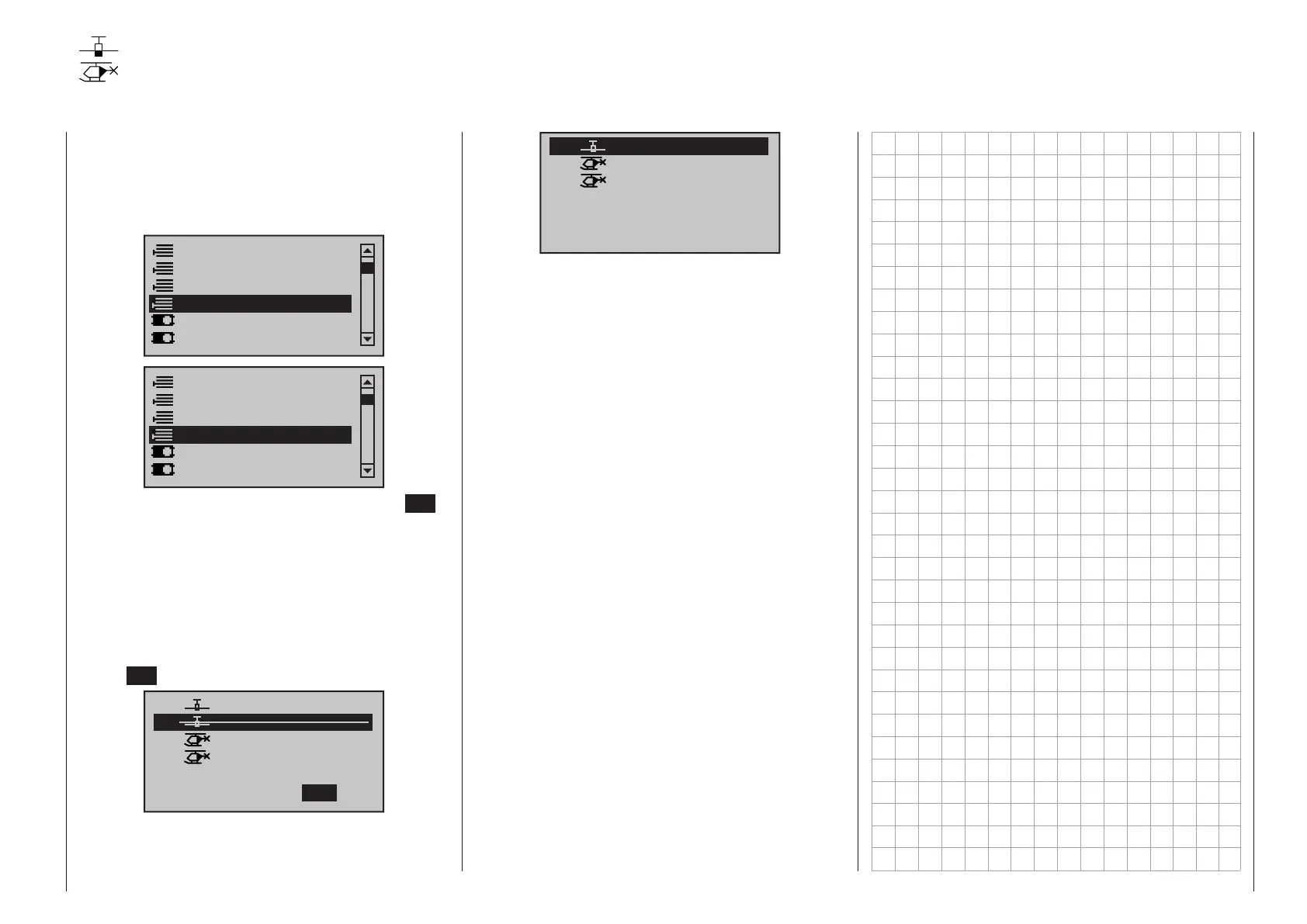
The model to be suppressed/displayed is selected
with the selection keys of the left or right four-way but-
ton then its status is switched over with a tap on the
center SET key of the right four-way button.
01
03
04
05
ULTIMATE
02
GRAUBELE
STARLET
BELL47G
R12
R12
R12
–––
free
Suppress:
TOG
A model memory which is “stricken through” will no
longer appear in the »Model select« menu:
03
04
05
STARLET
BELL47G
06
R12
–––
free
free
01
GRAUBELE
R12
07
free
mc
16 20



 To Next Page
 Loading...