Using Your Lively Mobile Plus
26
Calling 5Star Service
Your Lively Mobile Plus comes with 24/7 access to 5Star Service. Trained in CPR
and other emergency procedures, IAED-Certified 5Star Agents will confirm your
location using patented GPS technology, evaluate your situation and get you the
help you need.
To Call 5Star:
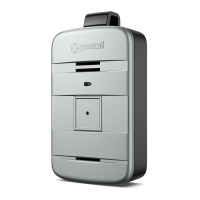
1. Press and release the Call Button briefly. You will hear a voice prompt of
“Calling 5Star, press button to cancel”. If you pressed the Call Button by
mistake, you will have a short moment to press the Call Button again to cancel
the call.
2. While speaking with the Agent, hold your Lively Mobile Plus at a comfortable
distance, at least one inch away from your mouth, and speak normally into the
Microphone.


 To Next Page