38
Scanning the Channels
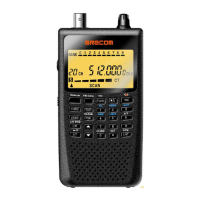
To begin scanning channels or to start scanning again after monitoring a spe-
cific channel, press SCAN.
Notes:
You must store frequencies into channels before the scanner can scan them.
The scanner does not scan through empty channels.
• To change the scanning direction, press or .
• If you watch the transmission, the scanner shows the receiving frequencies
signal level with 5 dots.
The scanner scans through all channels (except those you have locked out) in
the active banks (see “Turning Channel-Storage Banks Off and On” and “Lock-
ing Out Channels or Frequencies”).
Turning Channel-Storage Banks Off and On
To turn off banks while scanning, press the bank’s number key so the bank’s
number disappears. For example, to turn off bank 1, press 1. The scanner
does not scan any of the channels within the banks you turned off.
To turn on banks while scanning, press the number key until the bank’s num-
ber appears. For example to turn bank 1 on again, press 1.
Notes:
• You cannot turn off all banks. There must be at least one active bank.
• You can manually select any channel in a bank, even if the bank is turned
off.
Monitoring a Single Channel/Power Save Circuit
You can monitor a single channel with your scanner by navigating to that chan-
nel while in manual mode. The scanner will receive traffic on the selected fre-
quency.
Your scanner features a power save circuit that is automatically activated any
time you manually select a channel. The power save mode works by allowing
the receiver to “sleep” briefly while waiting for a call on the selected channel.
Power Save On appears when the scanner enters power save mode. The power
save circuit is disabled when the scanner receive the signal.


 To Next Page