51
• If you are uncertain about the base frequency, use the default setting. The
default setting is normal.
• If you cannot receive with the normal setting, change to splinter setting.
Programming Fleet Maps
You must set the fleet map if you want to receive a Motorola Type I system.
Fleet maps are included along with other information about Motorola Type I
systems at www.RadioReference.com.
Follow these steps to program a fleet map.
1. Press PGM then TRUNK.
2. For each bank you want to program, repeatedly press FUNC or to
select the bank.
3. Press FUNC. Then press 8. Size Code Setting appears.
4. Enter the size code supplied with the Type I system information, referring to
the instruction that appears on the display. If the information was not sup-
plied, try the following common fleet maps.
5. Press ENT for each entry. If you make a mistake, press CL and enter the
correct size code.
Notes:
• The default setting of the bank is for Motorola Type II. However, if you set
Type I and you want to return to Type II, enter 1 key then 5 key (15) at Step 4.
• To confirm the input, repeat Steps 1-5 and press ENT. Each time you press
ENT, you confirm the size code. If you find an error, press CL and begin
again at Step 1.
6. Press SCAN to start scanning.
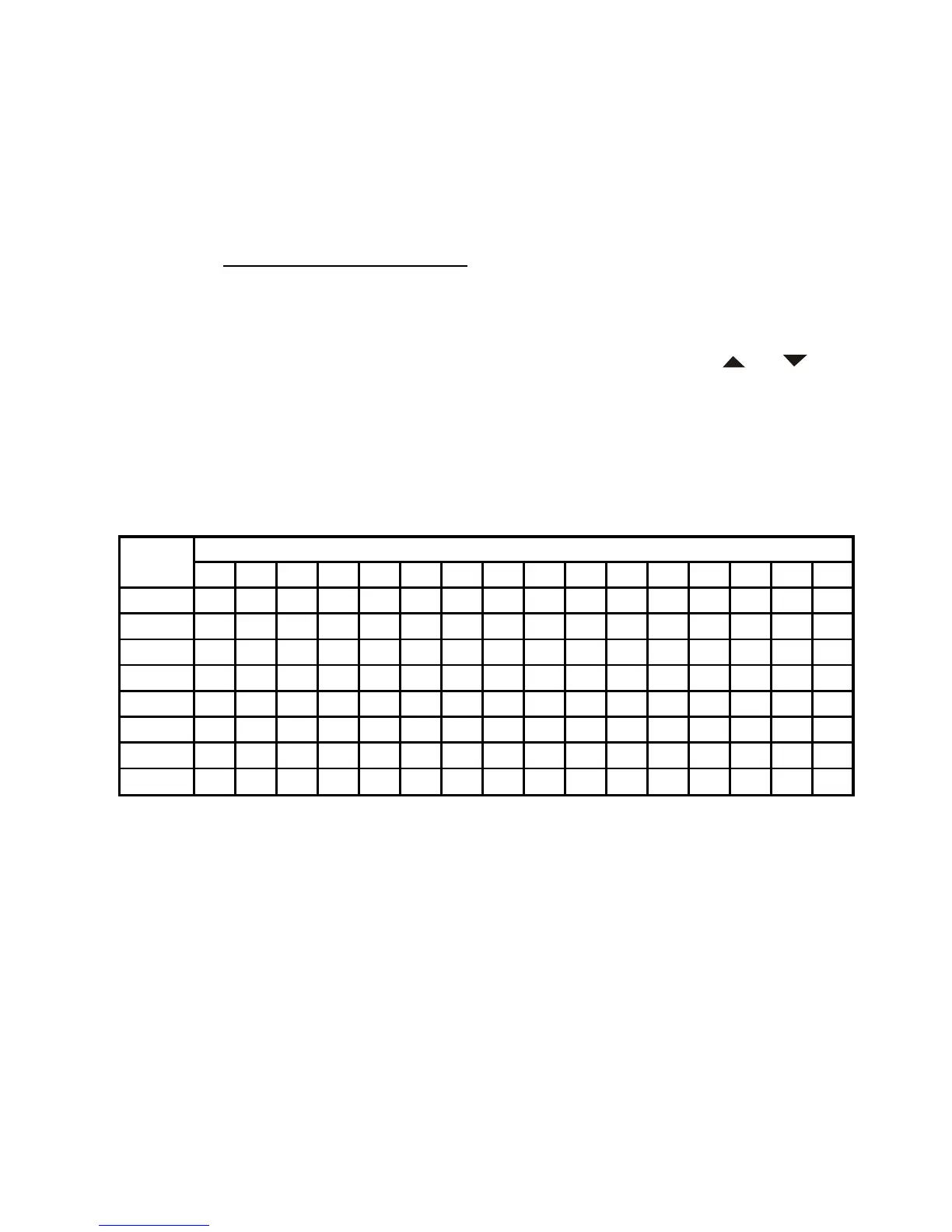
Size Code
12345678910111213141516
0
S11S4S4S12S4S3S10S1S4S0S4S0S3S4S4S3
1
S11 S4 S4 - S4 S10 S10 S1 S4 S0 S0 S0 S3 S3 S4 S10
2
S11S4S4S4S12S4S11S2S0S0S0S0S11S10S4S10
3
S11 S4 S4 S4 - S4 S4 S2 S0 S0 S0 S0 S4 S4 S11 S11
4
S11 S4 S4 S4 S4 S12 S4 S3 S0 S0 S0 S0 S4 S4 S11 S0
5
S11 S4 S4 S4 S4 - S4 S3 S0 S0 S0 S0 S0 S4 S0 S0
6
S11S4S12S4S4S12S4S4S0S4S0S0S0S12S12S12
7
S11S4 - S4S4 - S4S4S0S4S0S4S0 - - -
Block


 To Next Page