EasyManua.ls Logo

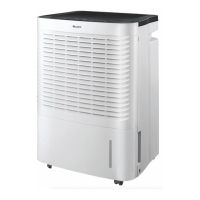
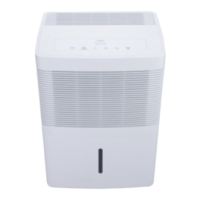
Gree GGD18L - User Manual

Gree GGD18L
20 pages
Print Icon
To Next Page IconTo Next Page
Loading...
Change for life
Thank you for choosing our product.
Please read this User's Manual carefully before operation and
retain it for reference.
If you lost the User's Manual, please contact the Tool Box or visit
www.gilman-group.com or send an email to Tool Box for the
electronic version.
User's Manual
Operation Instructions
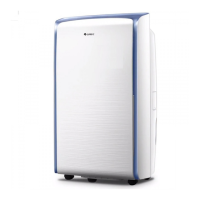
Dehumidifier
Models: GGD18L

Questions and Answers

  • N
    nlopezAug 4, 2025
    Why is my Gree GGD18L not dehumidifying properly?
    • A
      Andrew CrawfordAug 5, 2025
      If your Gree Dehumidifier isn't dehumidifying well, several factors could be the cause. First, check for any obstructions around the unit, such as curtains, shutters, or furniture, and remove them. Ensure that all doors, windows, and other openings to the outside are closed. Also, low room temperature can reduce the unit's effectiveness; this unit should be used in temperatures above 5°C.
  • J
    James KaiserAug 12, 2025
    What to do if the water tank full indicator is lit on my Gree GGD18L?
    • S
      Steven MuellerAug 12, 2025
      If the water tank full indicator is lit on your Gree Dehumidifier, it means the water tank may not be properly placed, is full, or has been removed. To solve this, empty the water tank and replace it correctly.
  • C
    Cheryl PerryAug 20, 2025
    How to fix water in the tank when using a drain hose on my Gree GGD18L?
    • J
      Jamie AndersonAug 20, 2025
      If you find water in the water tank while using a drain hose with your Gree Dehumidifier, it indicates that the drain hose isn't correctly installed. Make sure to clear any obstacles from the drain hose. If the issue persists, remove the drain hose and replace it, ensuring it's correctly installed.
  • N
    Nicole GrayAug 27, 2025
    Why is the power indicator not lit on my Gree GGD18L Dehumidifier?
    • M
      mphamAug 27, 2025
      If the power indicator isn't lit on your Gree Dehumidifier when connected to power, check the following: - Verify if there's a power outage and wait for the power to restore. - Check the power circuit or socket for damage. - Ensure the power plug is securely inserted. - Inspect the power cord for damage. If the issue persists, replace the fuse.

Summary

Operation Notices

Safety Precautions

Essential safety rules and precautions for using the dehumidifier to ensure user safety.

Operation Area

Recommended placement, temperature, and humidity ranges for effective dehumidifier operation.

General Structure

Identification of the main components and parts of the dehumidifier unit.

Check Before Operation

Pre-operation checks, focusing on water tank float placement for correct indicator function.

Operation Instructions

Operation Method

Step-by-step guide on how to use the control panel to set dehumidification modes and fan speeds.

Drainage Method

Instructions for draining collected water, covering both tank removal and continuous drain hose options.

Clean and Maintenance

Grille and Case

Procedures for cleaning the exterior case and air grille using appropriate methods.

Air Filter

Detailed steps for removing, cleaning, and reinstalling the air filter for optimal performance.

Water Tank

Weekly cleaning instructions for the water tank to prevent mold and maintain hygiene.

Troubleshooting Guide

Troubleshooting

Common issues, potential causes, and recommended solutions for dehumidifier malfunctions.

Error Codes

Explanation of specific error codes displayed on the unit, their meanings, and troubleshooting steps.

Gree GGD18L Specifications

General IconGeneral
BrandGree
ModelGGD18L
CategoryDehumidifier
LanguageEnglish

Related product manuals