EasyManua.ls Logo

Gree ME30-24/E6 - User Manual

Gree ME30-24/E6
38 pages
Print Icon
To Next Page IconTo Next Page
Loading...
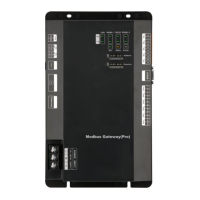
Modbus Gateway(Mini)
model:
ME30-24/E6(M)

Other manuals for Gree ME30-24/E6

Questions and Answers

  • K
    Kathleen GrimesAug 3, 2025
    Why does my Gree ME30-24/E6 Gateway show a communication error alarm in BMS?
    • A
      anthonycarpenterAug 3, 2025
      A communication error alarm in the BMS for your Gree Gateway might occur if the twisted pair wire is too close to the power cord (less than 15CM), causing significant interference. To resolve this, ensure separate wiring for these two wires. If a separation distance of more than 15CM isn't possible, add a shielded steel tube.
  • T
    Timothy WilliamsAug 7, 2025
    What to do if Gree ME30-24/E6 shows communication error after circuit inspection?
    • C
      Christopher Sanchez Jr.Aug 7, 2025
      If circuit inspection passes but communication errors persist with your Gree Gateway, and no information is displayed for all or some units, it could be due to several reasons. First, make sure the unit is energized. If chips were replaced for the ODU or IDU, ensure they are correctly inserted with the gap direction aligned with the PCB, then re-energize. Also, verify that the serial port number used by the communication software matches the one connected to the computer. If not, replace the serial port or revise the serial port setting of the software. Finally, check that the unit address in the software matches the actual unit's address and that there are no wrong or repeated unit addresses. If there is no matched resistance connected, conduct correct setting to the matched resistance.
  • C
    Christopher WhiteAug 12, 2025
    Why does Gree Gateway communication error persist after inspection?
    • S
      stephencareyAug 13, 2025
      If you're still encountering communication errors with your Gree Gateway after passing circuit, equipment, and engineering installation inspections, the issue might be due to using an inconsistent displayer or controller. Verify the controller and wired controller model of the current unit. If any inconsistencies are found, contact customer service for a replacement.
  • G
    Gregory GreenAug 18, 2025
    What causes Gree ME30-24/E6 communication error alarm due to Modbus Gateway?
    • S
      Sharon WhiteAug 18, 2025
      If a communication error alarm occurs in BMS for your Gree Gateway, it may be caused by a damaged Modbus Gateway(Mini). Replace the Modbus Gateway(Mini) to solve this.
  • D
    Dr. Nancy Jackson MDAug 23, 2025
    How to fix disconnected communication cord in Gree ME30-24/E6?
    • T
      tammyrojasAug 23, 2025
      If a communication error alarm occurs in BMS for your Gree Gateway, it may be caused by a disconnection in the communication cord. To fix this, weld the disconnected circuit.
  • L
    lisagardnerAug 28, 2025
    What to do if Gree Gateway communication cord has a short circuit?
    • L
      Louis WagnerAug 28, 2025
      If a communication error alarm occurs in BMS for your Gree Gateway, it can be caused by a communication cord short circuit. Repair the short circuit to resolve this issue.

Summary

Safety Notices

User Notice

General Functions

Modbus Gateway Introduction

5.3.1 Address DIP Switch Setting

Guide on setting the address DIP switch for the gateway.

5.3.2 Modbus Gateway Address Setting

Detailed explanation of setting the Modbus gateway address using DIP switches S1 and S2.

5.3.3 CAN2 Bus Termination Setting

Configuration for CAN2 bus matched resistance using DIP switch S3.

5.3.4 Modbus Bus Termination Setting

Configuration for Modbus bus matched resistance using DIP switch S3.

Product Installation Guide

7.2 Communication Connection

Outlines the communication connection methods for the gateway.

7.2.3 Communication Connection Setup

Step-by-step guide for setting up communication connections.

Gree ME30-24/E6 Specifications

General IconGeneral
BrandGree
ModelME30-24/E6
CategoryGateway
LanguageEnglish

Related product manuals