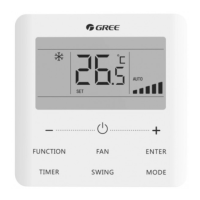
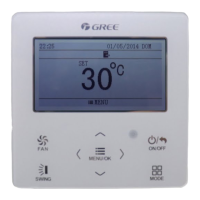
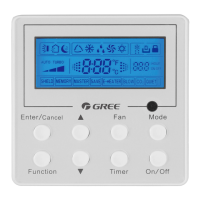
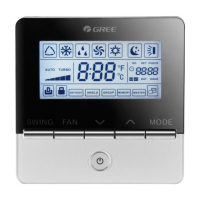
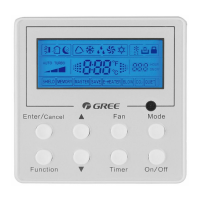
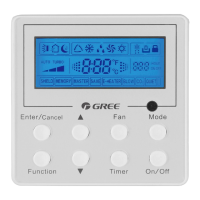
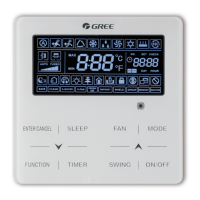
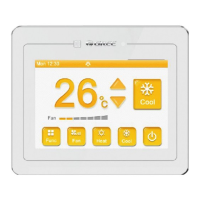
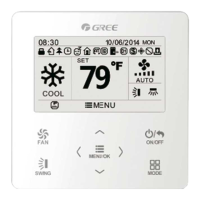
This document is the Owner's Manual for the GREE Wired Controller XE73-44/E, providing original instructions for its operation, installation, and maintenance.
Function Description:
The GREE Wired Controller XE73-44/E is a universal control component designed for various indoor units of air conditioning systems. It allows users to manage the air conditioner's operations, including power ON/OFF, mode selection, temperature setting, fan speed adjustment, and various special functions. The controller can receive signals from a remote controller, and its display status is determined by the connected indoor unit. It supports both Celsius and Fahrenheit temperature scales.
Important Technical Specifications:
The manual does not explicitly list technical specifications like power requirements or dimensions. However, it details communication and connectivity:
- The wired controller uses a 485 communication interface (CN1) for connecting a 4-core communication wire.
- It can connect to a smart zone controller via two needle stands (CN2, CN3), with no specific sequence required for these stands.
- The communication distance between the main board and the wired controller can be up to 20 meters, with a standard distance of 8 meters.
- The wired controller XE73-44/E supports up to 16 communication node addresses when integrated into a smart zone control system.
- A 2-bit DIP switch on the main board is used for addressing in a multi-controller setup, with specific settings for the last controller in the system.
Usage Features:
The wired controller offers a comprehensive range of operational features:
Basic Operations:
- ON/OFF: Pressing the ON/OFF button toggles the unit's power.
- Mode Setting: Under the "ON" state, the MODE button cycles through Auto, Cooling, Dry, Fan, and Heating modes.
- Temperature Setting: The ▲ or ▼ buttons adjust the set temperature within a range of 16°C to 30°C (61°F to 86°F) in Cooling, Dry, Fan, or Heating modes. In Auto mode, the temperature is unadjustable.
- Fan Setting: The FAN button cycles through various fan speeds: Auto, Low, Medium Low, Medium, Medium High, and High.
- Timer Setting: The TIMER button allows setting a timer for ON/OFF operations, adjustable from 0.5 to 24 hours in 0.5-hour increments. The SWING/ENTER button confirms the setting.
- Up & Down Swing Setting: This function controls the vertical swing of the air deflector. It can be set to simple swing (on/off) or fixed swing (cycling through various positions).
- Left & Right Swing Setting: Similar to up & down swing, this controls horizontal air deflector movement. The FUNCTION button activates the setting, and SWING/ENTER confirms or cancels.
- Fresh Air Valve Function Setting: Allows adjusting the fresh air valve level from 1 to 10. The FUNCTION button selects the option, ▲ or ▼ adjusts the level, and SWING/ENTER activates.
- Sleep Setting: Activates or deactivates the sleep function, which adjusts temperature for comfortable sleep.
- Turbo Setting: Provides quick cooling or heating by running the unit at high fan speed to rapidly reach the set temperature.
- Energy Saving Function Setting (SAVE): Sets lower temperature limits for Cooling/Dry modes or upper limits for Heating mode to save energy.
- E-heater Setting: Controls the auxiliary electric heating function in Heating mode for improved efficiency. It can be turned on automatically or manually.
- X-fan Setting: After the unit is turned off in Cooling or Dry mode, the indoor fan runs at low speed for 2 minutes to evaporate water from the evaporator, preventing mildew. This function is unavailable in Fan or Heating mode.
- Quiet Function Setting: Switches between "Quiet" and "Auto quiet" modes for reduced noise operation.
- Health Setting: Activates or deactivates the health function.
- Absent Setting: Available only in Heating mode, sets the temperature to 8°C (46°F) and shields temperature/fan speed settings. It cannot be active simultaneously with the sleep function.
- I-Demand Setting: Available only in Cooling mode, sets the temperature to "SE" and shields temperature/fan speed settings. It cannot be active simultaneously with the sleep function.
- WiFi Function Setting: Allows control via the "Gree+" APP. The WiFi function can be reset by pressing FUNCTION + FAN for 5 seconds under off status.
- Child-lock: Activated by pressing ▲ and MODE simultaneously for 5 seconds under off state, locking all buttons.
- Memory Function: Activated by pressing ▲ and MODE simultaneously for 5 seconds under off state. If set, the unit resumes its original state after power failure.
- Temperature Sensor Selection: Under OFF state, pressing FUNCTION + TIMER for 5 seconds allows selecting the temperature sensor source (return air inlet, wired controller, or a combination depending on mode).
- Fan Speed Level Selection: Under OFF state, pressing FUNCTION + TIMER for 5 seconds allows selecting between three low fan speeds or three high fan speeds.
Installation Features:
- The wired controller is installed by connecting its 4-core signal line to the 4-pin socket of the indoor unit's electric control box.
- The soleplate of the wired controller is fixed to the wall using screws (M4x25), and the front panel is buckled onto the soleplate.
- The manual provides detailed diagrams for connecting the signal line, including scenarios with and without a pre-installed patch cord.
- For multi-controller systems, a schematic diagram shows how multiple wired controllers can be connected in series to a smart zone controller.
Maintenance Features:
- Errors Display: In case of system errors, an error code (e.g., "E I") will be displayed on the LCD. If multiple errors occur, their codes will be displayed circularly. Users are advised to turn off the unit and contact professional personnel for any errors.
- Filter Washing Reminder (Clean): The manual indicates this function is unavailable for this unit.
- User Notice: Emphasizes not to install the controller in moist conditions or direct sunlight, avoid physical damage, and not to disassemble it.
- Electromagnetic Interference: Advises separating signal and communication lines from power cords by at least 20cm and using shielded twisted pair lines if the air conditioning unit is installed in an area prone to electromagnetic interference.

 Need help?
 General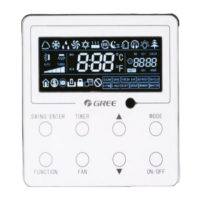

 To Next Page