Need help?
Do you have a question about the Gree XK75 and is the answer not in the manual?
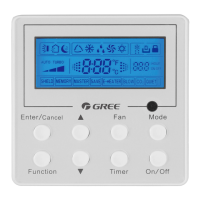
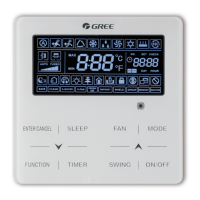
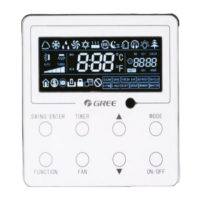
This document describes the GREE Wired Controller XK75, an owner's manual for air conditioners. It provides comprehensive instructions for display, button functions, operation, and installation, ensuring users can effectively manage their air conditioning units.
The wired controller serves as a central interface for controlling various functions of a GREE air conditioning unit. It allows users to turn the unit on and off, select different operating modes (auto, cooling, dry, fan, heating), adjust the set temperature, and control fan speed. The controller also offers advanced settings for swing functions, timer operations, and clock adjustments. Its design aims for user-friendliness, with a clear display and intuitive button layout.
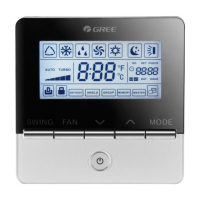
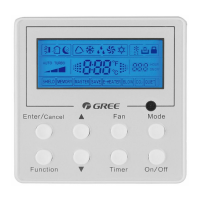
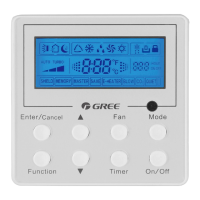
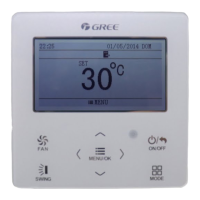
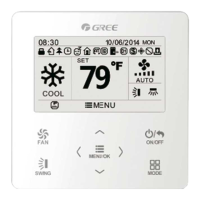
The controller's display provides real-time information such as time, date, day of the week, current set temperature, operating mode, and fan speed. It also shows various symbols indicating active functions like up and down swing, left and right swing, fresh air, sleep mode, auto mode, cooling, dry mode, fan mode, heating mode, health function, I-Demand function, absence function, shielding status, current set fan speed, memory function, save function, X-fan function, filter cleaning reminder, timer on status, gate card pulled-off status, quiet function, and function lock.
The buttons on the controller are clearly labeled for easy navigation. The "FAN" button cycles through different fan speeds (low, low-medium, medium, medium-high, high, turbo, auto). The up and down arrow buttons are used to set temperature, adjust parameters, and move the option cursor. The "ON/OFF/BACK" button turns the unit on or off and returns to the previous page. The "SWING" button controls both up and down, and left and right swing functions. The "<" and ">" buttons are used to select functions, move the option cursor, and set parameters. The "MENU/OK" button enters the menu page and confirms settings. The "MODE" button cycles through auto, cooling, dry, fan, and heating modes.
The operation instructions detail how to navigate the menu structure, which is organized into a main menu, user function menu, timer setting menu, clock setting menu, view function menu, and function lock menu.
Users can easily switch between auto, cooling, dry, fan, and heating modes. However, auto mode is not available if the "save" function is active.
The set temperature can be adjusted in 1°C (1°F) increments using the up and down arrow buttons. Holding these buttons allows for rapid adjustment. The temperature setting range is 16°C to 30°C (61°F to 86°F) in cooling, dry, fan, and heating modes, but it cannot be adjusted in auto mode.
Fan speed can be cycled through low, medium-low, medium, medium-high, high, turbo, and auto settings using the "FAN" button.
The controller supports both fixed-angle swing and simple swing modes. In fixed-angle swing mode, users can select specific swing angles for both up/down and left/right movements. In simple swing mode, the "SWING" button toggles the up/down swing, and further navigation allows for toggling the left/right swing.
The user function menu provides access to various advanced settings:
This function reminds users to clean the filter based on the unit's operating time. Users can set pollution levels (1, 2, or 3) which correspond to different accumulating operating time ranges (5500-10000 hours, 1400-5000 hours, 100-1000 hours, respectively). The operating time is reset to zero when this function is turned off.
Users can view the current status of the unit, including whether defrosting or auxiliary heating is operating, the residual time for the filter cleaning reminder, and both indoor and outdoor ambient temperatures.
If an error occurs, an error symbol is displayed on the main page. Users can access the error view page to see detailed error information, such as communication errors.
The controller supports six types of timers:
Users can set the time format (12-hour or 24-hour system) and adjust the clock, including hour, minute, year, month, and day.
The controller offers a lock function to prevent unauthorized changes. Users can lock specific items such as ON/OFF, mode setting, temperature setting, fan speed setting, or all keys. To unlock, a specific sequence of button presses (MENU, "<", ">") is required.
The manual provides detailed instructions for installing the wired controller, including parts and dimensions. Key requirements include avoiding wet places, direct sunlight, or areas near high-temperature objects or water splashes. The installation process involves cutting off power, pulling wires through the soleplate, fixing the soleplate to the wall with screws, connecting the two-core twisted pair wire to H1 and H2 terminals (polarity is not important), blocking the wire into the groove, and bundling the front panel to the soleplate. If the communication wire is thick, the sheathed layer should be peeled off to an appropriate length. Disassembly instructions are also provided.
 General
| Model | XK75 |
|---|---|
| Category | Controller |
| Power Supply | 2 x AAA batteries |
| Operating Range | Up to 8 meters |
| Display | LCD |
| Compatibility | Gree Air Conditioner |
| Functions | Mode selection, temperature control, fan speed, timer, sleep mode |

 To Next Page