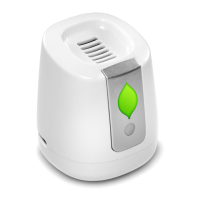
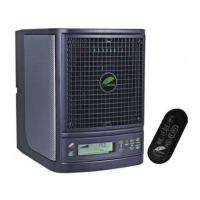
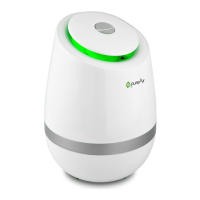
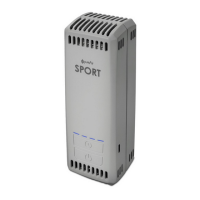
The Greentech FRIDGE is a refrigerator air purifier designed to extend the life of fruits and vegetables and reduce odors, creating a fresher environment.
Function Description
The FRIDGE operates by purifying the air within a refrigerator, likely through ozone output, to neutralize odors and potentially inhibit the growth of pathogens that cause spoilage. It is intended for use inside a refrigerator and not in a freezer or outside the refrigerator.
Important Technical Specifications
- Voltage: DC 5V, powered by a Lithium-Ion Battery.
- Battery Life: 18-24 Days on a full charge.
- Dimensions: 3.44" H x 2.875" W x 2.875" D.
- Net Weight: 6.35 oz.
- Ozone Output: 3 mg/h.
- Effective Area: 17.7 ft³.
- Warranty: 1 Year Manufacturer's Warranty.
Usage Features
The FRIDGE is designed for simple operation:
- Turning On/Off: The device is turned on or off by pressing the ON/OFF Button once.
- Placement: It can be placed anywhere in the refrigerator, with a caution not to obstruct the Top Air Vent or Rear Air Intake.
- Indicator Light: A Green Indicator Light flashes when the FRIDGE is on. If the light doesn't flash green, it indicates the device needs charging. The indicator light also flashes green when the refrigerator door is open and the FRIDGE has sufficient charge, turning off when the door is closed to conserve battery.
- Charging: The device signals the need for charging with beeping sounds and a Red Indicator Light. It charges via a USB-C Charging Port. Initial charging can take up to eight hours, while subsequent charges typically take four to six hours. A full charge lasts approximately three weeks. The Charging Port Light changes from Red to Green when fully charged.
Maintenance Features
Regular cleaning is recommended to ensure optimal performance:
- Cleaning Frequency: It is best to clean the FRIDGE every 6 months.
- Cleaning Procedure:
- Remove the FRIDGE from the refrigerator and turn it off.
- Vacuum out the Rear Air Intake and the Top Air Vent. Blowing air into these vents is not advised as it may affect the quality of purified air.
- Dip a cotton swab in isopropyl alcohol and insert it into the Top Air Vent. Gently rotate the swab to clean the area until all visible contamination is removed. Use a clean, dry cotton swab to dry the cleaned area. Repeat this process for the Rear Air Intake.
- Wipe down the exterior of the FRIDGE with a damp cloth.
- Allow the FRIDGE to dry completely before charging or resuming operation.
Safety Instructions
- Read all instructions carefully before operating.
- Do not block the ventilation.
- Never operate the unit near a heat source, open flame, flammable/combustible fluids, or open sources of liquids.
- The unit is not intended for use outside of your refrigerator.
- Not for use in the FREEZER.
For support or questions, users can contact Greentech Environmental at (800) 957-1136 or visit Greentechenv.com/support. Warranty registration is available online for customers in the United States and Australia.

 Need help?
 General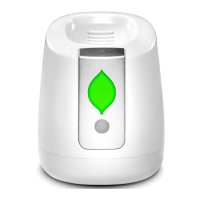

 To Next Page