4
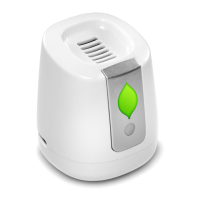
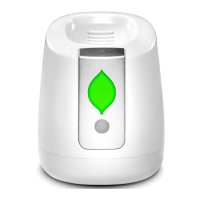
1. Turn FRIDGE on by pressing the ON/OFF Button once.
• The Indicator Light flashes Green to show FRIDGE is on.
• If the Indicator Light doesn’t flash Green, charge FRIDGE (see below).
2. Place FRIDGE anywhere in your refrigerator.
• Take care not to put anything against the Top Air Vent or Rear Air Intake.
3. Turn FRIDGE off by pressing the ON/OFF Button again.
Note: The Indicator Light always flashes green whenever the refrigerator door is open and FRIDGE has
enough charge. The Indicator Light turns off automatically whenever the refrigerator door is closed
to preserve battery life, but FRIDGE is still working.
Charging
Beeping and a Red Indicator Light tell you that FRIDGE needs charged. Connect a powered
USB-C Cable to the Charging Port. FRIDGE is charged and ready when the Charging Port
Light changes from Red to Green.
Initial charging time varies and can take up to eight hours, so you might simply let it
charge overnight. After this first charge, it will only take four to six hours to charge. The
charge will last about three weeks before needing to be charged again.
Using FRIDGE
Copyright © 2021 GreenTech Environmental, LLC.


 To Next Page