EasyManua.ls Logo

GreenWorks 21332 - User Manual

GreenWorks 21332
48 pages
Print Icon
To Next Page IconTo Next Page
Loading...
Read all safety rules and instructions carefully before operating this tool.
Owne
www.greenworkstools.com
r’s Manual
TOLL-FREE HELPLINE: 1-888-90WORKS
(888.909.6757)
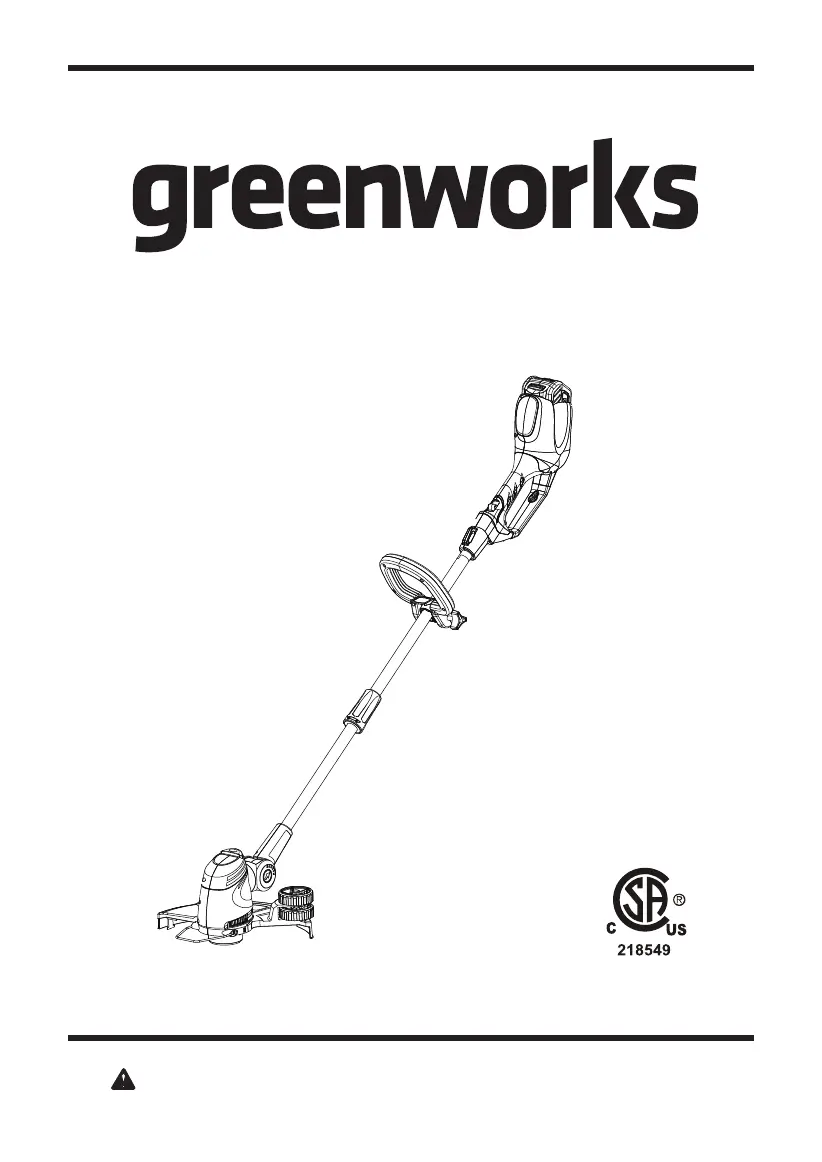
40V LITHIUM-ION CORDLESS STRING TRIMMER
21332

Questions and Answers

  • A
    Anthony RayAug 13, 2025
    What to do if line keeps breaking on GreenWorks 21332?
    • R
      rkellerAug 13, 2025
      If the line on your GreenWorks Trimmer keeps breaking, it might be due to incorrect usage. Ensure you're only trimming with the tip of the line and avoiding contact with stones, walls, and other hard objects. Feed the line regularly to maintain a full cutting width.
  • S
    Steven ManningAug 19, 2025
    Why does grass wrap around the trimmer head and motor housing of my GreenWorks Trimmer?
    • J
      Jason ValenciaAug 19, 2025
      Grass may wrap around the trimmer head and motor housing of your GreenWorks Trimmer if you're cutting tall grass at ground level. To prevent this, cut tall grass from the top down, removing no more than 8 inches in each pass.
  • S
    Seth GarciaAug 26, 2025
    How to fix GreenWorks Trimmer line not cutting well?
    • P
      Penny BrockAug 26, 2025
      If the line on your GreenWorks Trimmer isn't cutting well, the line-cutting blade on the edge of the guard may have become dull. Replace it with a new blade.
  • S
    Scott MeyerAug 30, 2025
    Why does my GreenWorks 21332 stop while cutting?
    • P
      padillakrystalAug 30, 2025
      Your GreenWorks Trimmer might stop while cutting due to several reasons: * The battery pack may not be properly attached. Ensure it's securely connected to the trimmer. * There might be poor electrical contact between the trimmer and the battery. Remove the battery, check the contact points, and then reinstall it. * The battery pack could be depleted. Try charging the battery pack. * The lock-off lever and trigger might not be engaged correctly. Make sure to press down the lock-off lever and hold it, then depress the trigger to activate the trimmer.
  • K
    katelynmasonNov 6, 2025
    What to do if GreenWorks 21332 head will not advance line?
    • R
      Reginald LucasNov 6, 2025
      If the trimmer head on your GreenWorks Trimmer won't advance the line, consider these possibilities: 1. The guard might not be mounted, causing the cutting line to be too long and overloading the motor. Remove the battery pack and mount the guard. 2. You might be using a cutting line that's too heavy. Only use nylon cutting line with a diameter of 0.065 inches or less. 3. Grass could be binding the motor shaft or trimmer head. Stop the trimmer, remove the battery, and clear any grass from these components. 4. The motor may be overloaded. Remove the trimmer head from the grass; the motor should recover once the load is removed. When cutting, move the trimmer head in and out of the grass, removing no more than 8 inches in a single pass. 5. The battery pack or string trimmer could be ov...

Summary

General Safety Rules

Child Safety

Safety precautions regarding children's presence and operation.

Proposition 65 Warning

Notice regarding potential chemical exposure risks.

Symbols

Service Information

Know Your String Trimmer

Assembly Instruction

Guard Installation

Step-by-step guide to install the protective guard.

Auxiliary Handle Adjustment

How to attach and position the auxiliary handle for optimal use.

Connecting Shaft Sections

Procedure for joining the upper and lower trimmer shafts.

Adjusting Cutting Width

Method to change the cutting width from 10" to 12".

Cutting Line Replacement and Refilling

Instructions for removing, replacing, and refilling the cutting line spool.

Battery Handling

Steps for safely removing and installing the battery pack.

Operation

Starting and Stopping the Trimmer

How to turn the string trimmer on and off using the controls.

Edging Function Guide

Using the trimmer for precise edge cutting along surfaces.

Automatic Line Length Adjustment

How the trimmer automatically feeds cutting line as it wears.

Trimmer Operating Tips

Best practices and advice for effective trimmer use.

Charging Procedure and Indicators

Guide to charging the battery and understanding LED status lights.

Checking the Charge Status

Troubleshooting tips if the battery fails to charge properly.

Charger Maintenance and Mounting

Care instructions for the charger and options for wall installation.

Maintenance

Cleaning the Trimmer

Steps for cleaning the tool's housing and vents.

Battery Pack Storage

Recommendations for storing the battery pack to maintain its life.

Charger Care and Storage

How to maintain and store the battery charger.

Environmentally Safe Battery Disposal

Troubleshooting Common Issues

Limited Four-Year Warranty

Warranty Exclusions

Conditions and usage that void the product warranty.

Customer Support Contact

Helpline number and operating hours for warranty inquiries.

Transportation Charges Policy

Information on who is responsible for shipping costs during warranty claims.

Exploded View Diagram

Replacement Parts List

GreenWorks 21332 Specifications

General IconGeneral
BrandGreenWorks
Model21332
CategoryTrimmer
LanguageEnglish

Related product manuals