EasyManua.ls Logo

GreenWorks ST24B01 - User Manual

GreenWorks ST24B01
27 pages
Print Icon
To Next Page IconTo Next Page
Loading...
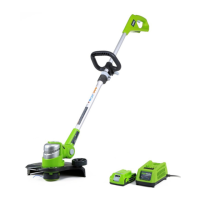
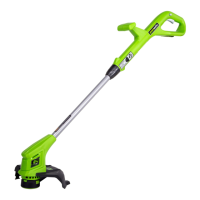
24V Cordless String Trimmer
Read all safety rules and instructions carefully before operating this tool.
Owner’s Manual
TOLL-FREE HELPLINE: 1-888-90WORKS (888.909.6757)
www.GreenWorksTools.com
ST24B01

Other manuals for GreenWorks ST24B01

Questions and Answers

  • E
    Erika ShafferJul 31, 2025
    How to fix a GreenWorks Trimmer that fails to start?
    • R
      Richard OrtizJul 31, 2025
      If your GreenWorks Trimmer isn't starting, there could be a few reasons. First, make sure the battery pack is properly attached to the trimmer. If it is, try removing and reinstalling the battery to ensure good electrical contact. Also, check if the battery is depleted and needs charging. Finally, ensure you are pressing the lock-off lever and trigger simultaneously to turn on the trimmer.
  • C
    Colleen DanielsAug 5, 2025
    Why is the line not cutting well on my GreenWorks ST24B01 Trimmer?
    • S
      Sara LozanoAug 5, 2025
      If the line on your GreenWorks Trimmer isn't cutting well, the line-cutting blade on the guard's edge might be dull. Sharpen the blade with a file or replace it with a new one.
  • J
    Joshua HensleyAug 9, 2025
    What to do if grass wraps around the head of my GreenWorks ST24B01 Trimmer?
    • A
      Alicia CampbellAug 9, 2025
      If grass is wrapping around the trimmer head and motor housing of your GreenWorks Trimmer, it might be because you're cutting tall grass at ground level. To prevent this, cut tall grass from the top down, removing no more than 8 inches in each pass.
  • J
    jessica47Aug 13, 2025
    What to do if the line does not advance on GreenWorks ST24B01?
    • S
      sosacynthiaAug 13, 2025
      If the line on your GreenWorks Trimmer isn't advancing, several factors could be at play. The lines might be welded together, in which case you should lubricate them with silicone spray. Alternatively, there might not be enough line on the spool, requiring you to install more. If the lines are worn too short, try advancing the cutting line. Lastly, tangled lines on the spool can cause this issue; remove the lines and rewind them.
  • H
    Harry MillsAug 18, 2025
    Why does the line keep breaking on my GreenWorks ST24B01?
    • K
      Kendra RayAug 18, 2025
      The line on your GreenWorks Trimmer might be breaking because of incorrect use. Only trim with the tip of the line, avoiding stones, walls, and other hard objects. Regularly feed the line to maintain a full cutting width.
  • A
    Ann WalkerAug 22, 2025
    What to do if grass winds around the trimmer head of my GreenWorks ST24B01 Trimmer?
    • M
      michellepetersAug 22, 2025
      If grass is winding around the trimmer head and motor housing of your GreenWorks Trimmer, it's likely due to cutting tall grass at ground level. Cut tall grass from the top down, removing no more than 8 inches in each pass to prevent wrapping.
  • P
    ptaylorAug 27, 2025
    What to do if my GreenWorks ST24B01 Trimmer stops while cutting?
    • M
      mmorrisAug 27, 2025
      Your GreenWorks Trimmer might stop while cutting due to several reasons. First, check if the guard is mounted; if not, the trimmer line might be too long, overloading the motor. Remove the battery pack and mount the guard. Also, ensure you're using a nylon cutting line of 0.065" diameter or less. Grass tangled around the motor shaft or trimmer head can also cause this; stop the trimmer, remove the battery, and clear any grass. If the motor is overloaded, remove the trimmer head from the grass to allow it to recover. If the battery pack or trimmer is too hot, let them cool down. Check the battery pack connection and re-install it if necessary. Finally, ensure the battery is adequately charged.

Summary

Product Specifications

Important Safety Instructions

Symbols

Service

Know Your String Trimmer

Safety Lock-Out Button

Prevents accidental starting of the trimmer.

Trigger

Activates the string trimmer when pulled.

Auxiliary Handle

Provides added control and ease of operation.

Guard

Protects from flying debris during operation.

Trimmer;Edger Buttons

Allows locking the tool for edging and trimming modes.

Assembly

Unpacking

Instructions for removing and inspecting product contents.

Packing List

List of included parts for verification.

Attaching the Guard

Step-by-step guide for installing the guard.

Installing the Upper Shaft to the Lower Shaft

Instructions for connecting the tool's shaft sections.

Operation

Installing the Battery Pack

Guide for properly inserting the battery into the trimmer.

Removing the Battery Pack

Instructions for safely detaching the battery pack.

Starting and Stopping the Trimmer

Steps for safe operation initiation and termination.

Operating the Trimmer

Guidance and tips for effective and safe trimmer usage.

Advancing Line

Explanation of the automatic line feed mechanism.

Advancing the Line Manually

Method for manually extending the cutting line.

Replacing the Line

Procedures for replacing the cutting line spool.

Respooling

Instructions for winding new line onto the spool.

Cutting Tips

Advice for efficient and safe cutting techniques.

Battery & Charger Maintenance

Checking Battery Capacity

How to check the battery's remaining charge level.

Charging Procedure

Detailed steps and indicator lights for charging the battery.

Maintenance

General Maintenance

Guidelines for routine cleaning and care of the tool.

Environmentally Safe Battery Disposal

Troubleshooting

String trimmer fails to start when trigger lock button is depressed

Solutions for issues preventing the trimmer from starting.

String trimmer stops while cutting

Troubleshooting steps for operational interruptions.

Lines will not advance

Causes and solutions for problems with line advancement.

Line keeps breaking

Solutions for recurring cutting line breakage.

Grass wraps around trimmer head and motor housing

How to prevent and resolve grass wrapping issues.

Line is not cutting well

Tips for improving cutting performance and addressing dull blades.

Limited Warranty

Items Not Covered by Warranty

Specifies conditions and parts excluded from warranty coverage.

Greenworks Helpline

Contact information for warranty service and support.

Transportation Charges

Information on purchaser responsibility for shipping costs.

Exploded View

Parts List

A list of all parts with their corresponding numbers and descriptions.

GreenWorks ST24B01 Specifications

General IconGeneral
TypeString Trimmer
Battery Voltage24V
Cutting Width12 inches
Line Diameter0.065 inches
RuntimeUp to 30 minutes
Power SourceBattery
Battery TypeLithium-Ion
Charging Time1 hour

Related product manuals