EasyManua.ls Logo

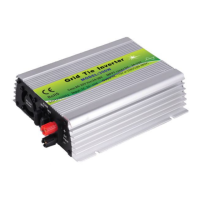
Grid Tie 500W - User Manual

Grid Tie 500W
15 pages
Print Icon
To Next Page IconTo Next Page
Loading...
Smart Grid Tie Microinverter
User Manual
Thanks for choosing Smart Microinverters. Read the following instruction
carefully before installation and operating, install and operate as specified
by this user manual strictly to ensure your safe and benefit.
Question and Answer IconNeed help?

Do you have a question about the Grid Tie 500W and is the answer not in the manual?

Summary

Smart Microinverter Introduction

Important Safety Information

Technical Parameters

Installation Guide

LED Indicators Explained

Red LED Indicator Meanings

Explains red LED states indicating errors or protection modes.

Green LED Indicator Meanings

Details green LED states for normal operation, MPPT tracking, and output.

Troubleshooting Smart Microinverters

Resolving System Halt or No Power Output

Troubleshooting steps for system halt or lack of power output.

Diagnosing No Output with Normal DC Supply

Guides to identify issues when DC input is normal but power output is absent.

Smart Microinverter Stack Wiring Diagram

Smart Microinverter Three Phase Output Wiring Diagram

Product Warranty Information

Warranty Terms and Exclusions

Covers warranty period, evidence, claims, and exclusions.

Application Diagrams

Solar Panel Grid Tie Application

Diagram showing microinverter operation with solar panels connected to the grid.

Wind Turbine Grid Tie Application

Diagram illustrating microinverter use with a wind turbine for grid connection.

Hybrid Battery;Wind Turbine Application

Depicts a system with battery, PV, and wind power for grid feeding via microinverter.

Grid Tie 500W Specifications

General IconGeneral
Rated Output Power500W
Output Power500W
Frequency50Hz/60Hz
ProtectionOver Temperature
CoolingFan