EN
FR
ES
DU
DE
IT
JP
SC
TC
34 35
Pour sécuriser vos tablettes lorsqu’elles se trouvent dans les compartiments,
verrouillez le panneau avant du MultiDock en bas de celui-ci.
Sécurisation
Para proteger las tabletas durante el almacenamiento,
deslice hacia abajo el panel frontal, en la posición de bloqueo.
Seguridad
Om uw tablets tijdens de opslag vast te maken, vergrendelt
u het voorpaneel van de MultiDock onderaan op zijn plaats.
Vastmaken
Damit Ihre Tabletts während der Aufbewahrung gesichert sind, verschließen Sie die
Vorderabdeckung des MultiDock. Lassen Sie diese hierzu am unteren Rand einrasten.
Sichern
Per proteggere i tuoi tablet quando non sono in
uso, chiudi il pannello anteriore di MultiDock.
Protezione
タブレットを安 全 に保管するには 、MultiDock
のフロント パネルを本体下部でロックします。
固定/保護
㑥⥗㮔㐵⌏㊿⊓⭜㚛⫒☨▌➥≠㐩ᱨ㎫
⯿㢭㲂☻⏩☨ MultiDock ≠㐩⡩㔋㚰ᮣ
≠㐩㢺⤨
ࠝ࠲ᇨۙؼྑ༄څϬ؟ϰθçቂઆ
уءס௱څ MultiDock ϰθଂʖᕭé
ᇨۙϰθ
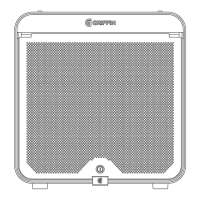
To s e c u r e y o u r t a b l e t s du ri n g s t o r a g e , l o c k
MultiDock's front door in place at the bottom.
Secur e


 To Next Page
