EasyManua.ls Logo

Grizzly G0708 - User Manual

Grizzly G0708
48 pages
Print Icon
To Next Page IconTo Next Page
Loading...
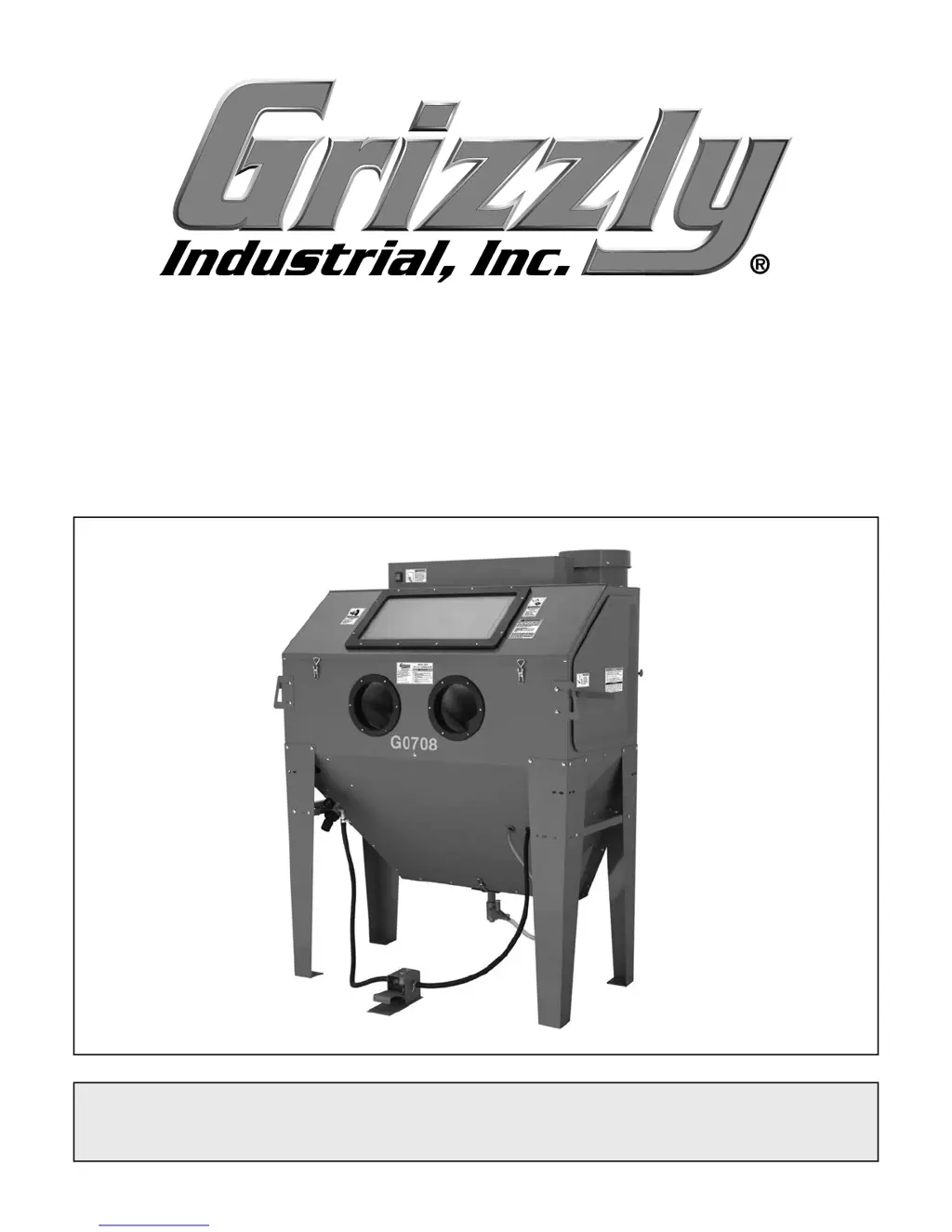
MODEL G0708
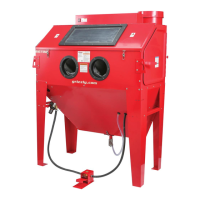
24" x 48" BLAST CABINET
OWNER'S MANUAL
(For models manufactured since 01/15)
COPYRIGHT © NOVEMBER, 2009 BY GRIZZLY INDUSTRIAL, INC., REVISED JANUARY, 2018 (HE)
WARNING: NO PORTION OF THIS MANUAL MAY BE REPRODUCED IN ANY SHAPE
OR FORM WITHOUT THE WRITTEN APPROVAL OF GRIZZLY INDUSTRIAL, INC.
#CR12333 PRINTED IN CHINA.

Questions and Answers

  • A
    Aimee CrawfordAug 14, 2025
    What to do if Grizzly G0708 has intermittent media spray?
    • E
      Eric BellAug 14, 2025
      If you experience intermittent media spray with your Grizzly Industrial Equipment, it could be due to several reasons. A contaminant may have clogged the suction tube. To resolve this, cover the blast tip and press the foot pedal to use air pressure to purge the foot valve and suction system. Repeat this periodically. Also, the blast gun could be damaged or have bad seals, in that case, disassemble blast gun, clean and reseal.
  • N
    Nancy VazquezAug 17, 2025
    How to fix clogging in Grizzly G0708 blast gun?
    • J
      Jennifer MontoyaAug 17, 2025
      If your Grizzly Industrial Equipment blast gun is clogging, several factors could be the cause. The suction tube may be clogged by a contaminant; in this case you should cover the blast tip and press the foot pedal to use air pressure to purge the foot valve and suction system, repeating this periodically during blasting. Another cause could be a damaged, clogged, or leaking foot valve, so you should clean and reseal it.
  • D
    Darrell HamptonAug 20, 2025
    Why is there no media spray from my Grizzly G0708 Industrial Equipment?
    • J
      Jacqueline HayesAug 20, 2025
      If you're not getting any media spray from your Grizzly Industrial Equipment, several issues could be responsible. First, check if the suction tube is clogged by a contaminant. You can attempt to clear it by covering the blast tip and pressing the foot pedal to purge the system with air pressure, repeating as needed. Another potential cause is that the cabinet may be overloaded with media, so remove some media, leaving just enough for blasting.
  • J
    jeremy61Aug 25, 2025
    How to troubleshoot low air flow in Grizzly G0708 Industrial Equipment?
    • J
      James Burnett DVMAug 25, 2025
      Low air flow or pressure up to the cabinet in your Grizzly Industrial Equipment can cause issues. Troubleshoot the air supply system and verify the compressor, supply lines, moisture separators, and air dryers have the correct air flow and are in good working order. Also, make sure that the blasting system has correct air flow or pressure by adjusting the air regulator on the cabinet to maintain correct air pressure and flow, and verify no hose kinks or clogs exist.
  • E
    Elizabeth JohnsonAug 27, 2025
    What causes striping on workpiece with Grizzly G0708 Industrial Equipment?
    • M
      Miranda ReynoldsAug 27, 2025
      Striping on your workpiece when using Grizzly Industrial Equipment can be caused by several factors. One potential cause is worn or incorrect blast tip. Disconnect machine from air and inspect blast tip for wear and rotate 1?4 -turn to unworn tip area. Replace or install with correct blast tip if needed. Another reason may be that the media metering valve is out of adjustment. Turn the metering valve adjustment screw clockwise in small increments until proper media output is achieved.
  • A
    Alejandro WardAug 30, 2025
    Why is my Grizzly G0708 using incorrect media?
    • C
      carlosharrisAug 30, 2025
      If your Grizzly Industrial Equipment is using incorrect media, verify that the media chosen is the correct material for your blasting operation, and that the media is not worn out or contaminated with moisture. Screen or replace media as required.
  • H
    Heather SantiagoSep 6, 2025
    Why won't my Grizzly Industrial Equipment dust collector start or why does the circuit breaker trip?
    • B
      Bruce MaciasSep 6, 2025
      If your Grizzly Industrial Equipment dust collector won't start or the circuit breaker trips, there are several potential causes. * A damaged or loose power cord could be the issue. Re-secure and test the power cord, replacing it if necessary. * The ON/OFF switch might be faulty. Test and replace the switch if it's open. * A tripped circuit breaker or fuse could be the cause. Check for shorts and ensure the motor brushes aren't shorted. Replace the motor brushes if needed, and then reset the circuit breaker. * Faulty wiring could also be the problem. Repair any open or shorted wiring connections. * Motor brushes at fault. Replace motor brushes. * Lastly, the motor itself might be at fault. Test and replace the motor as required.
  • E
    Eric AndersonSep 9, 2025
    How to fix a dim or non-illuminating lamp in Grizzly Industrial Equipment?
    • C
      Candace RussoSep 10, 2025
      If the lamp in your Grizzly Industrial Equipment is dim or won't illuminate, start by replacing both lamp bulbs, as the lamp may be burned out. If that doesn't solve the problem, the ballast might be faulty, and you should replace it. Another potential issue is a faulty ON/OFF switch; test and replace it if it's open. Lastly, check for faulty wiring and repair any open or shorted connections.
  • M
    Manuel LiuDec 3, 2025
    What to do if Grizzly Industrial Equipment has intermittent, clogging, or no media spray?

    Summary

    INTRODUCTION

    Manual Accuracy

    Explains manual accuracy and continuous improvement policy.

    Contact Info

    Provides contact details for technical support and documentation.

    Machine Description

    Describes the blast cabinet's design and features for high-use media blasting.

    Identification

    MACHINE DATA SHEET

    SECTION 1: SAFETY

    Safety Instructions for Machinery

    Details general safety precautions for machine operation.

    Additional Safety for Blast Cabinets

    Lists specific safety guidelines for using blast cabinets.

    SECTION 2: CIRCUIT REQUIREMENTS

    110 V Operation

    Details the electrical connection and safety for 110V power.

    SECTION 3: SETUP

    Needed for Setup

    Lists items required but not included for cabinet setup.

    Unpacking

    Provides instructions on how to unpack the machine and inspect for damage.

    Inventory

    Lists and illustrates the main components shipped with the machine.

    Hardware Recognition Chart

    A visual guide to identify hardware used during assembly.

    Site Considerations

    Discusses important factors for the machine's location and environment.

    Mounting to Shop Floor

    Provides methods for securing the machine to the floor.

    Air Supply Setup

    Assembly

    Test Run

    SECTION 4: OPERATIONS

    Preparation

    Details the pre-operation checks and setup for media blasting.

    Basic Operation

    Step-by-step guide on how to use the blast cabinet for operations.

    Blasting Media

    Discusses different types of blasting media, their properties, and considerations.

    Media Cost vs. Productivity

    Compares media costs and their impact on productivity and maintenance.

    Maximizing Media Life

    Offers tips on extending the usability and efficiency of blasting media.

    Steel Type Media

    Describes various steel grit and shot media types and their applications.

    Glass and Garnet Type Media

    Details glass beads, crushed glass, and garnet media properties.

    Slag Media

    Explains copper and coal slag media, their uses, and limitations.

    Plastic Beads

    Covers urea, melamine, and acrylic plastic media types.

    Soft Blast Media

    Discusses ground walnut, corn cob, pumice, and sodium bicarbonate media.

    Media Notes

    Provides additional important notes and considerations regarding blasting media.

    SECTION 5: ACCESSORIES

    Industrial Compressors

    Displays examples of suitable air compressors for the blast cabinet.

    Half-Mask Respirator

    Shows respirators for dust protection compatible with safety glasses.

    Basic Eye Protection

    Illustrates various types of safety glasses and face shields.

    SECTION 6: MAINTENANCE

    Schedule

    Provides daily and monthly maintenance checks to ensure optimal performance.

    Cleaning

    Details how to clean the cabinet exterior and interior, including the dust collector.

    SECTION 7: SERVICE

    Troubleshooting

    Lists symptoms and possible causes/solutions for operational problems.

    Filter Replacement

    Step-by-step instructions for replacing the dust collector filter.

    Motor Brush Replacement

    SECTION 8: WIRING

    Wiring Safety Instructions

    Crucial safety warnings and guidelines for working with electrical wiring.

    Wiring Diagram

    Illustrates the electrical connections for the blast cabinet.

    Air System Diagram

    Shows the pneumatic connections for the blast cabinet.

    Electrical Component Locations

    Identifies the physical locations of key electrical components.

    SECTION 9: PARTS

    Parts List

    A detailed list of all part numbers and their descriptions.

    Machine Label Placement & Parts List

    Shows the placement of warning and ID labels on the machine.

    WARRANTY CARD

    WARRANTY AND RETURNS

    Grizzly G0708 Specifications

    General IconGeneral
    Tailstock TaperMT#2
    Number of SpeedsVariable
    TypeBench Lathe
    Swing Over Bed14 inches
    Distance Between Centers40 inches
    Spindle Bore1.5 inches
    Voltage110V
    PhaseSingle Phase

    Related product manuals