EasyManua.ls Logo

Grizzly G0860 - User Manual

Grizzly G0860
60 pages
Print Icon
To Next Page IconTo Next Page
Loading...
COPYRIGHT © DECEMBER, 2018 BY GRIZZLY INDUSTRIAL, INC.
WARNING: NO PORTION OF THIS MANUAL MAY BE REPRODUCED IN ANY SHAPE
OR FORM WITHOUT THE WRITTEN APPROVAL OF GRIZZLY INDUSTRIAL, INC.
#19907KB PRINTED IN TAIWAN
V1.12.18
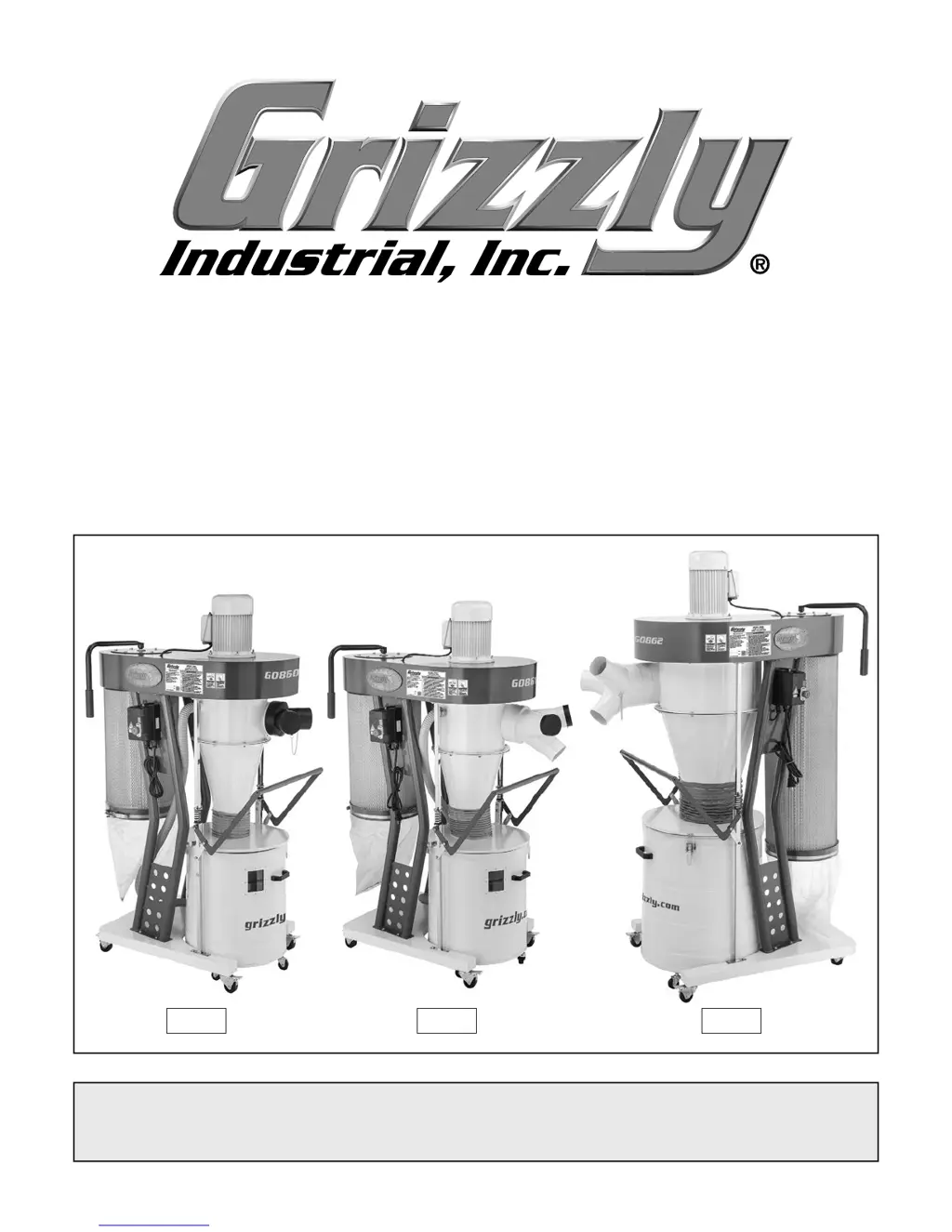
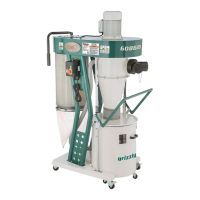
MODEL G0860/G0861/G0862
CYCLONE DUST COLLECTORS
OWNER'S MANUAL
(For models manufactured since 10/18)
G0860 G0861 G0862

Questions and Answers

  • J
    jeffreycamachoAug 16, 2025
    How to fix a Grizzly G0860 Dust Collector with vibration or noisy operation?
    • L
      Lynn GeorgeAug 16, 2025
      If your Grizzly Dust Collector is vibrating or operating noisily, several factors could be responsible. Start by inspecting all motor and component bolts and nuts, tightening any loose ones with thread-locking fluid and replacing damaged ones. Check if the motor fan is rubbing against the fan cover; fix or replace the cover, and replace the fan if it's loose or damaged. Ensure the motor mount is secure by tightening or replacing it if necessary. If available, adjust or replace the centrifugal switch. Inspect the impeller for damage or imbalance and replace it if needed. Test the motor bearings for rotational grinding or a loose shaft, which would indicate they need replacement. Lastly, test the motor shaft for bends using a dial indicator, and replace the motor if it is damaged.
  • T
    Theresa MezaOct 27, 2025
    What to do if my Grizzly G0860 Dust Collector doesn't start?
    • G
      Gerald HardinOct 27, 2025
      If your Grizzly Dust Collector does not start or a breaker trips immediately, several factors could be at play. First, ensure the dust collector is properly connected to ducting without resistance. Check and reset the E-Stop Button, replacing it if necessary. Verify that the power supply voltage and circuit size are correct. Also, check if the power supply circuit breaker has tripped or a fuse has blown, and reset or replace accordingly. Reset the machine circuit breaker on the switch. If using a remote, replace the battery and stay within signal range. Inspect for any broken, disconnected, or corroded wires and fix them. If available, adjust or replace the centrifugal switch/contact points. Test and replace the power switch/circuit breaker, start capacitor, or remote receiver if any are f...
  • D
    David AdamsNov 5, 2025
    Why does my Grizzly Dust Collector seem underpowered?
    • C
      craig25Nov 5, 2025
      If your Grizzly Dust Collector seems underpowered, it could be due to several reasons. The motor might be overheated; allow it to cool and reset the overload if needed. There could be a blockage or leaks in the dust-collection ducting, so clear any blockages, seal leaks, use smooth-wall ducting, eliminate bends, and close off other branches. The canister filter might be clogged or faulty, so clean or replace it. The dust collector might be undersized for your needs; consider moving it closer to the machine, redesigning the ducting layout, or upgrading to a larger dust collector. Additionally, the run capacitor or centrifugal switch/contact points could be at fault; test, repair, or replace them as necessary. Finally, check the motor bearings for rotational grinding or a loose shaft, which ...

Summary

Identification of Dust Collector Components

Machine Data Sheet

Section 1: Safety

General Machinery Safety Instructions

Provides critical safety guidelines for operating the machinery, covering general hazards and precautions.

Dust Collector Specific Safety Precautions

Outlines specific safety warnings and precautions related to the operation of dust collectors.

Section 2: Power Supply

Power Supply Requirements and Safety

Details 110V/220V power requirements, circuit specs, grounding, and extension cord usage.

Section 3: Setup and Assembly

Test Run Procedure

Section 4: Designing the System

System Grounding Essentials

Section 5: Operations

Section 7: Maintenance

Section 8: Service

Troubleshooting Common Issues

Offers solutions for common problems related to motor, electrical issues, and machine performance.

Filter and Bag Replacement Procedures

Guides users through safely removing and replacing the canister filter, bag, and drum bag.

Section 9: Wiring

Wiring Safety and Component Identification

Emphasizes safety, identifies electrical components, and provides wiring diagrams for models.

Section 10: Parts

Grizzly G0860 Specifications

General IconGeneral
Motor Power2 HP
Filter Rating1 micron
Voltage220V
Impeller Size12-3/4"
Maximum Static Pressure11.3" of Water
Inlet Diameter6 inches
Filter TypePleated
Inlet Size6 inches

Related product manuals