EasyManua.ls Logo

Grizzly G1163 - User Manual

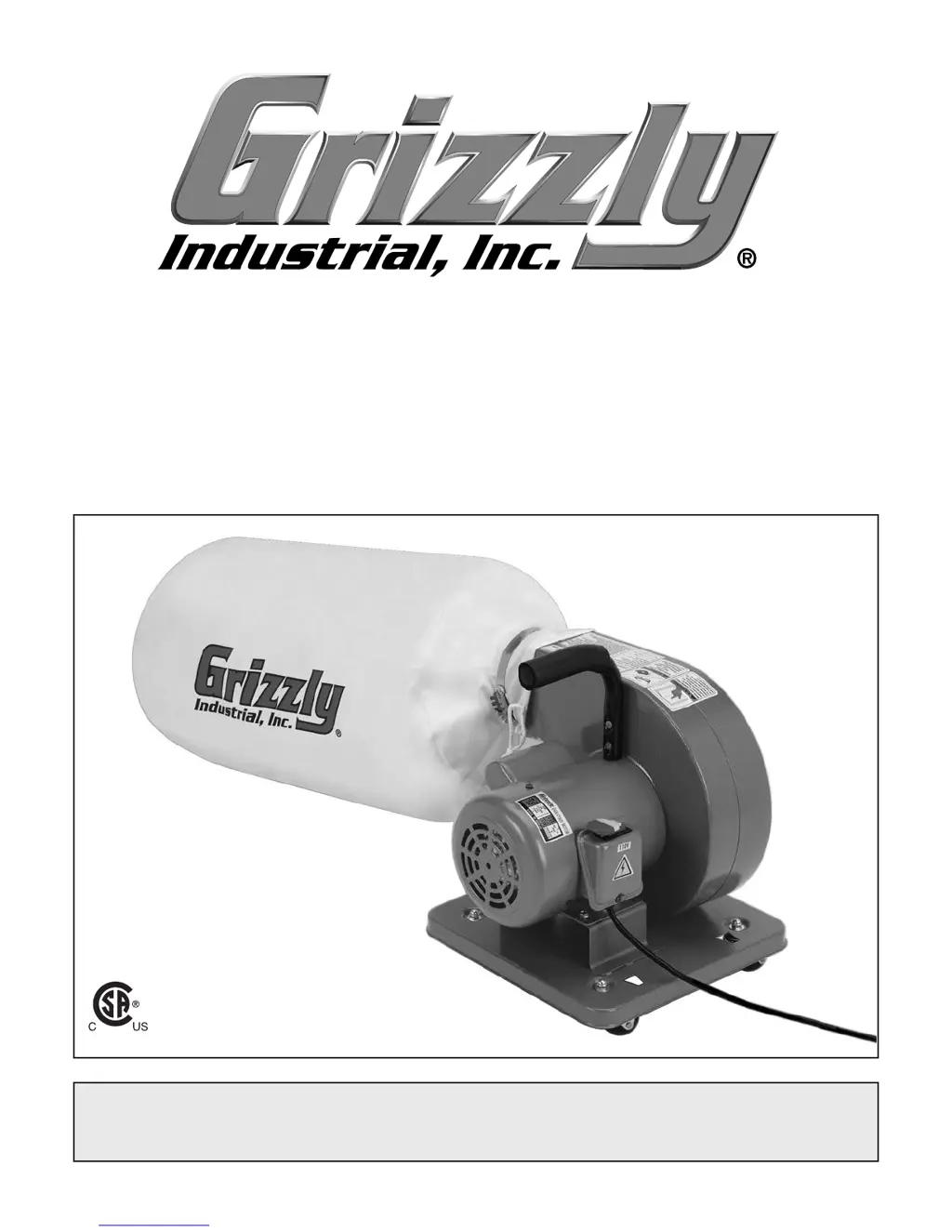
Grizzly G1163
32 pages
Print Icon
To Next Page IconTo Next Page
Loading...
Template Last Updated on 10/7/08
Find and replace options
Find Replace with:
GXXXX Name of Machine G1234 Saw
GXXXX G1234
MACHINE CATEGORY TABLE SAW
COPYRIGHT © DECEMBER, 2011 BY GRIZZLY INDUSTRIAL, INC. REVISED JULY, 2013 (BL)
WARNING: NO PORTION OF THIS MANUAL MAY BE REPRODUCED IN ANY SHAPE
OR FORM WITHOUT THE WRITTEN APPROVAL OF GRIZZLY INDUSTRIAL, INC.
#BL14597 PRINTED IN TAIWAN
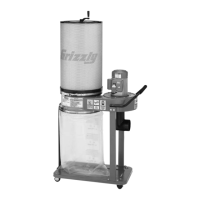
MODEL G1163 / G1163P
PORTABLE DUST COLLECTOR
OWNER'S MANUAL
(For models manufactured since 9/12)
247570

Other manuals for Grizzly G1163

Questions and Answers

  • R
    Ryan WashingtonJul 26, 2025
    What to do if my Grizzly G1163 Dust Collector doesn't start?
    • D
      Dr. Terry AdamsJul 26, 2025
      If your Grizzly Dust Collector doesn't start or the breaker trips, here's what you can check: 1. Make sure the disabling key is installed. 2. Verify the wall fuse/circuit breaker is adequate for the machine. Replace it if it's weak. 3. Ensure the power supply is switched ON and has the correct voltage. 4. Inspect wiring for breaks or loose connections and repair or replace as needed. 5. Replace the ON/OFF switch if it's faulty. 6. Test, repair, or replace the motor if it is at fault.
  • C
    Christopher YoungJul 30, 2025
    Why is my Grizzly Dust Collector not collecting dust properly?
    • J
      Jerry WalkerJul 31, 2025
      If your Grizzly Dust Collector isn't collecting dust or chips well, consider these potential causes and solutions: * Empty the collection bag if it's full. * Remove any restrictions in the duct line; a plumbing snake may help. * Relocate the dust collector closer to the suction point and rework ducting to avoid sharp bends. * Ensure lumber has less than 20% moisture content. * Eliminate leaks in ducting and close unused dust ports. * Re-install correctly sized ducts and fittings. * Use a dust collection nozzle on a stand. * Consider using a larger dust collector if yours is too small.
  • C
    Christopher WestAug 5, 2025
    How to fix vibration or noise in my Grizzly Dust Collector?
    • P
      pgarciaAug 5, 2025
      If your Grizzly Dust Collector is vibrating or operating noisily, check the following: 1. Inspect for loose motor or components. Tighten with thread-locking fluid or replace damaged bolts/nuts. 2. Tighten or replace a loose or broken motor mount. 3. Ensure the machine is correctly mounted and sits evenly. Tighten mounting hardware, and chock casters if mobile. 4. Replace a dented fan cover or loose/damaged fan if the motor fan is rubbing. 5. Test motor bearings by rotating the shaft. Replace bearings if there's grinding or looseness.
  • J
    Juan JohnsonAug 9, 2025
    What to do if sawdust is blowing out of my Grizzly G1163?
    • A
      Amber GreeneAug 10, 2025
      If sawdust is being blown into the air from your Grizzly Dust Collector, make sure the duct clamps and dust collection bag are properly clamped and secured. Re-tighten the bag clamp if it's loose or damaged, ensuring it's completely over the ducts and bag.
  • R
    Richard MyersAug 15, 2025
    What to do if my Grizzly Dust Collector does not start or a breaker trips?
    • P
      Patricia ManningAug 15, 2025
      If your Grizzly Dust Collector doesn't start or a breaker trips, first, make sure the disabling key is installed. Then, check the fuse; if it's blown, correct any shorts and replace the fuse in the control box. Also, confirm that the wall fuse or circuit breaker hasn't blown or tripped, and ensure the circuit size is suitable, replacing any weak breakers. Verify that the power supply is switched ON and has the correct voltage. Inspect the wiring for breaks, disconnections, or corrosion, repairing or replacing as needed. If the issue persists, the motor ON/OFF switch or the motor itself might be faulty and require replacement or repair.
  • M
    Marc KingAug 20, 2025
    Why is my Grizzly Dust Collector making noise and vibrating?
    • H
      harrissusanAug 20, 2025
      If your Grizzly Dust Collector is vibrating or operating noisily, begin by inspecting for any loose motor components, replacing stripped or damaged bolts/nuts and re-tightening with thread locking fluid. Check the motor mount for looseness or damage, tightening or replacing as necessary. Ensure the machine is correctly mounted and sits evenly, tightening or replacing mounting hardware and chocking casters if mobile. Inspect the motor fan for rubbing against the fan cover, replacing the fan cover if dented or the fan if loose/damaged. Finally, test the motor bearings by rotating the shaft; rotational grinding or a loose shaft indicates bearing replacement is needed.

Summary

MACHINE DATA SHEET

SECTION 1: SAFETY

General Safety Instructions

Outlines essential safety precautions for operating machinery.

Additional Safety for Dust Collectors

Dust Collector Specific Safety

Details safety measures pertinent to dust collection operation.

SECTION 2: POWER SUPPLY

Circuit Requirements

Specifies electrical circuit needs for 120V and 240V operation.

Grounding Requirements

Explains the importance and method of grounding the machine.

SECTION 3: SETUP

Assembly Instructions

Step-by-step guide to assembling the dust collector.

Collection System

Duct Grounding Procedures

Explains how to ground ducting to prevent static buildup.

Power Connection

Connecting and Disconnecting Power

Details safe procedures for plugging in and unplugging the machine.

Test Run

SECTION 7: SERVICE

SECTION 8: WIRING

Wiring Safety Instructions

Critical safety guidelines for performing electrical wiring tasks.

Wiring Diagram

Visual representation of the machine's electrical connections.

Grizzly G1163 Specifications

General IconGeneral
Motor Power2 HP
Airflow1550 CFM
Voltage220V
Intake Hole Diameter6"
Filter TypeBag
PhaseSingle

Related product manuals