EasyManua.ls Logo

Grizzly G1028Z - User Manual

Grizzly G1028Z
40 pages
Print Icon
To Next Page IconTo Next Page
Loading...
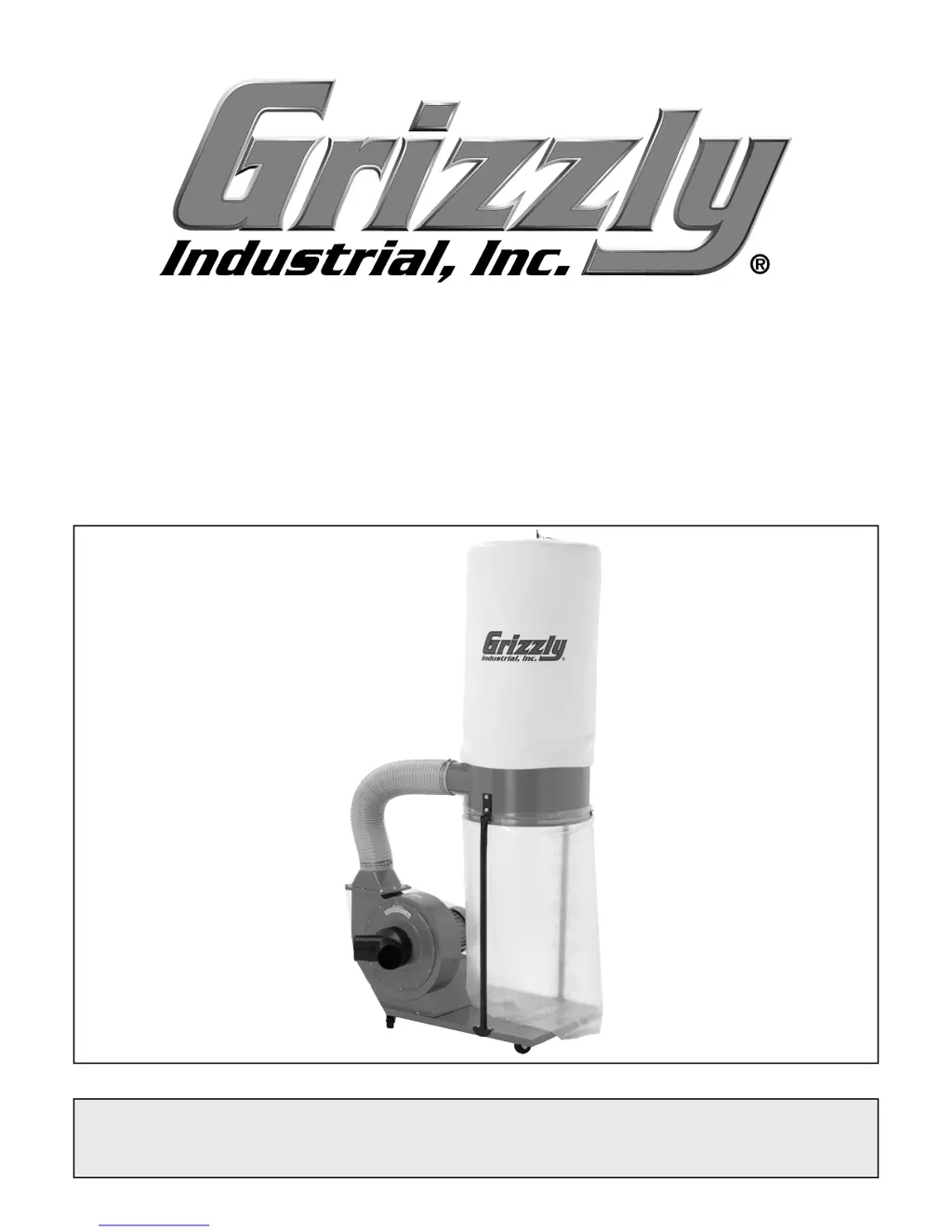
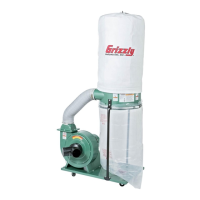
MODEL G1028Z/G1029Z
DUST COLLECTOR
OWNER'S MANUAL

WARNING: NO PORTION OF THIS MANUAL MAY BE REPRODUCED IN ANY SHAPE
OR FORM WITHOUT THE WRITTEN APPROVAL OF GRIZZLY INDUSTRIAL, INC.


Other manuals for Grizzly G1028Z

Questions and Answers

  • J
    Jorge NealAug 1, 2025
    What to do if my Grizzly Dust Collector is making loud noises and vibrating?
    • R
      rachelbookerAug 1, 2025
      First, ensure the dust collector is on a flat, stable surface. If it wobbles, stabilize it. Disconnect the dust collector from power and inspect the impeller for damage such as dents, bends, or loose fins; replace the impeller if any damage is found. Also, check that all fasteners on the dust collector are tight. If the impeller is loose on the motor shaft and both are damaged, replace them as a set. Finally, replace the motor fan cover if it is dented.
  • Q
    qsmithAug 6, 2025
    Why won't my Grizzly Dust Collector start or why does the breaker trip?
    • D
      dallenAug 6, 2025
      A blown fuse in the control box may be the problem; correct any short circuits and replace the fuse. The wall fuse or circuit breaker might be blown or tripped; ensure the circuit size is suitable and replace any weak breakers. Make sure the power supply is switched on and has the correct voltage. Check for broken wires or disconnected/corroded connections and repair/replace them. If the ON button or ON/OFF switch is faulty, replace it. If the motor is at fault, test, repair, or replace it.
  • K
    Kristi Hernandez PhDAug 12, 2025
    Why is my Grizzly Dust Collector vibrating or operating noisily?
    • D
      Devin HallAug 12, 2025
      A motor or component might be loose; inspect and replace any stripped or damaged bolts/nuts, and retighten them with thread locking fluid. If the motor mount is loose or broken, tighten or replace it. Ensure the machine is correctly mounted and sits evenly; tighten or replace anchor studs if mounted to the floor, or chock the machine casters if it's mobile. If the motor fan is rubbing on the fan cover, replace the dented cover or the loose/damaged fan. Test the motor bearings by rotating the shaft; if there's rotational grinding or a loose shaft, replace the bearings.
  • C
    Cindy FrankSep 10, 2025
    What to do if my Grizzly Dust Collector is blowing sawdust into the air?
    • R
      rperrySep 12, 2025
      Make sure the duct clamps and dust collection bags are properly clamped and secured, ensuring the clamps are tight and completely over the ducts and bags. Retighten the bag clamps if they are loose.
  • R
    Renee JenningsOct 25, 2025
    Why is my Grizzly Dust Collector not collecting dust properly?
    • C
      Christopher SilvaOct 25, 2025
      The dust collection bags might be full, so you should empty them. The filter could be dirty, so try cleaning it. There might be a restriction in the duct line; remove the dust line from the dust collector inlet and unblock the restriction. The dust collector could be too far from the suction point, or the ducting has too many sharp bends; relocate the dust collector and rework the ducting. If the lumber is wet, with more than 20% moisture content, the dust won't flow smoothly; process lumber with less moisture. Check for leaks in the ducting and close unused dust ports. Opening more branch lines can increase velocity in the main line. Ensure ducts and ports are correctly sized. If the machine dust collection design is inadequate, use a dust collection nozzle on a stand. If the dust collect...

Summary

Section 1: Safety

Safety Instructions for Machinery

Critical safety instructions for operating machinery to prevent injury.

Additional Safety for Dust Collectors

Specific safety precautions and warnings relevant to dust collector operation.

Section 2: Circuit Requirements

G1028 Z 110;220 V Operation

Details on electrical requirements and connection for the G1028Z model.

Section 4: Designing the System

Section 5: Operations

Operation Safety

Safety warnings and precautions to follow during machine operation.

Section 8: Service

Troubleshooting Motor & Electrical Issues

Common problems and solutions for motor and electrical malfunctions.

Troubleshooting Dust Collector Operation

Solutions for issues related to dust collection performance and noise.

Wiring Diagrams

Electrical diagrams for G1028Z and G1029Z models.

Warranty and Returns

Grizzly G1028Z Specifications

General IconGeneral
Intake Hole Diameter4 in.
ImpellerBalanced Steel
Collection Bag Capacity5.5 cu. ft.
Base Size24 in. x 24 in.
Air Flow (CFM)1700 CFM
Static Pressure (in. SP)8.5 in. SP
Inlet Size (in.)4
Dust Capacity (cu. ft.)5.5 cu. ft.
Height (in.)80 in.
Width (in.)24 in.
Depth (in.)24 in.
Weight (lbs.)130 lbs.

Related product manuals