EasyManua.ls Logo

Grizzly G1005Z - User Manual

Grizzly G1005Z
48 pages
Print Icon
To Next Page IconTo Next Page
Loading...
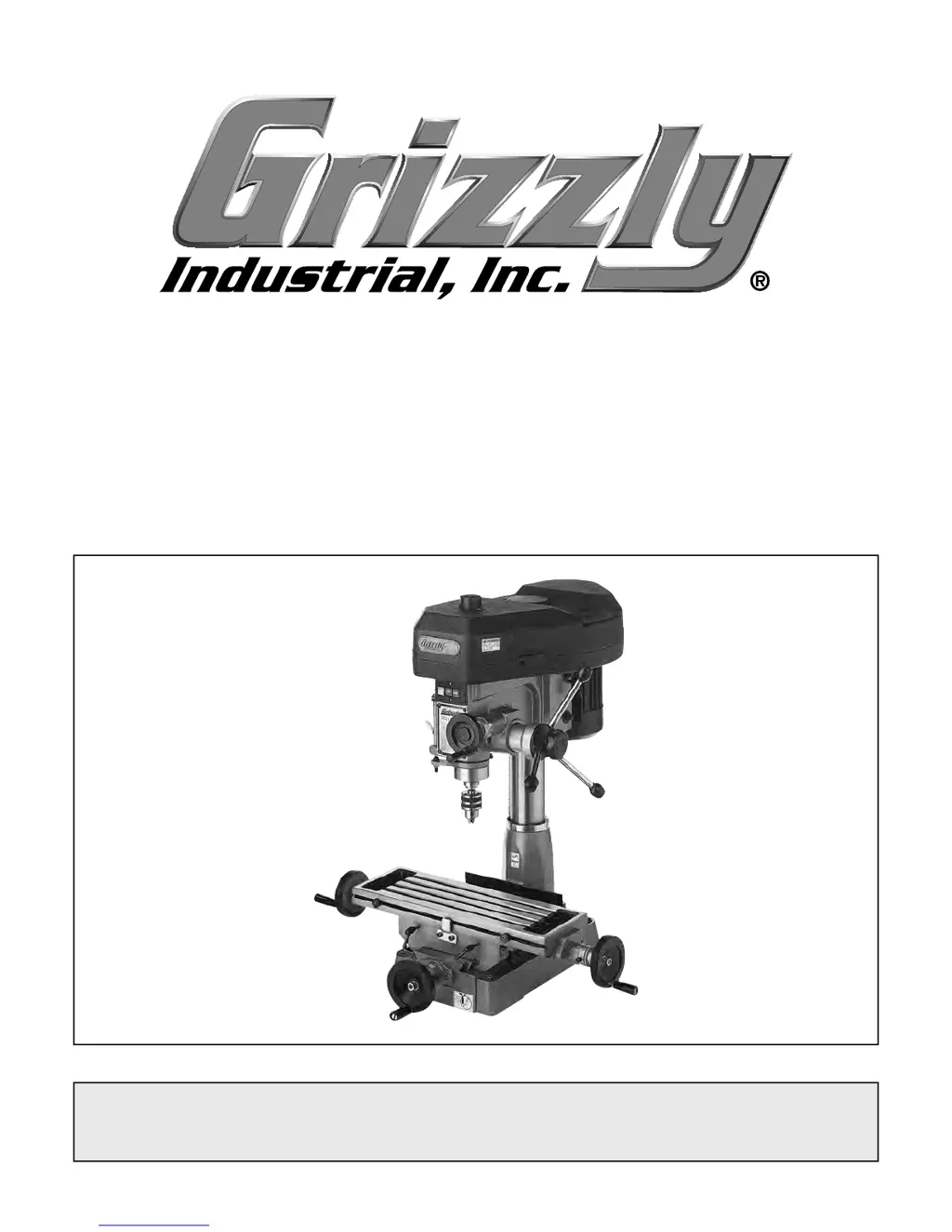
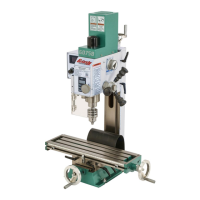
MODEL G1005Z
MILL/DRILL
OWNER'S MANUAL
8DENG><=I?JC:!'%%+7N<G>OOAN>C9JHIG>6A!>C8#?JAN!'%&%IG
WARNING: NO PORTION OF THIS MANUAL MAY BE REPRODUCED IN ANY SHAPE
OR FORM WITHOUT THE WRITTEN APPROVAL OF GRIZZLY INDUSTRIAL, INC.
;DGB68=>C:HB;<#H>C8:,$&%?@-(%)EG>CI:9>C8=>C6

Other manuals for Grizzly G1005Z

Questions and Answers

  • N
    Natalie FlemingAug 18, 2025
    What to do if my Grizzly G1005Z Drill doesn't start?
    • L
      Logan MartinAug 19, 2025
      If your Grizzly Drill does not start or a breaker trips, check the following: * Test the power plug and receptacle for good contact and correct wiring. * Replace the capacitor if it's faulty. * Correct the motor wiring. * Ensure the power supply is working correctly with the correct voltage. * Replace the ON/OFF switch if it's faulty. * Inspect and repair or replace any damaged wiring. * Test, repair, or replace the motor if it's faulty.
  • C
    Christopher FletcherAug 26, 2025
    How to fix a Grizzly G1005Z when the drill bit wobbles?
    • B
      bryanmillerAug 26, 2025
      If your Grizzly Drill bit wobbles and the holes are oversized, it could be due to: * Incorrect installation. Remove the drill bit and reinstall it. * A bent drill bit. Replace the drill bit.
  • R
    Rose PatelAug 28, 2025
    Why is my Grizzly G1005Z Drill loud, overheating, or bogging down?
    • T
      thomas96Aug 28, 2025
      If your Grizzly Drill is loud when cutting, overheats, or bogs down, consider the following: * Reduce the depth of cut if it's excessive. * Ensure you are using sharp cutting tools, as dull tools can cause these issues. * Verify that the RPM and feed rate are appropriate for the job.
  • N
    Natalie WallaceAug 30, 2025
    What to do if my Grizzly G1005Z stops milling/drilling but motor still works?
    • G
      Gabriel JamesAug 30, 2025
      If the milling or drilling on your Grizzly Drill stops, but the motor still operates, it could be due to: * A loose or worn belt. Replace and/or adjust the belt. * The pulley for the spindle shaft or the motor slipping on the shaft. To resecure the pulley: * Unplug the mill/drill! * Remove the nut and slipping pulley. * Clean all dust, grit, and debris from the pulley arbor. * Warm the pulley and nut so that they slide back onto the pulley arbor. * Tighten the nut. * The drill bit slips in the chuck. Tighten the bit and inspect it for burrs or other obstructions that might interfere with the clamping surface.
  • M
    Miguel WolfeSep 1, 2025
    Why does my Grizzly G1005Z workpiece vibrate or chatter?
    • B
      bmooreSep 1, 2025
      If the workpiece vibrates or chatters during the operation of your Grizzly Drill, try these solutions: * Tighten down the table locks. * Tighten the spindle lock. * Ensure the workpiece is securely clamped to the table or into the mill/drill vise. Check that the clamping is tight and sufficient for the job, and make sure the mill/drill vise is tight to the table. * Use an appropriate RPM and feed for the job.
  • M
    Mary FrancisSep 3, 2025
    Why is the table on my Grizzly G1005Z Drill hard to move?
    • C
      Cory NorrisSep 4, 2025
      If your Grizzly Drill table is hard to move, check the following: * Ensure the table locks are fully released. * Clean away any chips that have loaded up on the bedways during milling operations. * Lubricate the bedways and handles if they are dry. * Check that the longitudinal stops are loose and not hitting the center stop. * Loosen the gib screw(s) if the gibs are too tight.
  • D
    Daniel MitchellSep 6, 2025
    What to do if tool slips in collet of Grizzly G1005Z?
    • J
      Jo HansenSep 6, 2025
      If tools are slipping in the collet of your Grizzly Drill, consider the following: * Snug up the draw bar to ensure the collet is fully drawn up into the spindle taper. * Measure the tool shank diameter and match it with an appropriate diameter collet if you're using the wrong size. * Remove any oil and debris from the collet and spindle taper. * Lessen the depth of cut and allow chips to clear if you are taking too big of a cut.
  • E
    elizabeth86Sep 8, 2025
    Why is my Grizzly G1005Z breaking tools or cutters?
    • J
      Janet FieldsSep 8, 2025
      If your Grizzly Drill is breaking tools or cutters, consider the following: * Use tables to set the correct RPM and feed rates, as the RPM and/or feed rate may be too fast. * Use cutting fluid or oil for the appropriate application if the cutting tool is getting too hot. * Lessen the depth of cut and allow chips to clear if you are taking too big of a cut.
  • M
    Megan CopelandSep 12, 2025
    Why does the chuck wobble on my Grizzly Drill?
    • R
      Robert GreenSep 12, 2025
      If the chuck, arbor, or tooling wobbles or is loose on the spindle shaft of your Grizzly Drill, try the following: * Remove the chuck and clean and de-burr the tapered chuck and spindle mating surfaces, then reassemble to eliminate any foreign material stuck between the arbor-to-spindle mating surface. * Replace any damaged tooling or chuck.
  • J
    Justin BennettSep 13, 2025
    What to do if the spindle on my Grizzly G1005Z doesn't retract?
    • M
      Mary BaileySep 13, 2025
      If the spindle on your Grizzly Drill does not retract completely or it binds, consider these solutions: * Clean the gummy substance with penetrating oil and lubricate with a light coat of oil if the quill shaft is gummy with sawdust and oil. * Loosen the jam nut and slightly turn out the screw where the quill binds. Retighten the jam nut and recheck for binding and looseness at all spindle locations if the quill deflection screw is binding the quill.

Summary

INTRODUCTION

Manual Accuracy

Discusses potential discrepancies between manual and machine.

Contact Info

Provides contact details for customer service and feedback.

Identification

MACHINE DATA SHEET

SECTION 1: SAFETY

For Your Own Safety, Read Instruction Manual Before Operating this Machine

Emphasizes reading the manual for safe operation and understanding safety symbols.

Safety Instructions for Machinery

Provides essential safety guidelines for operating machinery.

Additional Safety for Mill;Drills

Offers specific safety precautions for mill/drills.

SECTION 2: POWER SUPPLY

Availability

Discusses power supply circuit availability and installation requirements.

Circuit Information

Explains power supply circuit requirements for safe operation.

Grounding Requirements

Details proper grounding procedures for electrical safety.

Extension Cords

Advises on the proper use and limitations of extension cords.

SECTION 3: SET UP

Needed for Setup

Lists items required for the machine setup process.

Unpacking

Provides instructions for unpacking the machine and checking for damage.

Hardware Recognition Chart

Aids in identifying hardware during the assembly process.

Inventory

Lists all components and hardware included with the machine.

Cleanup

Basic steps for removing rust preventative

Outlines the procedure for removing rust preventative from the machine.

Site Considerations

Weight Load

Advises on considering the machine's weight for placement.

Space Allocation

Discusses necessary space for operation and maintenance.

Physical Environment

Details suitable environmental conditions for machine operation.

Electrical Installation

Covers placement near power sources and cord protection.

Lighting

Specifies adequate lighting requirements for safe operation.

Mounting

Assembly

Test Run

Spindle Break-In

SECTION 4: OPERATIONS

Installing;Removing Tooling

Guides on how to install and remove cutting tools and arbors.

Table

Longitudinal Feed

Explains the operation of the table's X-axis movement.

Cross Feed

Describes the table's Y-axis movement via the handwheel.

Longitudinal Locks

Details how to lock the table's longitudinal position.

Longitudinal Stops

Explains the use of stops to limit X-axis travel.

Gib Screws

Covers adjusting gib screws for slide movement.

Graduated Dials

Backlash

Micro-Downfeed Handwheel

Quill Lock

Depth Stop

Choosing Milling Speeds

Choosing Drilling Speeds

Changing Speeds

Drilling Guidelines

SECTION 5: ACCESSORIES

SECTION 6: MAINTENANCE

Schedule

Outlines daily and weekly maintenance checks.

Unpainted Cast Iron

Advises on protecting unpainted surfaces from rust.

Lubrication

Provides guidance on lubricating machine components.

SECTION 7: SERVICE

Troubleshooting

Lists common symptoms, causes, and solutions for machine issues.

Depth Stop Calibration

Feed Shaft Spring Tension

SECTION 8: WIRING

Wiring Safety Instructions

Provides critical safety precautions for electrical wiring work.

Electrical Components

Illustrates the junction box and its components.

Wiring Diagram

Presents the electrical wiring schematics for the machine.

SECTION 9: PARTS

Main Assembly Breakdown

Shows a detailed exploded view of the main machine assembly.

Main Assembly Parts List

Lists parts for the main assembly with reference numbers.

Table Breakdown

Provides an exploded view of the machine's table assembly.

Table and Labels Parts List

Lists parts for the table and includes machine labels.

WARRANTY CARD

WARRANTY AND RETURNS

Grizzly G1005Z Specifications

General IconGeneral
BrandGrizzly
ModelG1005Z
CategoryDrill
LanguageEnglish

Related product manuals