EasyManua.ls Logo

Grizzly H8192 - User Manual

Grizzly H8192
36 pages
Print Icon
To Next Page IconTo Next Page
Loading...
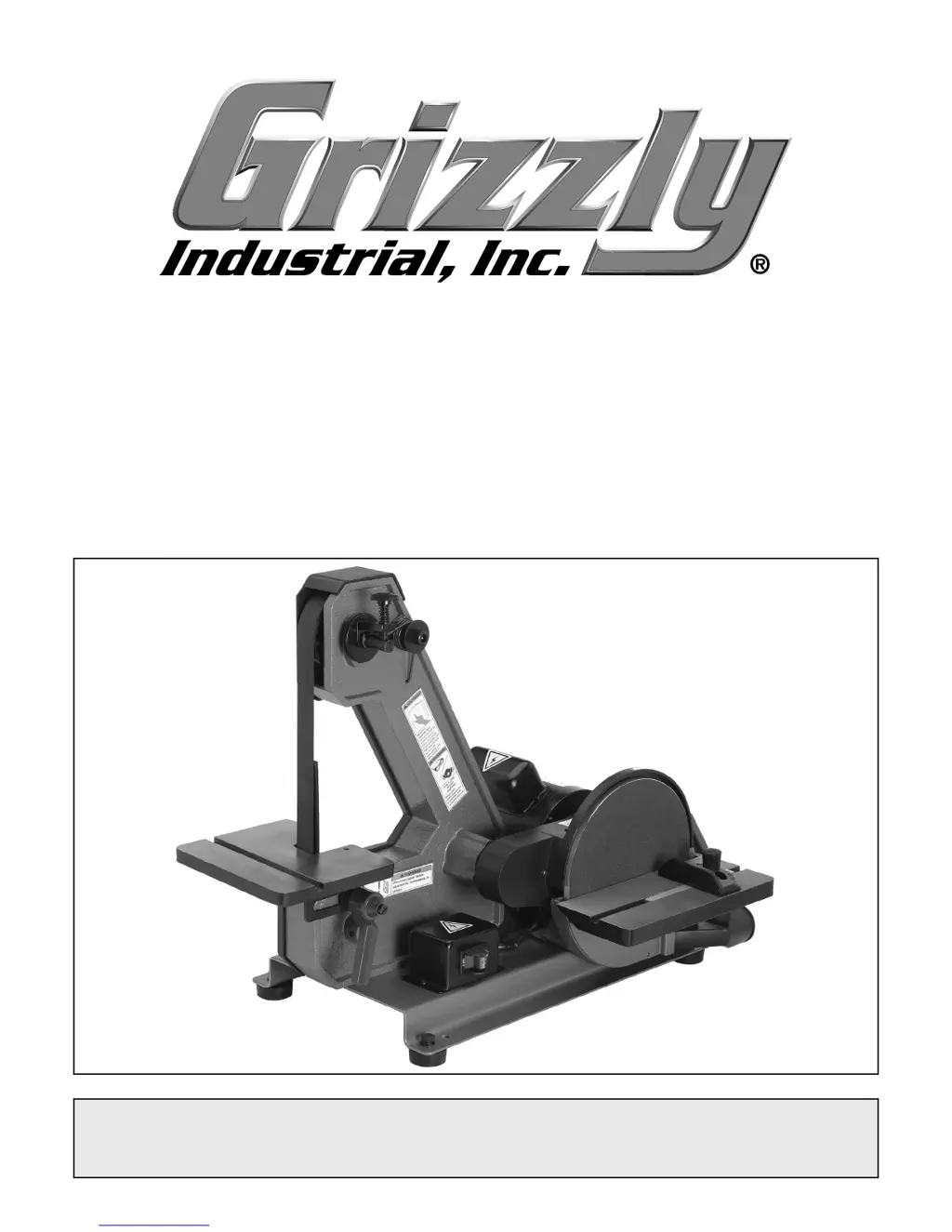
MODEL H8192
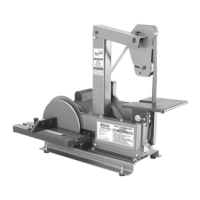
1" BELT/8" DISC
COMBINATION SANDER
OWNER'S MANUAL
COPYRIGHT © AUGUST, 2007 BY GRIZZLY INDUSTRIAL, INC.
WARNING: NO PORTION OF THIS MANUAL MAY BE REPRODUCED IN ANY SHAPE
OR FORM WITHOUT THE WRITTEN APPROVAL OF GRIZZLY INDUSTRIAL, INC.
#TS9703 PRINTED IN CHINA

Questions and Answers

  • E
    Elizabeth GonzalezAug 14, 2025
    Why Grizzly H8192 motor will not start and the fuses or circuit breakers trip?
    • K
      Kristopher ThomasAug 14, 2025
      If the motor on your Grizzly Sander won't start and the fuses or circuit breakers are tripping, it could be due to several reasons. First, check the power line voltage and correct it if necessary, as low voltage can cause this issue. Second, inspect and repair the cord, plug, and motor for damaged insulation, shorted wires, or loose connections. Finally, ensure that you have the correct fuses or circuit breakers installed in the power line and replace them if needed.
  • M
    Mark OlsonAug 17, 2025
    Why does my Grizzly Sander motor stall?
    • S
      Samantha MorrisAug 17, 2025
      A Grizzly Sander motor might stall due to a few reasons. The motor could be overloaded, so try reducing the load. Also, low voltage or incorrect fuses/circuit breakers in the power line could be the cause. Check the power line voltage and correct it if necessary, and ensure you have the correct fuses or circuit breakers installed.
  • E
    Elizabeth SmithAug 20, 2025
    What to do if my Grizzly H8192 Sander machine vibrates excessively?
    • S
      Sean SuarezAug 20, 2025
      Excessive vibration in your Grizzly Sander can stem from several issues. First, ensure the machine is properly secured to the benchtop or stand. If that's not the problem, check the sanding belt tracking and adjust if necessary. Other potential causes include a weak or broken sanding belt tension spring (which would need replacement), a broken or damaged sanding belt (also requiring replacement), or a sanding disc that's rubbing, not properly centered, or has a loose set screw. In the latter case, properly install and secure the sanding disc.
  • M
    Michael GonzalesAug 25, 2025
    What to do if my Grizzly Sander surface clogs quickly or burns?
    • L
      Laurie MasonAug 25, 2025
      If the sanding surface of your Grizzly Sander clogs quickly or burns, it could be due to too much pressure against the belt or disc. Try reducing the pressure on the workpiece while sanding. Another reason could be that you are sanding softwood or stock that has paint or varnish. In this case, use different stock and change or clean the sanding material often.
  • C
    Chad AdamsAug 28, 2025
    Why does my Grizzly H8192 Sander leave deep sanding grooves or scars in workpiece?
    • A
      Ariel MoralesAug 28, 2025
      Deep sanding grooves or scars in the workpiece when using your Grizzly Sander can occur for several reasons. The sandpaper might be damaged or clogged, so clean or replace the sanding surface. Alternatively, the sandpaper may be too coarse for the desired finish, so use a finer grit sanding surface. Other potential causes include sanding the workpiece across the grain (sand with the grain instead), applying too much sanding force on the workpiece (reduce pressure while sanding), or holding the workpiece still against the belt or disc (keep the workpiece moving across the sanding surface).
  • R
    randyhicksAug 30, 2025
    Why does my Grizzly H8192 Sander leave burn marks on workpiece?
    • J
      Jessica SandersAug 31, 2025
      Burn marks on the workpiece when using your Grizzly Sander can be caused by a few things. You might be using too fine of a sanding grit, so switch to a coarser grit sanding belt or disc. Also, applying too much pressure can cause burns, so reduce the pressure on the workpiece while sanding. Finally, holding the work piece still for too long can lead to burning, so avoid keeping the workpiece in one place for too long.
  • V
    Victor GravesSep 3, 2025
    How to prevent sanding grains from easily rubbing off Grizzly H8192 sanding surface?
    • L
      Lorraine MitchellSep 3, 2025
      If sanding grains easily rub off the sanding surface of your Grizzly Sander, it may be because the sanding belt or disc has been stored incorrectly. Store sanding materials away from heat or damp conditions, and store them flat, not folded or bent. Another cause could be that the sanding surface has been damaged, so replace the sanding material.
  • J
    Jared DennisSep 6, 2025
    Why are my Grizzly H8192 sanding surfaces glazed?
    • V
      Vanessa JonesSep 6, 2025
      Glazed sanding surfaces on your Grizzly Sander can occur if you are sanding wet stock, so ensure you dry the stock properly before sanding. It can also happen if you are sanding stock with high residue; in this case, use different stock and change or clean the sanding material often.
  • L
    Lindsey MillerSep 10, 2025
    Why does my Grizzly H8192 machine slow when operating?
    • J
      Joshua WagnerSep 10, 2025
      If your Grizzly Sander slows down during operation, it's likely because the workpiece pressure is too great. Reduce the workpiece pressure on the sanding surface to resolve this issue.

Summary

INTRODUCTION

Foreword

Presents the Model H8192 and Grizzly's commitment to customer satisfaction and product improvement.

Contact Information

Provides Grizzly Industrial's mailing address, email, and phone numbers for inquiries and support.

MACHINE DATA SHEET

IDENTIFICATION

SECTION 1: SAFETY

General Safety Instructions

Essential safety warnings and guidelines for operating machinery safely to prevent serious injury.

Belt and Disc Sander Safety

Specific safety precautions and warnings relevant to the operation of belt and disc sanders.

SECTION 2: CIRCUIT REQUIREMENTS

110 V Operation and Electrical Safety

Details on electrical requirements, amperage draw, and safe connection procedures for 110V power.

SECTION 3: SETUP

Setup Safety and Preparation

Critical safety measures and required items for a safe and effective sander setup process.

Unpacking and Inventory

Instructions for unpacking the machine, inspecting for damage, and inventorying components.

Hardware Recognition

A visual guide to identify and match various hardware components used during assembly.

Cleaning and Placement

Guidance on cleaning the machine and selecting an optimal placement location for operation.

Assembly Steps

Comprehensive, step-by-step instructions for assembling the Model H8192 combination sander.

Test Run Procedure

A detailed procedure to verify the correct operation of the sander after assembly.

Mounting and Dust Collection

Instructions for securely mounting the sander and connecting an adequate dust collection system.

SECTION 4: OPERATIONS

Operational Safety Precautions

Important safety rules and recommendations to follow during sander operation.

Disc Sanding Technique

Step-by-step instructions and safety tips for performing disc sanding operations.

Belt Sanding Technique

Guidance and safety advice for using the sanding belt effectively for woodworking tasks.

SECTION 5: ACCESSORIES

SECTION 6: MAINTENANCE

Lubrication and Belt Tracking

Procedures for lubricating sealed bearings and adjusting the sanding belt for correct tracking.

Changing Sanding Components

Detailed instructions for safely replacing the sanding belt and the 8" sandpaper disc.

SECTION 7: SERVICE

Troubleshooting Common Issues

A guide to identify and resolve common operational problems and symptoms.

Adjusting and Replacing Parts

Procedures for squaring the disc table and adjusting V-belt tension or replacing the V-belt.

Electrical and Breakdown Diagrams

Includes wiring diagrams, motor breakdown, and disc breakdown for service reference.

Parts List and Labeling

A comprehensive list of all parts with reference numbers and guidance on label placement.

WARRANTY AND RETURNS

Grizzly H8192 Specifications

General IconGeneral
BrandGrizzly
ModelH8192
CategorySander
LanguageEnglish

Related product manuals